

Support our independent tech coverage. Chrome Unboxed is written by real people, for real people—not search algorithms. Join Chrome Unboxed Plus for just $2 a month to get an ad-free experience, access to our private Discord, and more. Learn more about membership here.
START FREE TRIAL (MONTHLY)START FREE TRIAL (ANNUAL)
Back in 2020, Google shut down the popular kid’s reading app Rivet from the tech giant’s mistreated and underappreciated Area 120 in-house incubator. At the time, I wrote that it was a good thing since many of those experiences were headed to Google Play Books and Nest Hub.
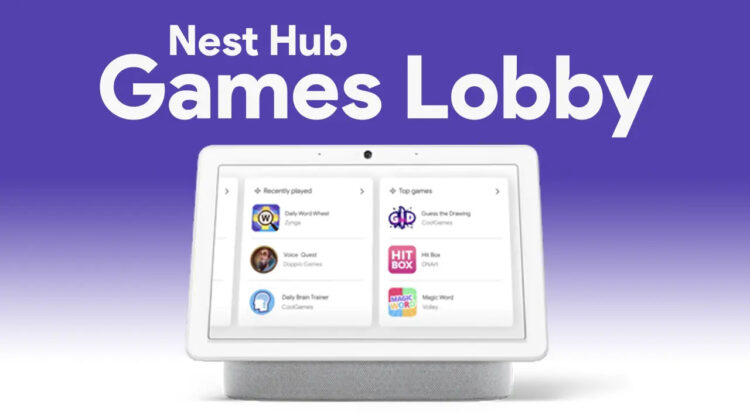
For the latter, they would take the form of the “Games” tab, which was driven by the Assistant’s “Conversational Actions”. Dubbed the “Games Lobby”, Google collected many games, audio experiences, and more focused on families into the hub so that your children would have a kid-friendly place to play and explore.
Now, just three years after giving Rivet’s content a second lease on life, Google may be shutting down the “Games” tab on Nest Hub smart displays, leading me to second-guess my original stance. This information comes immediately after it was discovered that Google would also no longer support third-party smart displays with Assistant functionality.
To be fair, Conversational Actions have been around for nearly a decade, and with Google’s Assistant receiving less love these days as its team shifts over to work on the company’s new Bard AI, it makes sense to “sunset” them. Unfortunately, it means that the fun family Nest Hub experience is a victim of this.
It should be noted that this decision seems to have been made prior to Google’s idea to shift over to Bard and this is just the unfortunate side effect of Conversational Actions being “sunset”. All of this is set to take place in a few months – June of this year.
In place of “Conversational Actions”, Google is instead focusing its efforts on “App Actions” going forward. These will allow developers to create voice interactions within their own experiences, and not rely on the older system. According to XDA Developers, who had a word with Rebecca Nathanson, the Director of Assistant Integration Developer Platform at Google, App Actions are “the best path forward for delivering the biggest ROI for developers.”
“One of the things that we’ve heard from our users is that while voice-first is a great addition to the world of technology when it’s detached from all the other ways that users interact with the services and apps that they’re already familiar with and love and use on a daily basis, it’s not nearly as compelling for them. At the same time, we heard from developers that it’s challenging to create a voice experience using conversational actions as a standalone product. You have to start from scratch every single time.”
Rebecca Nathanson, Director of Product, Assistant Integration Developer Platform to XDA Developers
Being as how App Actions have been around for a few years now (originally launched in 2019), there’s every possibility that new apps and games experiences for your family on the Nest Hub will replace those that are currently driven by Conversational Actions. However, at this time, there’s no word on what those are or if they are even being developed. We’ll let you know if Google tells us what the future holds.
SUBSCRIBE TO UPSTREAM
Get Chrome Unboxed delivered straight to your inbox
Upstream is our flagship, curated newsletter with the top stories, most click-worthy deals, giveaways, and trending articles from Chrome Unboxed sent directly to your inbox a few times a week. Join 31,000+ subscribers.

