

• Skip to main content
  • Skip to primary sidebar
  • Deals
  • Features
  • Guides
  • Chromebooks
  • Videos
  • Podcast
  • More +
    • Reviews
    • Unboxing
    • Upcoming Devices
    • Chromebook Plus
    • Chrome
    • ChromeOS
    • Chrome OS Flex
  • Search
  • Sign Up
  • Log In
Chrome Unboxed – The Latest Chrome OS News

Chrome Unboxed - The Latest Chrome OS News

A Space for All Things Chrome, Google, and More!

  • Deals
  • Features
  • Guides
  • Chromebooks
  • Videos
  • Podcast
  • More +
    • Reviews
    • Unboxing
    • Upcoming Devices
    • Chromebook Plus
    • Chrome
    • ChromeOS
    • Chrome OS Flex
  • Search
  • Sign Up
  • Log In

Getting locked out of your Google Account just got a lot less stressful

July 24, 2026 By Joseph Humphrey View Comments

Support our independent tech coverage. Chrome Unboxed is written by real people, for real people—not search algorithms. Join Chrome Unboxed Plus for just $2 a month to get an ad-free experience, access to our private Discord, and more. Learn more about membership here.
START FREE TRIAL (MONTHLY)START FREE TRIAL (ANNUAL)

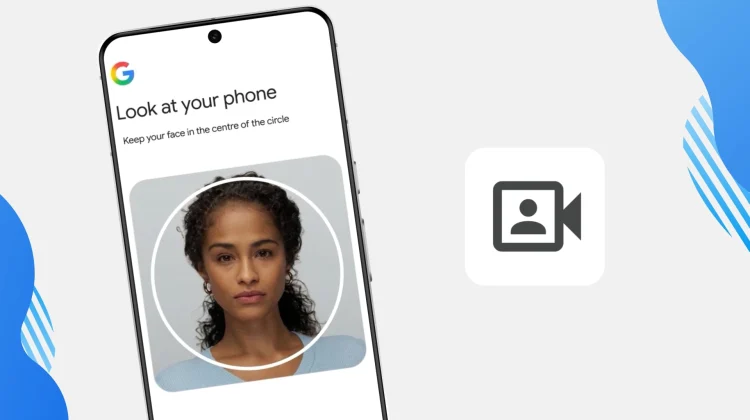
Getting locked out of your Google Account is frustrating, especially if you don’t have your usual phone or computer nearby to approve a login prompt. To help make account recovery a lot easier, Google just introduced a new backup method: selfie for sign-in.

Building on the ongoing rollout of passkeys across the Google ecosystem, this new selfie video method gives you a reliable way to get back into your digital life if you are ever locked out and separated from your trusted hardware.

Xremove ads

How selfie sign-in actually works

Setting it up is incredibly straightforward and easy. You just look at your device’s camera and follow a few short, guided head movements so Google can capture multiple angles of your face.

If you ever find yourself locked out down the road, you just take another quick selfie video. Google compares the new video to the one you initially set up to verify it’s actually you, and just like that, you are back into your account.

Featured Videos

Xremove ads
Check out Today’s Best Chomebook Deals

Privacy and deepfake protection

Of course, tying your account recovery to a facial scan brings up obvious privacy and security concerns—especially with how convincing AI deepfakes have become recently.

To combat this, Google says they are utilizing multiple layers of security. When you try to sign in, the system doesn’t just match your face; it requires you to perform simple, real-time movements to prove it is a live video and not just a spoofed AI clip or a held-up photograph. On the privacy side, Google confirmed that your initial setup video is encrypted and stored securely with your consent, and you can delete it from your Google Account settings at any time.

You have to remember that your Google Account holds the keys to almost everything, from your Gmail and Docs to years of cherished Google Photos. Adding this extra layer of recovery alongside your passkeys and recovery contacts just makes sense for keeping all of that data secure but accessible when things go wrong. You can check if your account is eligible and set up your selfie video today by heading to g.co/signin-selfie.

Xremove ads

SUBSCRIBE TO UPSTREAM

Get Chrome Unboxed delivered straight to your inbox

Upstream is our flagship, curated newsletter with the top stories, most click-worthy deals, giveaways, and trending articles from Chrome Unboxed sent directly to your inbox a few times a week. Join 31,000+ subscribers.

SUBSCRIBE HERE!

Filed Under: News

About Joseph Humphrey

Joe has been a part of Chrome Unboxed since 2016 when he started helping Robby produce YouTube videos. Although normally behind the scenes, Joe has spent countless hours editing reviews and unboxings of many, many Chromebooks. Now a Partner in Unboxed Media, Joe is constantly thinking strategically about the Chromebook industry and how Chrome Unboxed can continue to innovate in the space.

Primary Sidebar

Xremove ads

Deals

The best Chromebook deals today

By Robby Payne
July 24, 2026

The updated Lenovo IdeaPad Slim 3 Chromebook drops to just $199 in massive new sale

By Robby Payne
July 21, 2026

The Pixel 10 Pro is $300 off right now, and it’s still my favorite small phone

By Joseph Humphrey
July 12, 2026

The new Lenovo IdeaPad Slim 3 Chromebook gets a super-affordable $249 configuration

By Robby Payne
July 7, 2026

Lenovo quietly updates the IdeaPad Slim 3 Chromebook in some pretty big ways

By Robby Payne
July 2, 2026

More Deals

Xremove ads

Reviews

Acer Chromebook Plus Spin 514 Review: the best convertible you can buy [VIDEO]

By Robby Payne
July 1, 2026

Lenovo Chromebook Plus 2-in-1 Review: pretty great in a vacuum

By Robby Payne
April 23, 2026

My review after 6 weeks with the Lenovo Chromebook Plus 14 [VIDEO]

By Robby Payne
August 11, 2025

One week with the best small Android tablet you can buy, and I’m sold

By Robby Payne
May 9, 2025

Best Chromebooks of 2024 [VIDEO]

By Robby Payne
November 28, 2024

More Reviews

Xremove ads

Guides

This Chromebook trackpad shortcut is definitely not new, but is blowing my mind

By Robby Payne
March 11, 2024

How to reduce broadcast delay on YouTube TV to stop live spoilers

By Robby Payne
December 8, 2023

Windows PC keyboard and Chromebook

How to use a Windows keyboard with a Chromebook

By Joseph Humphrey
December 8, 2023

How reset and revert your Chromebook to the previous version of Chrome OS

By Robby Payne
November 29, 2023

My Chromebook Plus features disappeared: here’s how I fixed it

By Robby Payne
November 24, 2023

More Guides

TWITTER · FACEBOOK · INSTAGRAM · YOUTUBE · EMAIL · ABOUT

Copyright © 2026 · Chrome Unboxed · Chrome is a registered trademark of Google Inc.
We are participants in various affiliate advertising programs designed to provide a means for us to earn fees by linking to affiliated sites.

PRIVACY POLICY