


Support our independent tech coverage. Chrome Unboxed is written by real people, for real people—not search algorithms. Join Chrome Unboxed Plus for just $2 a month to get an ad-free experience, access to our private Discord, and more. Learn more about membership here.
START FREE TRIAL (MONTHLY)START FREE TRIAL (ANNUAL)
Google has just announced that “Gemini in Chrome,” their powerful AI browsing assistant, will soon be available to Workspace customers on their Chromebook and Chromebook Plus devices. Now, this might sound a bit confusing at first. After all, Chromebooks have had built-in Gemini capabilities for a little while now. But this is a separate, and arguably more critical, update for the enterprise sector.
If you’re not familiar, “Gemini in Chrome” is the AI assistant that lives directly in the browser. This is the tool that can “understand the context of a user’s tabs,” summarize long web reports, grab key insights from a video, or help you brainstorm ideas. Because it’s a Workspace feature, it comes with enterprise-grade data protections, giving IT admins full control over how their users and, more importantly, their company data interact with AI.
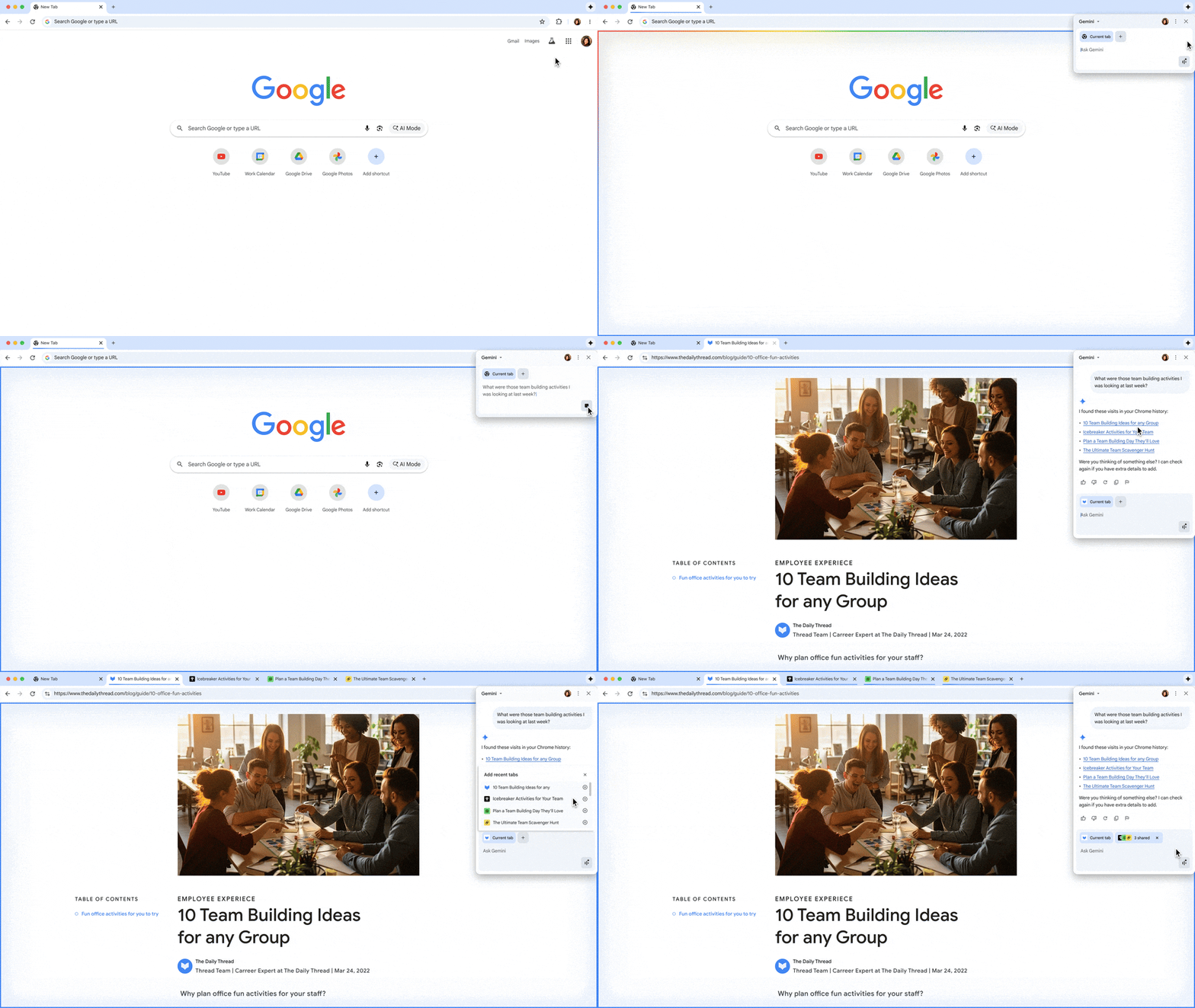
But this isn’t just a text-based tool. This update also brings “Gemini Live” to Chromebooks. “Gemini Live” is the conversational, intuitive way to chat with Gemini. You can “Go Live” right from your tab and get real-time, spoken responses, turning your browser into a true AI collaborator you can talk to.
This is a crucial update that brings Chromebooks in line with their Mac and Windows counterparts, where “Gemini in Chrome” is already rolling out. For any business that runs a mixed fleet of devices, this move is essential, as it ensures a consistent and secure AI experience for all their employees, regardless of what laptop they’re using.
The powerful enterprise bonus with Cameyo
While platform parity is the main story, there is an incredibly powerful bonus feature that is unique to the ChromeOS ecosystem: the Cameyo integration.
Cameyo, which was just officially relaunched by Google, is the service that allows businesses to run their old, legacy Windows applications securely in a browser tab on a Chromebook. With this new update, “Gemini in Chrome” will be able to interact with those virtualized apps.
Think about what that means, especially with Gemini Live. An employee can have a 20-year-old accounting program running in one tab and verbally ask Gemini, “Summarize the Q3 report from my open app.” The AI can now “see” the data inside that virtualized legacy app and give a spoken answer. This is a massive, secure bridge between a company’s oldest software and Google’s most modern AI, all without rewriting a single line of code.
Overall, I think this is a fantastic and much-needed update for the platform. The arrival of “Gemini in Chrome” for Workspace users finally brings Chromebooks to full parity with their Mac and Windows counterparts, offering a consistent, secure, and enterprise-grade AI experience for any company’s device fleet. And adding the conversational “Gemini Live” directly into the browser workflow is a massive boost for productivity.
And while that parity alone is a big story, the unique integration with Cameyo—allowing Gemini to see and interact with legacy Windows apps—is a game-changing feature! This move really does solidify Chromebooks as a powerful, flexible, and modern AI-first device for any business.
SUBSCRIBE TO UPSTREAM
Get Chrome Unboxed delivered straight to your inbox
Upstream is our flagship, curated newsletter with the top stories, most click-worthy deals, giveaways, and trending articles from Chrome Unboxed sent directly to your inbox a few times a week. Join 31,000+ subscribers.

