

Support our independent tech coverage. Chrome Unboxed is written by real people, for real people—not search algorithms. Join Chrome Unboxed Plus for just $2 a month to get an ad-free experience, access to our private Discord, and more. Learn more about membership here.
START FREE TRIAL (MONTHLY)START FREE TRIAL (ANNUAL)
Update: Because so many users were experiencing issues with this update (as I was), Google has reverted it for for many for the time being.
Have you ever voice texted in public and had to end your sentence by saying “question mark…period…exclamation mark” out loud, only to have passers-by give you funny looks? Don’t worry, they probably had the same experience later that day. It’s an odd thing to have to vocalize punctuation in an era where machine learning and artificial intelligence are king. I find myself saying at least once per week how we ought to be beyond this by now. With Gboard’s latest update, however, it’s time to “Make Google Do It”.
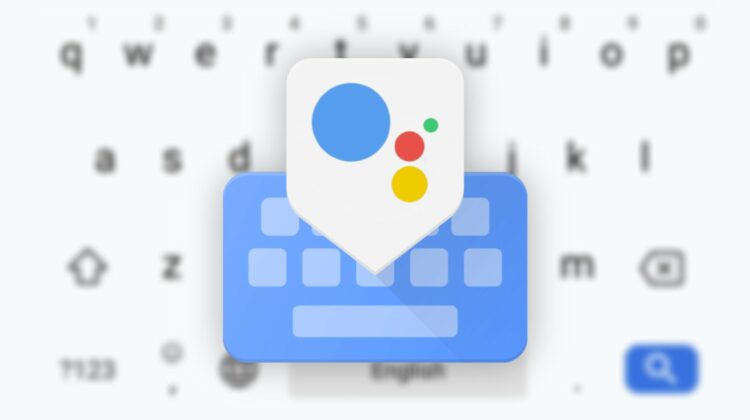
Pixel 4/XL, Pixel 4a, and Pixel 5 users are beginning to see their normal voice dictation feature in Gboard replaced with Google Assistant colored bars that listen for their speech instead. The new feature is called “enhanced voice typing” and puts the Assistant in charge of things instead. Gboard is displaying a banner that says “New! Save time typing” and displays a Google Assistant logo alongside it. Inside of the Gboard settings, you’ll find that there are a few additional options – Faster voice typing, which downloads a language pack to your phone so that it can operate offline and auto punctuation, which detects your tone and applies the appropriate punctuation on your behalf. Pretty sweet, right? You’ll also be able to perform voice functions that seem similar to Dragon: Naturally Speaking or Google Docs. Saying ‘Clear’, for example, will delete text.


Predictive auto punctuation has been around since last year, but it only worked via the Google Assistant and Search apps for Android and iOS. Adding it to Gboard increases its usefulness tenfold. To add punctuation predictively, Google Assistant must be used here to detect your vocal intonation with the same natural language processing technology that it was built on and all I have to say is “it’s about time!” Here’s to hoping we no longer have to say “JK”, or “LOL” with a future update. Can you imagine if Assistant could detect a hint of playfulness in your tone or even laughter and place those common phrases at the end of a sentence for you automatically? You have to admit that while saying these things has become second nature, you’re not actually laughing out loud. It’s more like you’re chuckling at something clever or rolling on the floor laughing on the inside, right?
This seems to be a stepping stone to a real solution though, as finding more expressive ways to exchange ideas other than a few characters via text would increase our effectiveness with communication. Maybe we’ll have to wait until video calling becomes more standard than texting. The only way that would happen is if we had micro-video messaging. Something like Duo’s video voice mail feature, but as quick and common as SMS would be innovative, but texting may always stick around for privacy reasons. Not everyone around you needs to hear all of your business and I’m not about to get Elon Musk’s Neuralink implanted in my brain to text via thought, are you?
Anyway, I hate to say this, but the new enhanced voice typing feature doesn’t even work on my Pixel 4 yet. Worse still, it broke my regular voice dictation via an automatic update! As you can imagine, I’m not very happy about this. I use voice to text for almost everything as I think that Swype is even much too slow nowadays (Millennials, am I right?). Regardless, I’m stuck doing so until it’s fixed. The new functionality is still in beta for the time being (Gboard Beta v 10.0+ with the ‘new Google Assistant’) so that’s probably the reason for the issue.
I would love to see this feature come to Chromebooks, but Gboard still doesn’t work on them yet. With that being said, Google’s built-in keyboard has made lots of improvements this year and the Assistant is available on most devices. I never really thought I would say this, but as it stands, I don’t really see a need for Gboard on Chromebooks anymore. Google’s may one day be the very first ones to create a laptop for the masses that can be controlled entirely by voice, slotting Chromebooks in nicely with the rest of their smart home technology. After all, why should laptops not benefit from the same conveniences in the 21st century where niceties have started to become necessities?

SUBSCRIBE TO UPSTREAM
Get Chrome Unboxed delivered straight to your inbox
Upstream is our flagship, curated newsletter with the top stories, most click-worthy deals, giveaways, and trending articles from Chrome Unboxed sent directly to your inbox a few times a week. Join 31,000+ subscribers.

