


Support our independent tech coverage. Chrome Unboxed is written by real people, for real people—not search algorithms. Join Chrome Unboxed Plus for just $2 a month to get an ad-free experience, access to our private Discord, and more. Learn more about membership here.
START FREE TRIAL (MONTHLY)START FREE TRIAL (ANNUAL)
Google Chat is a powerful productivity tool for companies, schools, families (yep), and even individuals alike. Built right into it are Spaces – individually sectioned-off chat rooms that can be set up to reflect projects or goals and keep things neat and tidy. What many people may not know, however, is that each of these Spaces has Google Tasks built into them. I know it’s confusing, right? Despite this, it’s the most effective way to manage your todos while collaborating with others, and I’m a big fan.
Sadly, if you’re using Google Chat’s dark mode, which can be activated from the settings on desktop, and then you visit the tasks tab of any Space, you will be blinded by a bright white background! It’s odd that after all of these years, Google has still yet to fix this.
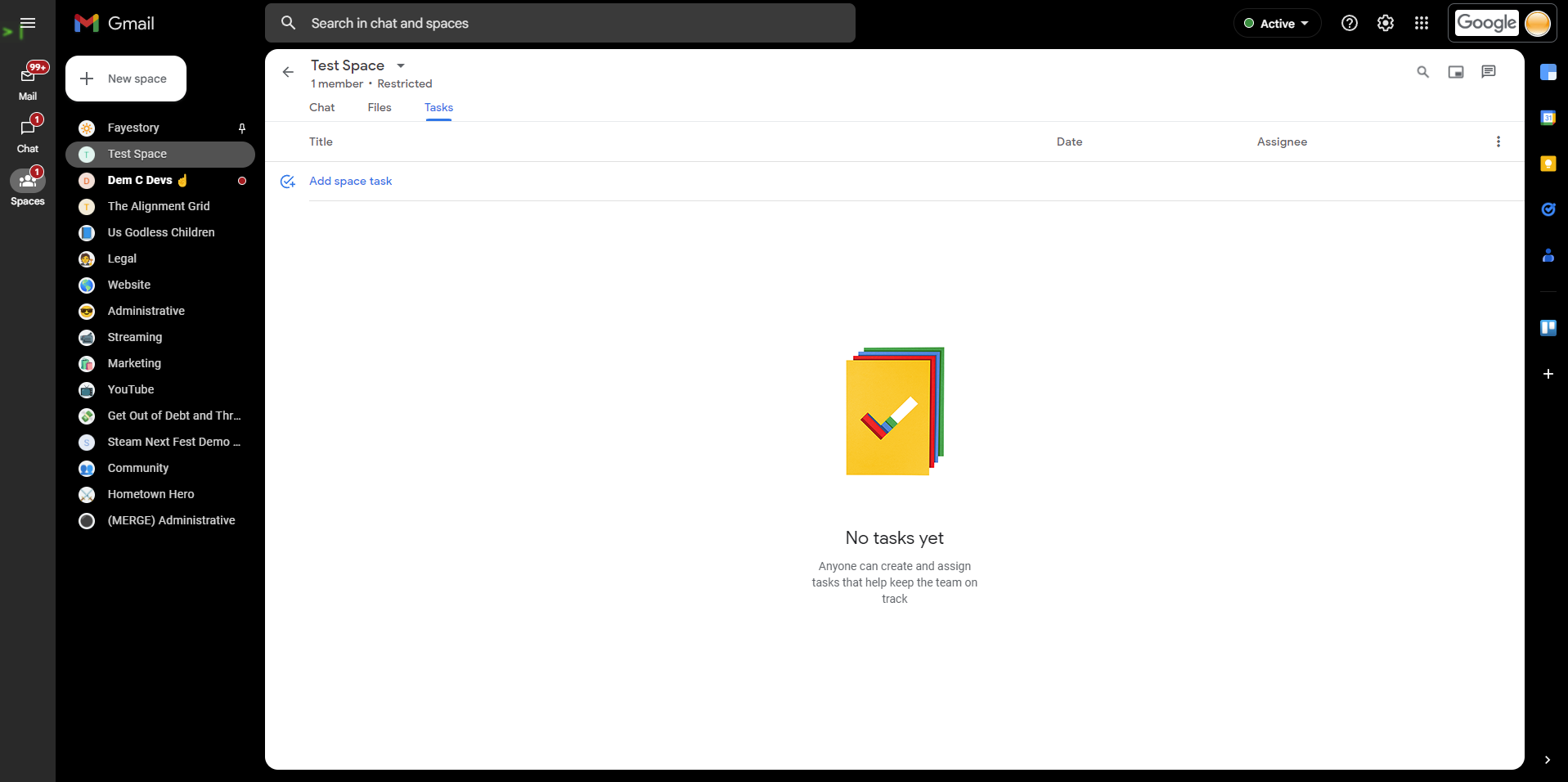
The lack of a fully implemented dark mode for those late nights or early mornings can be really frustrating and for someone like me who gets eye strain easily, it’s unacceptable. I have to say it again because it’s a bit appalling – Google really half-baked this. All hope is not lost though! There are a few workarounds you can try to get a more comfortable experience when using Chat Spaces Tasks. Also, yes, I realize how stupid that name is.
One workaround is to use a third-party extension. There are several available on the Chrome Web Store that can add a dark mode option to Google’s Workspace apps. One such extension is “Dark Reader” which applies a dark theme to all websites, including Chat This can help reduce eye strain and make working in low-light conditions more comfortable.
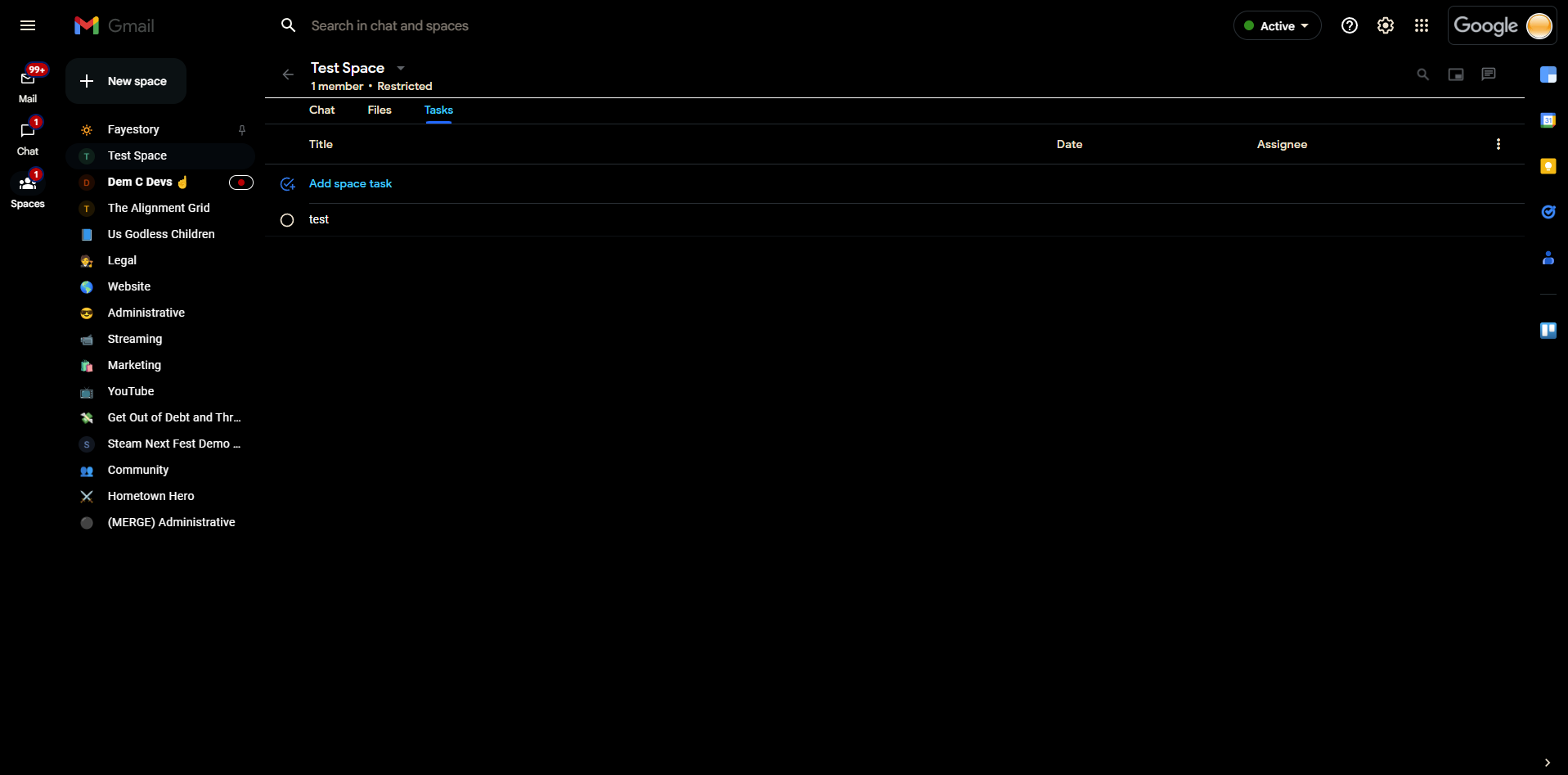
Another option is to use the built-in “High Contrast” on your laptop. This is designed to help users with visual impairments, but it can also be useful for those who want to reduce the brightness of their screen in more significant ways than the night light or brightness toggles. To activate High Contrast mode, go to your Chromebook settings app, select “Accessibility,” and toggle on the “High Contrast” option.
This will apply a black background and white text to your entire Chromebook, including the segment of Google Chat that houses your tasks. Of course, you’ll first need to disable the dark mode for Chat through the settings cogwheel so that the reversed colors are consistent! Because this may be overkill for users without visual impairments and takes away from the colors and look of the overall experience, it may not be worth the trade-off. In these cases, I would recommend you stick with an extension!
Either way you look at it (hopefully in dark mode), Google needs to get its act together with dark theming now that it’s using Material You across pretty much all of its services. To date, we still don’t have a proper dark theme for Gmail and must rely on a stupid terminal look. Call me new-fashioned, but that’s just not as nice as the real deal dark mode we could have. Let me know in the comments if you use Tasks via Google Chat to keep your life organized and if you are going to dark mode all the things.
SUBSCRIBE TO UPSTREAM
Get Chrome Unboxed delivered straight to your inbox
Upstream is our flagship, curated newsletter with the top stories, most click-worthy deals, giveaways, and trending articles from Chrome Unboxed sent directly to your inbox a few times a week. Join 31,000+ subscribers.

