

Support our independent tech coverage. Chrome Unboxed is written by real people, for real people—not search algorithms. Join Chrome Unboxed Plus for just $2 a month to get an ad-free experience, access to our private Discord, and more. Learn more about membership here.
START FREE TRIAL (MONTHLY)START FREE TRIAL (ANNUAL)
By now, we’re all well aware of the idea of a light or dark theme for our phones – Android and iOS users alike. It’s become a staple of technology use, and if not only an essential accessibility feature, then certainly a convenience at the very least. Over the past few years, Google and has been stripping its apps and websites of most color and going with a very professional and simple (or bland looking, depending on your taste) Material Design theming instead. The whole idea behind this has always been to create a universal structure that could be toggled between light and dark modes while maintaining a consistent user experience visually and functionally.
So while our phones have certainly adapted heavily toward this new experience and most apps and websites have as well, our laptop and desktop experience remains stuck in the early 2000s. Google sought out to fix that by asking the question – ‘Why can’t our laptops and phones be more seamless? Why can’t they do the same things and provide the same experiences at their core?’ I’m putting words in their mouth, of course, but only via paraphrase. They’ve always echoed this sentiment and have even confirmed a desire to bring closer integration between these devices and unify the experiences across them via their new 10 year anniversary updates and plans for the future.
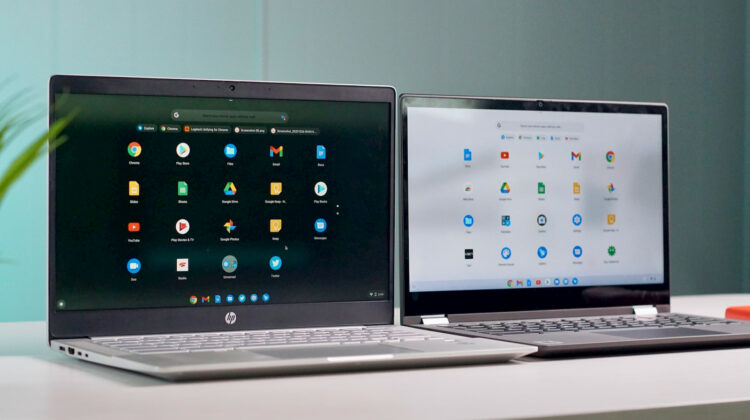
While many apps and services provide the ability to toggle between a light and dark mode individually, we’re beginning to see more and more add a third option – ‘System theme’ – which respects your device’s choice of light or dark theme and applies the same styling to that web app. Well, with this option selected and by toggling on the Light and Dark UI in Chrome OS Stable, these websites simply do not yet respect this theming and morph in step with the system settings. However, in Chrome OS 91 Canary, I happened upon this feature working near flawlessly!
By enabling the ‘Dark/Light Mode of System UI found at chrome://flags/#dark-light-mode, and by toggling your favorite web application to ‘System theme’ in its settings, and then by turning on your Dark theme from your Chromebook’s shelf quick settings, you’ll see that these PWAs finally respect your device settings and intelligently shift between light and dark mode at the same time as your shelf, launcher, and settings! Check out our first look snippet video found below to see it in action.
While we’re still unsure of how long regular users will have to wait in order to see the Light and Dark mode come to the Stable channel as it’s still a bit janky (especially the Files app!), it’s exciting nonetheless. In fact, it’s so satisfying to watch, that I put the video on loop for you (yes, I know Spectral Vision’s face looks goofy in that thumbnail). Now, I’d like to propose a fun challenge – visit all of your favorite websites and web applications, check out their setting’s menus and see which of them have the ability to identify your system theme and adapt to it. Here, I’m using Youtube and Milanote, but there are plenty more and I would love to start compiling a list for you all using your help via the comments section below!
SUBSCRIBE TO UPSTREAM
Get Chrome Unboxed delivered straight to your inbox
Upstream is our flagship, curated newsletter with the top stories, most click-worthy deals, giveaways, and trending articles from Chrome Unboxed sent directly to your inbox a few times a week. Join 31,000+ subscribers.

