


Support our independent tech coverage. Chrome Unboxed is written by real people, for real people—not search algorithms. Join Chrome Unboxed Plus for just $2 a month to get an ad-free experience, access to our private Discord, and more. Learn more about membership here.
START FREE TRIAL (MONTHLY)START FREE TRIAL (ANNUAL)
It’s that time again Pixel fans! The most recent Pixel drop from Google has just been announced and is beginning its rollout today. This month’s update includes not just Pixel phones, but the Pixel Watch and Pixel Buds as well. They are Pixel devices too, right? Pixels from the 4a to the latest Pixel 7 and 7 Pro will be receiving this update, and following is a list of everything announced this month.
Pixel Phones
VPN by Google One
Unveiled at the Made by Google hardware event and arriving early to some users last week, Pixel 7 and 7 Pro owners will now be able to use VPN by Google One at no cost. This is a Pixel 7 series exclusive that will add an extra layer of protection to your online activities and identity no matter which app or browser you are using.
Clear Calling
Another exclusive Pixel 7 and 7 Pro feature that was pre-announced during the Made by Google event, but was rolled out early on the Android 13 QPR1 Betas, is Clear Calling. This feature improves the quality of the other caller’s speech while simultaneously cutting down on the amount of background noise they produce, allowing you to hear them more clearly even if they are in a noisy environment. This feature is now available via this feature drop, but again, only on the Pixel 7 series as it makes use of the extra processing power of the Tensor G2 chip. Note that this feature will not be available on VOIP calls.

Recorder app speaker labels
Although technically part of this feature drop, the Pixel Recorder app has already been rolling out its newest trick – Speaker Labels. Recorder now recognizes and names each participant in an English conversation that is being recorded and transcribed using a Pixel 6 or newer device. Additionally, line breaks are inserted whenever there is a change in the speaker.
Users are able to record an interview, meeting, lecture, or chat with specific labels attached to each person in the recording. This function employs machine learning to process speech tagging live on-device, and you can watch it work while you record because it does all of its processing on the device itself. After the recording is finished, you will easily be able to re-label the speakers with their respective names.

Unified Security and Privacy Settings
It will now be much simpler for you to safeguard your phone, online accounts, and passwords because you will be able to review all of your security and privacy settings, as well as your risk levels, in a single hub. This will be possible with the new action cards that advise you of any potential threats to your privacy and security and provide you with straightforward instructions for mitigating those threats.

Pixel Wallpapers
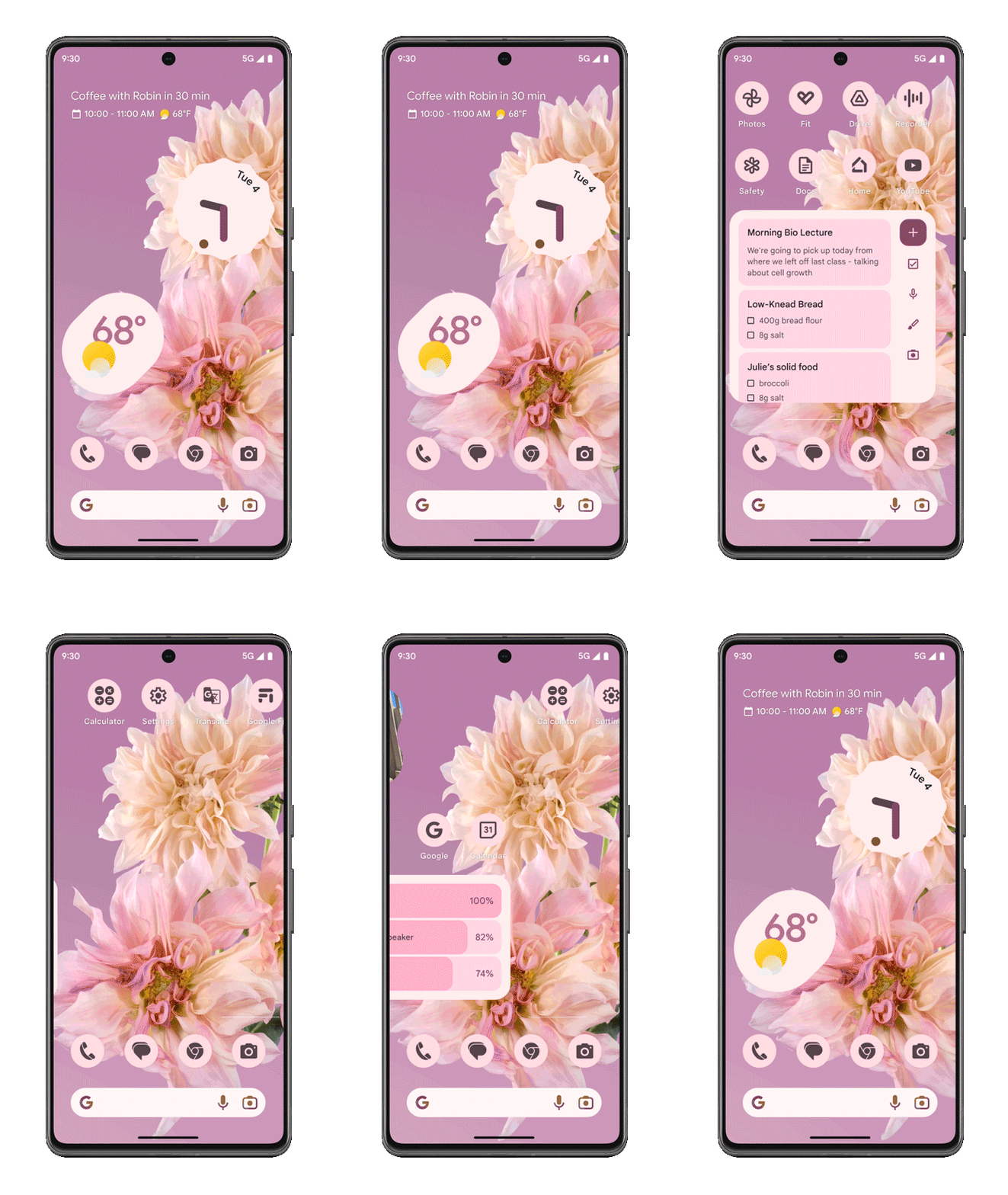
In honor of International Day of People with Disabilities, you can now personalize your Pixel Phone by applying one of three brand-new wallpapers from Curated Culture. These designs were illustrated by Morgan Harper Nichols, who is also an artist, poet, podcaster, and author. He is known for drawing his inspiration from real-life interactions and stories.

Additionally, a new live wallpaper collection will be available called “Live Bloom.” These floral live wallpapers will shift and adjust when your phone moves while keeping its Material You simplicity.
Spatial Audio
Finally coming in January for Pixel Buds Pro owners is the Spatial Audio with head tracking feature we had been promised. This will apply when using your Pixel Buds Pro paired with a Pixel device and will give the impression that you are in the middle of your favorite television shows and films. Spatial Audio will also work with wired headphones if that is your preference.
Pixel Watch
Fitbit Sleep Profile
Initially announced in November, Fitbit’s Sleep Profiles are now available for the Pixel Watch. This feature will take the guesswork out of your sleep data and parses it in a way that is easier to understand. This feature looks at 10 different things about your sleep: such as how long you sleep, how consistent your bedtime is, and how often you wake up. With this data, the results can change every month based on your personal metrics and behavior and you must wear your Pixel Watch to bed for at least 14 nights each month to receive results. Note that this is a Fitbit Premium feature, which you are entitled to six free months of as a new Pixel Watch user.

New Wear Tiles
Tiles for popular apps make crucial information easy to access on your wrist. This is why Google has added the Weather app’s Sunrise/Sunset Tile to help you organize your day as well as a tile for the Contacts app, making it easier to find your contacts and stay in touch. You can pin up to five Favorites to call or text with a single tap.

Coming in 2023 – Fall Detection
As exciting as all the aforementioned features are, we also got an unexpected teaser of a feature coming in 2023. The Pixel Watch will begin to support Fall Detection, which will contact emergency services if the Watch senses you’ve taken a hard fall and are unresponsive. We will be reporting back on this as soon as more information is available.
SUBSCRIBE TO UPSTREAM
Get Chrome Unboxed delivered straight to your inbox
Upstream is our flagship, curated newsletter with the top stories, most click-worthy deals, giveaways, and trending articles from Chrome Unboxed sent directly to your inbox a few times a week. Join 31,000+ subscribers.

