

Support our independent tech coverage. Chrome Unboxed is written by real people, for real people—not search algorithms. Join Chrome Unboxed Plus for just $2 a month to get an ad-free experience, access to our private Discord, and more. Learn more about membership here.
START FREE TRIAL (MONTHLY)START FREE TRIAL (ANNUAL)
Chromebooks are scarce. If you’ve looked around the web in an attempt to find a decent device at a price that doesn’t induce a stroke, you probably know exactly what I’m talking about. As of this morning, Best Buy had less than six Chromebook models in stock and three of those were variants of the Pixelbook Go. While most manufacturers are working diligently to get new models into the market, it looks like late fall is going to be the earliest we see most devices back in stock on a regular basis. CTL has been at the mercy of high demand and short supply like everyone else but that hasn’t stopped the Oregon-base Chromebook maker from getting some new products in the pipeline.
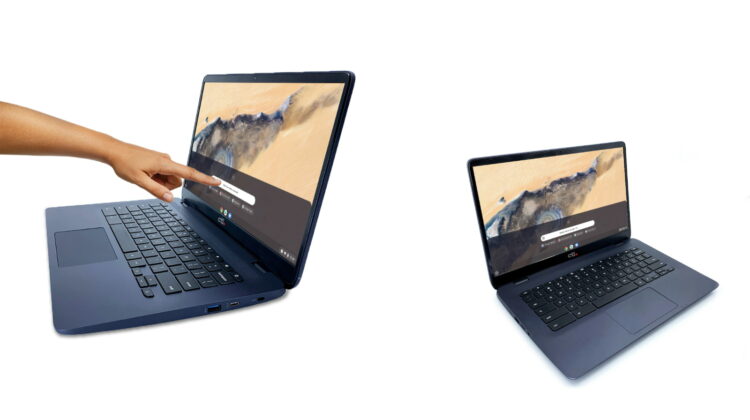
In a company first, CTL has debuted two 14″ Chromebooks and these devices are looking to shake up the mid-range Chrome OS market thanks to some impressive specs with a very palatable price tag. For starters, CTL’s base model 14″ Chromebook comes out of the gate with a Full HD display which is not the norm when we’re talking EDU devices. Both devices feature Intel Gemini Lake-R CPUs that boasts processing power that’s more than ample for the majority of users. I’m not just talking about your middle school student, either. We’ll talk a little more about that in a second. For now, let’s take a look at the new Chromebooks from CTL.
CTL Chromebook NL81
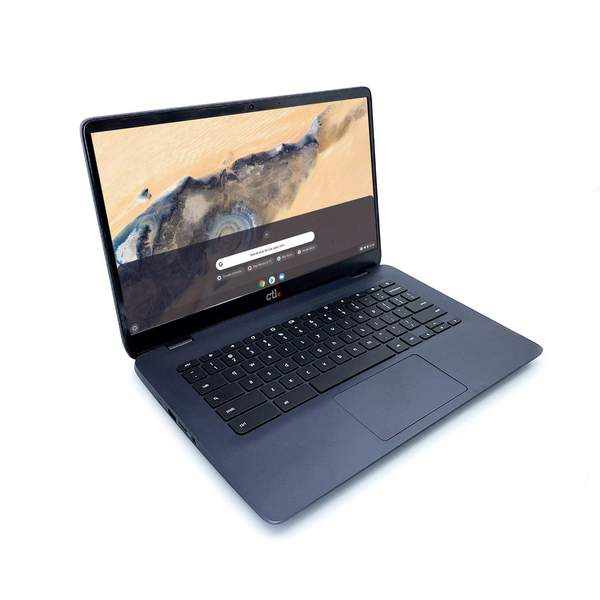
The entry-level 14″ Chromebook NL81 features a Full HD anti-glare panel which should make for a great workspace. It is powered by the dual-core Intel Gemini Lake-R N4020 which we have seen in a handful of devices as of late. As you can see in our review of the Lenovo Chromebook 3, this small core CPU is a workhorse and will chew threw anything the average user can throw at it. This model is paired with 4GB of RAM and 32GB of storage. It’s a bit scant on that end but let’s remember, this is and EDU device. 4GB is still enough when used in conjunction with a decent processor. For the storage, you do get a MicroSD card slot and of course, you have Google Drive right there in your files app. Moving on.
As with all CTL Chromebooks, this model features its own share of rugged specifications. The keyboard is spill-resistant and the keys are anti-peel. We’ll have to get our hands on the NL81 to see just how tough it is but CTL does state that it is drop-tested with an IP rating and a non-slip design. Oh yeah, it also has Bluetooth 5 and Gigabit Wi-Fi. It’s not quite a zippy as Wi-Fi 6 but I doubt you’ll notice. Here’s a closer look at the CTL Chromebook NL81:
- Chrome OS
- Processor: Intel Gemini Lake R N4020
- RAM: 4GB LPDDR4
- Storage: 32GB eMMC
- Camera: HD 720P with LED indicator
- GPU: Intel® UMA GLK-R Integrated Graphics
- Display: 16:9 14″ 1920 X 1080p FHD LED Anti-Glare
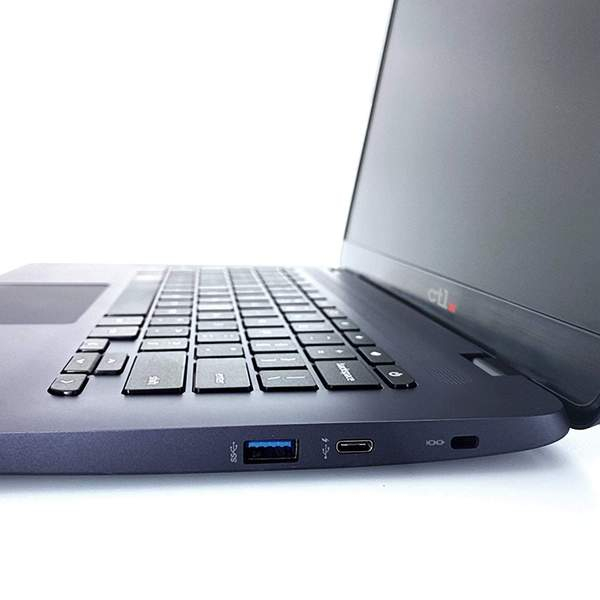
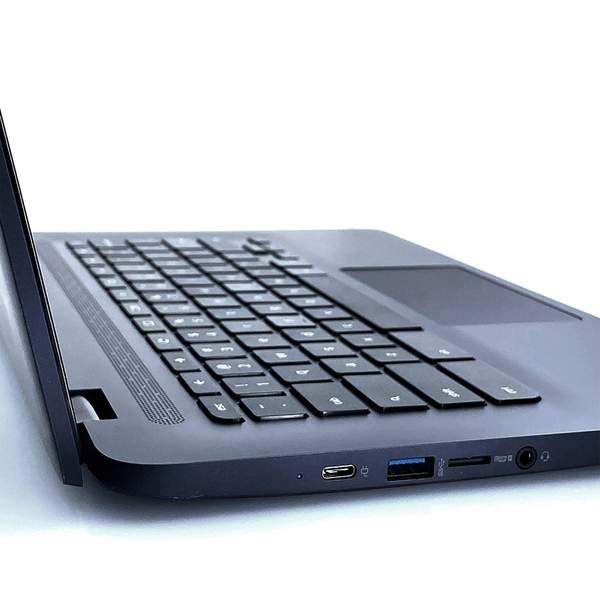
- Ports: 2x USB 3.0, 2x USB-C with PD function, 2-in-1 SD/MMC Card Reader, Audio Combo Jack
- Audio: Single Digital Microphone
- WLAN: WL/BT 802.11ABGN/AC 9560.NGWG.NV, Intel® 9560 Wireless, MU-MIMO support
- AUE June 2026
Here’s the best part of this device. It is available for pre-order for the discounted price of $279. The MSRP will eventually be $349 but I’d argue that you’d be hard-pressed to find another device, available or not, that carries this kind of price tag and offers this much in the way of specs. For reference, Acer’s Chromebook 314 has a 1366×768 panel, the older N4000 CPU, and retails for $249. You may not think it would make a big difference but believe me, your eyes will appreciate having a FullHD panel and the performance boost of the N4020 is worth the extra few bucks, in my opinion. The Chromebook NL81 won’t ship until Nov/Dec but pre-orders are up and you will snag that discount if you reserve now. I know that doesn’t help if you need a Chromebook right now but this will be a great option for schools looking to boost their laptop fleets as we round out 2020.
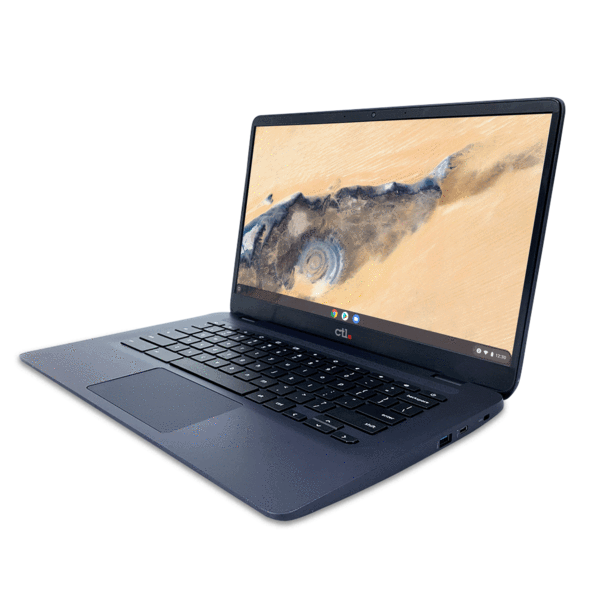

CTL Chromebook NL81T
CTL’s second model builds on the NL81 with the addition of a FullHD touch display and the Pentium N5030 CPU. This processor puts up Octane scores over 21,000 in devices that we have tested and this Chromebook gets the added boost of 8GB of RAM and 64GB of storage. It features the same rugged specs and generous port selection. Acer’s comparable model will retail for $429 but CTL is listing the NL81T for only $379 and you’re getting the exact same performance on top of the durability that CTL is known for in its Chromebooks. Pre-orders are open and the Chromebook NL81T will ship in late November or early December. We’ll get these in the office ASAP and let you know if the CTL NL81 will be the Chromebook to beat in this segment.
- Chrome OS
- Processor: Intel® Pentium N5030 Processor (4M Cache, up to 2.80 GHz)
- RAM: 8GB LPDDR4
- Storage: 64GB eMMC
- Camera: HD 720P with LED indicator
- GPU: Intel® UMA GLK-R Integrated Graphics
- Display: 16:9 14″ 1920 X 1080p 10-point capacitive touch
- Ports: 2x USB 3.0, 2x USB-C with PD function, 2-in-1 SD/MMC Card Reader
- Audio: Dual microphone, 1x Audio Combo Jack
- WLAN: WL/BT 802.11ABGN/AC 9560.NGWG.NV, Intel® 9560 Wireless, MU-MIMO support
- AUE June 2026
CTL Chromebook NL81T w/Intel Pentium
SUBSCRIBE TO UPSTREAM
Get Chrome Unboxed delivered straight to your inbox
Upstream is our flagship, curated newsletter with the top stories, most click-worthy deals, giveaways, and trending articles from Chrome Unboxed sent directly to your inbox a few times a week. Join 31,000+ subscribers.

