


Support our independent tech coverage. Chrome Unboxed is written by real people, for real people—not search algorithms. Join Chrome Unboxed Plus for just $2 a month to get an ad-free experience, access to our private Discord, and more. Learn more about membership here.
START FREE TRIAL (MONTHLY)START FREE TRIAL (ANNUAL)
Thanks to the ChromeOS Material You redesign, Google’s laptop operating system is undergoing a complete transformation. Clearly, the company aims to embody their new vision for Chromebooks as versatile and enjoyable devices for everyone, rather than mere Chrome browsers confined to a box.
Already, numerous elements such as the shelf, launcher, quick settings, and the files app have been completely redesigned from the ground up. Now, it’s the turn of the Quick Settings toggles for accessibility settings.
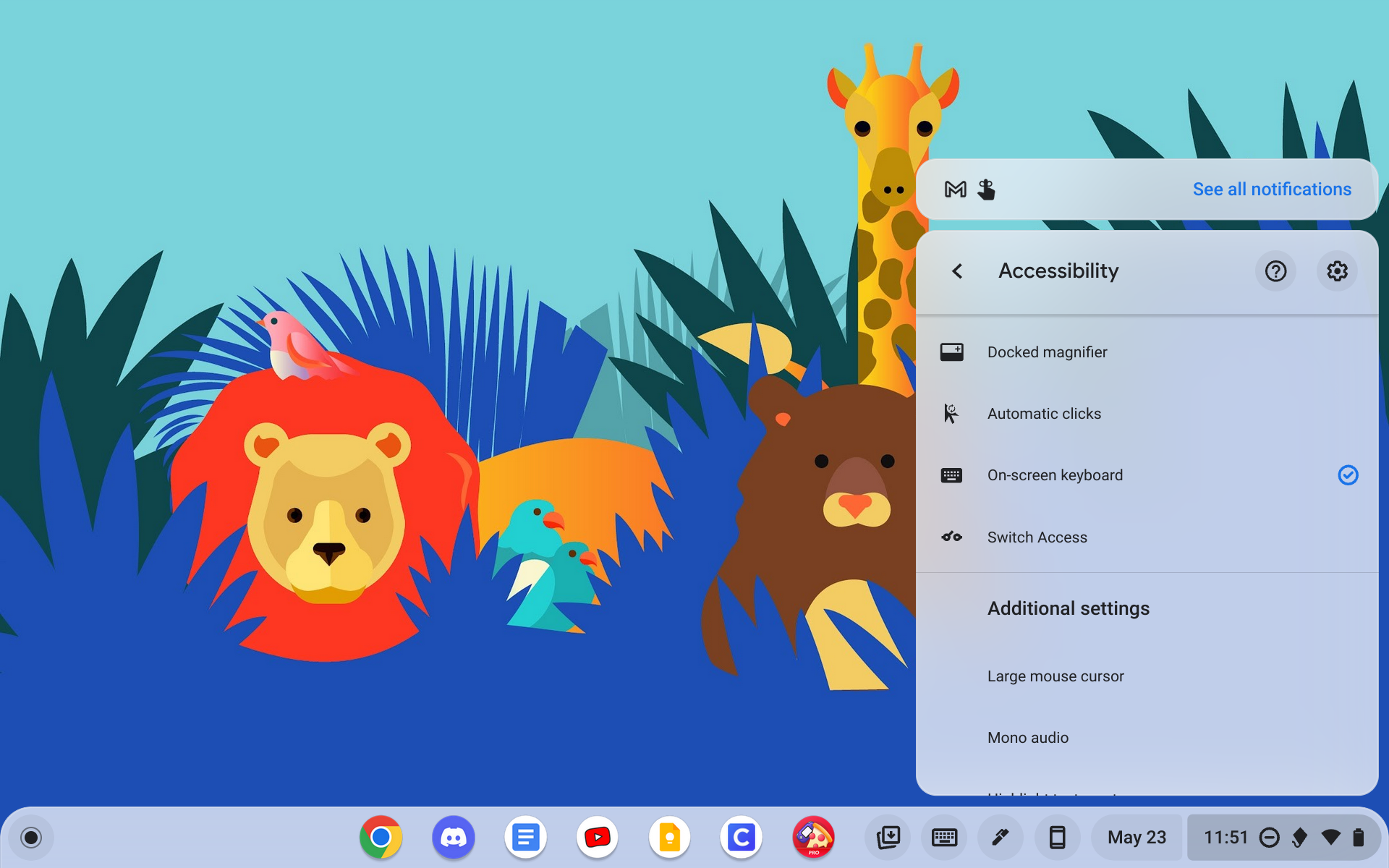
Typically, when these tools are displayed on the shelf through a setting in the app, activating something like the onscreen keyboard would keep it in its original position on the list (above). However, in ChromeOS Canary, these toggles are now appearing as sliders instead of check marks. When activated, they jump to the top of the list, forming a separate cluster.
This change undoubtedly makes it faster and more convenient for users to disable tools they had previously enabled. As shown in the screenshot below, I have enabled the on-screen keyboard, and now it is positioned right at the top of the list.
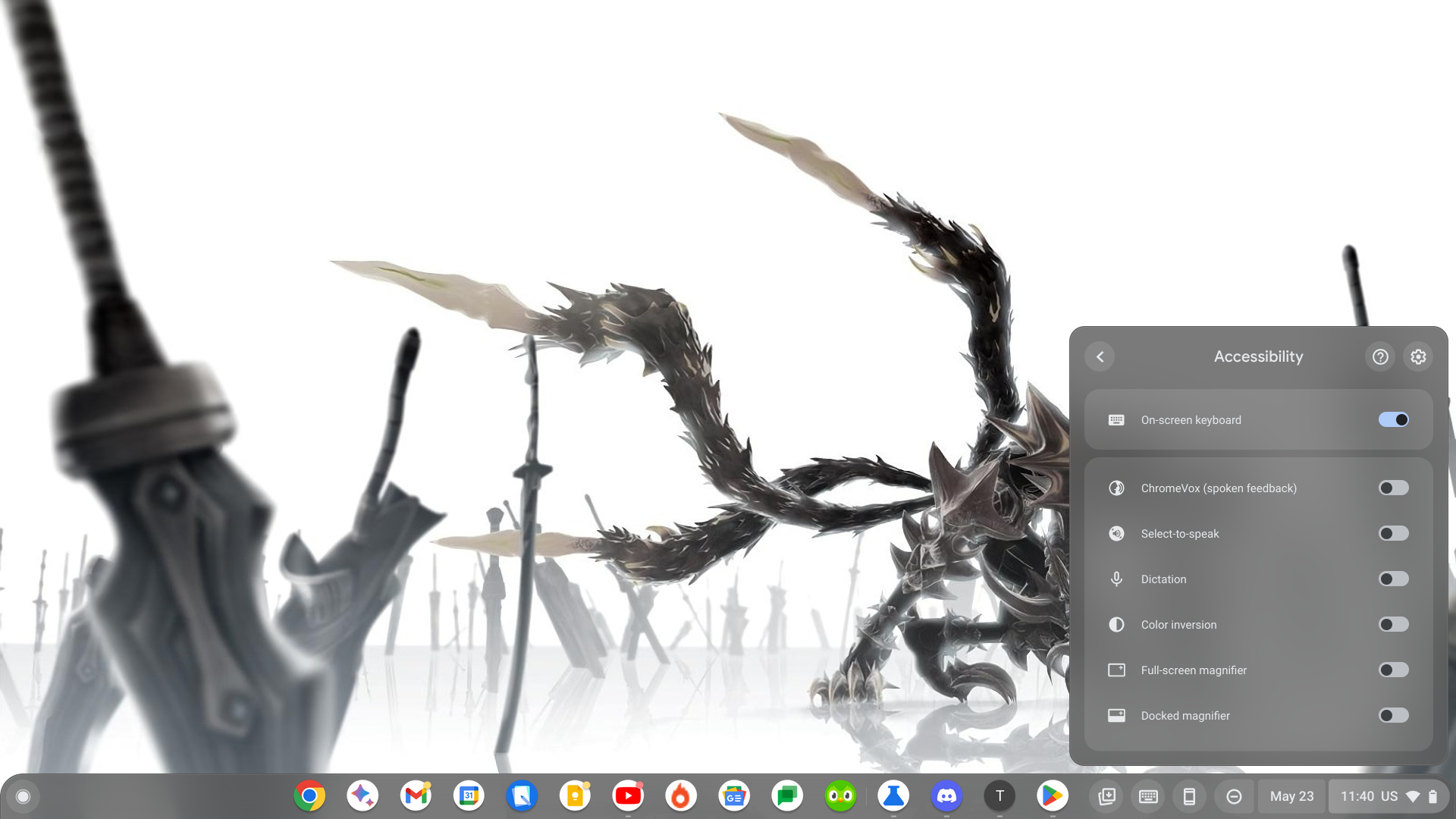
The entire panel is now also using the two-tone layered Material You design as well, which we expected to appear at some point. The emphasis on this new design philosophy brings a fresh and cohesive look to your laptop or tablet. With its vibrant colors, personalized elements, and fluid animations (not to mention the squiggly new media controls!), you can expect a visually pleasing and modern experience.
I don’t use Accessibility settings very often, as I normally opt for the dictation or on-screen keyboard tool for ease-of-use or troubleshooting when my physical keyboard stops working, but the fact that Google is giving every aspect of the OS a glow up is encouraging.
SUBSCRIBE TO UPSTREAM
Get Chrome Unboxed delivered straight to your inbox
Upstream is our flagship, curated newsletter with the top stories, most click-worthy deals, giveaways, and trending articles from Chrome Unboxed sent directly to your inbox a few times a week. Join 31,000+ subscribers.

