


Support our independent tech coverage. Chrome Unboxed is written by real people, for real people—not search algorithms. Join Chrome Unboxed Plus for just $2 a month to get an ad-free experience, access to our private Discord, and more. Learn more about membership here.
START FREE TRIAL (MONTHLY)START FREE TRIAL (ANNUAL)
I’ve discussed at length recently how the Chromebook’s Files app is lacking features compared to its Drive web app. Most evidently, this can be seen with the missing Workspaces feature that allows Workspace users to place files in a special group for editing with quick recall, similar to placing a bunch of papers on a physical table. While probably not vital to most people, I found it an odd exclusion.
I understand that the app itself is still largely in development, and gaining new features each month – most notably, new zipping or archiving tools. However, the more I try to fit the local system web app that’s baked into Chrome OS into my daily workflow, the less capable I find it.
Today, I noticed something strange that’s actually made it impossible for me to use it. I went to open a .docx Word file from my Drive via the Files app so that I could make suggested changes to it. I normally do this from Drive on the web out of habit, but I figured I would instead attempt to give my device a more traditional feel by using the Files app to find and open things.
To my surprise, the Word file opened in Office Compatibility mode! For those who are unaware, this stripped-down version of Google Docs allows users to modify .doc and .docx files while retaining their formatting, but in exchange, you’re provided almost no tools or features compared to those that exist in the full-fledged Google Docs experience.
Back in 2019, Google created something called “Native Office Editing“, and though it wasn’t publicly referred to as such, it was a means by which you could open these Microsoft Office file types in Docs, Sheets, and Slides, retain their original file type, and keep more accurate formatting than Office Compatibility Mode, all while being able to edit with the full suite of tools found in the company’s own editing tools!
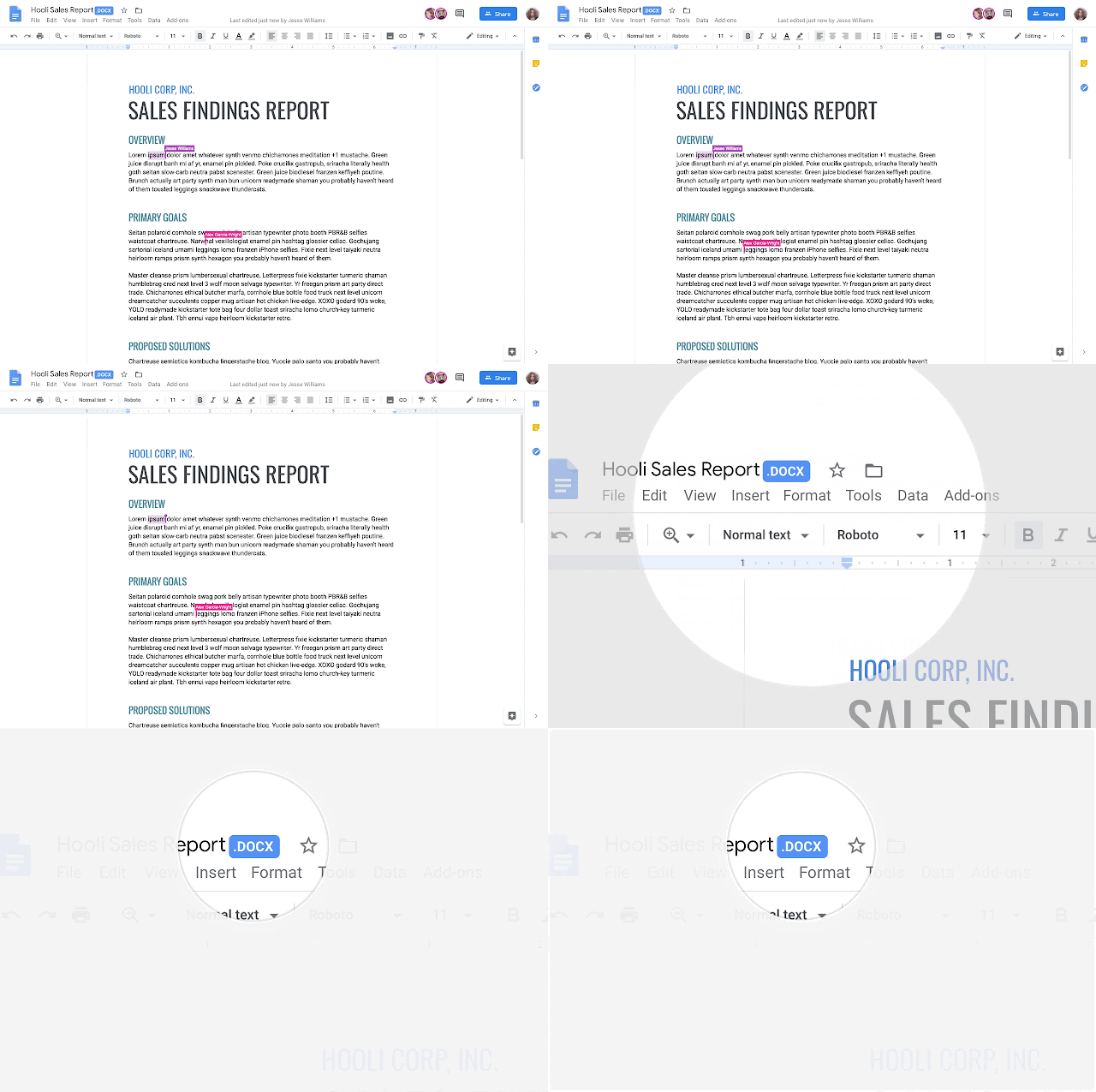
Google stated that you could use this new editing mode only if you uploaded your documents to Drive before opening them, and any files that were opened from a local source like your hard drive, thumb drive, etc. using the Office Editing for Docs, Sheets, and Slides extension, would still open in the old school Office Compatibility mode, but that’s where we have a problem.
While opening Word files from my Chromebook’s Files app, the items that were forced into the crappy, limited Office Compatibility mode were actually files that reside in my Drive! This means that the local app can’t apply the same special privileges to the files that Drive on the web does. This ultimately makes the Files app useless for anyone who wants to have the full editing capabilities with their imported Office files while using a file manager that doesn’t feel stuck in a web browser.
For this reason, I find myself constantly going back to Drive on the web, and that’s just disappointing. No matter how much Google makes the local app more attractive to use (the new white theming is a part of its “Files App Next Generation” branding), it’s still just lackluster, and that’s unacceptable to me. For something this important, Google should have a feature parity standard for its products before rolling them out to the masses. “Half-baked” and “Forever in beta” should only be the motto
Some may say I’m nitpicking, and I admit that with the Workspaces issue, that was something that was probably going to be a non-issue for 99% of users, but this strange inconsistency with Word files feels like a clear miss on Google’s behalf. Have you experienced this, or are you just noticing it now that I’m mentioning it? What other features do you feel are pretty vital to your usage of it that happen to be missing at this time?
SUBSCRIBE TO UPSTREAM
Get Chrome Unboxed delivered straight to your inbox
Upstream is our flagship, curated newsletter with the top stories, most click-worthy deals, giveaways, and trending articles from Chrome Unboxed sent directly to your inbox a few times a week. Join 31,000+ subscribers.

