

Support our independent tech coverage. Chrome Unboxed is written by real people, for real people—not search algorithms. Join Chrome Unboxed Plus for just $2 a month to get an ad-free experience, access to our private Discord, and more. Learn more about membership here.
START FREE TRIAL (MONTHLY)START FREE TRIAL (ANNUAL)
Just yesterday, Dinsan Francis over at Chrome Story came across a very interesting tidbit of info on Reddit, showcasing a Pixel Slate user in the Beta Channel of Chrome OS getting a notification that their wireless headset was set up and already paired. The catch? That wireless device wasn’t ever paired to the Pixel Slate before that point. The reason the user saw the notification was a bit of account-level magic Google is calling Fast Pair and it was announced many months ago and talked about again at Google I/O in May.
So, what is Fast Pair? In a nutshell, it is an account-level feature that allows paired Bluetooth devices to basically follow your Google Account from device to device if they are supported. With any of the Bluetooth devices that are on the list, you can basically pair it up once with a supported phone and you’ll be able to access the device on any of your devices without the need to pair up all over again.
Apple does this pretty well already, so it is great to see Google trying to figure out a similar feature in a far more complex scenario. With Apple’s implementation, they only have to worry about this working on a handful of devices across the ecosystem. With Google, there are countless devices on countless versions of Android, so the task is much more difficult to navigate. Google has decided to roll out the feature on a handful of Bluetooth devices to start and will expand as manufacturers jump on board and make sure their hardware and firmware meet the needed spec for this all to work.
Honestly, this feature feels a tad like old news since we’ve already covered it in the past. What is new today is we have a sighting of Fast Pair on a Chromebook (the Pixel Slate, specificallly) for the first time. Though a number of news outlets have already picked up this story, no one seems to have actually tested it out yet, so we wanted to give it a go and see if the feature is rolling out as expected or if there are some bumps in the road. Before we jump into what we found, here’s the list of current supported Bluetooth devices on board for Fast Pair via a Google Spokesperson who spoke with The Verge:
- Pixel Buds
- Libratone’s Q Adapt On-Ear
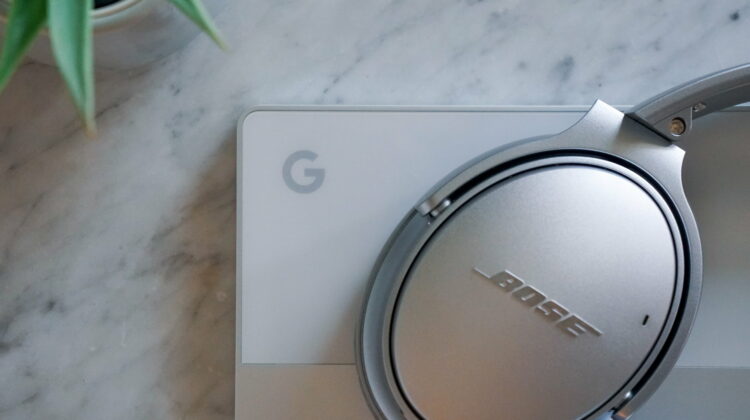
- Bose’s QuietComfort 35 II
- Anker Spirit Pro GVA
- Anker SoundCore Flare+ (Speaker)
- JBL Live 220BT
- JBL Live 400BT
- JBL Live 500BT
- JBL Live 650BT
- Jaybird Tarah
- 1More Dual Driver BT ANC
- LG HBS-SL5
- LG HBS-PL6S
- LG HBS-SL6S
- LG HBS-PL5
- Cleer Ally Plus
Expect Turbulence For Now
In getting ready to take the dive into all this, I checked out the Reddit post that sparked all the excitement and the details were extremely sparse. All we get from there is the fact that the user was on a Pixel Phone and that the Chromebook that he or she got the notification on was a Pixel Slate. Now, I’m not casting doubt that this worked for them, but I can tell you the process has not been good so far for me.
First up, I totally forgot this is a feature of Android Q, so until I jumped into the Android Q Beta again, there was no chance in it working. I haven’t given the Beta a good run for a few months, so I was up for making the switch for research. After getting there, I made sure my Bluetooth pairing device lists on my Pixel 3XL, Pixel Slate and Pixelbook were all fully cleared. I powerwashed both Chomebooks and then proceeded to pair up my Bose QC35 II headphones with my Pixel 3XL, making sure my Bose app was uninstalled prior so that we were pairing with Google’s tools and Google’s tools alone.
Upon getting paired up, I immediately opened up the Pixelbook, went to Bluetooth settings, and I was actually shocked to see my QC35’s already in my Paired Devices list. Excited that we might have a working test on our hands, I hastily clicked connect and, though the Pixelbook showed the headset as connected, I was never able to get any audio to play from them. I immediately turned off my Bluetooth on my Pixel 3XL, but this didn’t help things at all and I never got anything to work beyond that point.
Next, I brought up the Pixel Slate, thinking that maybe this feature was pushed to that device first for some reason. My experience here was actually less encouraging, only showing the QC35’s as an unpaired device in the list. Granted, that’s still a step better as you normally don’t see your Bluetooth device in those lists until you put them in pairing mode. I gave it shot either way an was met with the same failure to connect as we saw in the Pixelbook. Upon this near-total failure, I dug around for a flag that might help and the best one I found was listed under #enable-web-authentication-cable-support. I’m not sure if it fixed the issue on the Pixel Slate, but after a restart with this flag enabled, my Bose now showed up in Paried Devices and connected just like the Pixelbook did, again without any actual audio passing to the headset.
It is worth noting that in both trials I’m on the latest build of Chrome 76 Beta and Play Services is updated to the most recent version on all three devices in the test. I did not receive any notifications, either, and this is the clue to me that perhaps this is rolling out in small batches for users. Google is no stranger to rolling out features (especially ones that rely on Google Play services like this one) in a slow and methodical way based on your Google Account alone. It stands to reason that we’ll see more users included in this admittedly Beta test as the days roll on.
So, in the end, Fast Pair isn’t really widely-available on Chrome OS 76 Beta just yet. Maybe this was an accidental leak to a single account. We really don’t know just yet, but we’d love to know if you’ve seen anything like this in your experiences. If you have a Chromebook in the Beta Channel and a Pixel phone enrolled in the Android Beta Program and happen to have one of the supported Bluetooth devices (lots of ‘ifs’, there), let us know if you’ve seen this notification pop up on your Chromebook. Either way, we fully expect Fast Pair to become widely available in the next version or two of Chrome OS and it will only further the benefits of Android and Chrome OS integration for users across the board.
SUBSCRIBE TO UPSTREAM
Get Chrome Unboxed delivered straight to your inbox
Upstream is our flagship, curated newsletter with the top stories, most click-worthy deals, giveaways, and trending articles from Chrome Unboxed sent directly to your inbox a few times a week. Join 31,000+ subscribers.

