


Support our independent tech coverage. Chrome Unboxed is written by real people, for real people—not search algorithms. Join Chrome Unboxed Plus for just $2 a month to get an ad-free experience, access to our private Discord, and more. Learn more about membership here.
START FREE TRIAL (MONTHLY)START FREE TRIAL (ANNUAL)
Chrome extensions are really the only major security concern for the browser’s users and it seems they’ve run amok for far too long now. While Google did implement new policies for extension developers last year with Project Strobe, it didn’t do much to assuage the situation. The Chrome team is looking to take swift action by rolling out new privacy information for extension listings starting in January.
When the year begins, every extension’s details page in the Chrome Web Store will show developer provided information about the data they collect, using clear and easy to understand language. It feels as though Google handed out a memo to every single department and developer internally to have them start building clear tools and transparency measures around how data is being used for their customers, and I love it. Every bit of news coming out of them this month has included language on helping users understand their data and privacy. The new Chrome extension details page looks a whole lot like Play Store listings – everything is simple to look at and understand exactly how it affects you and can I just say that this is long overdue?
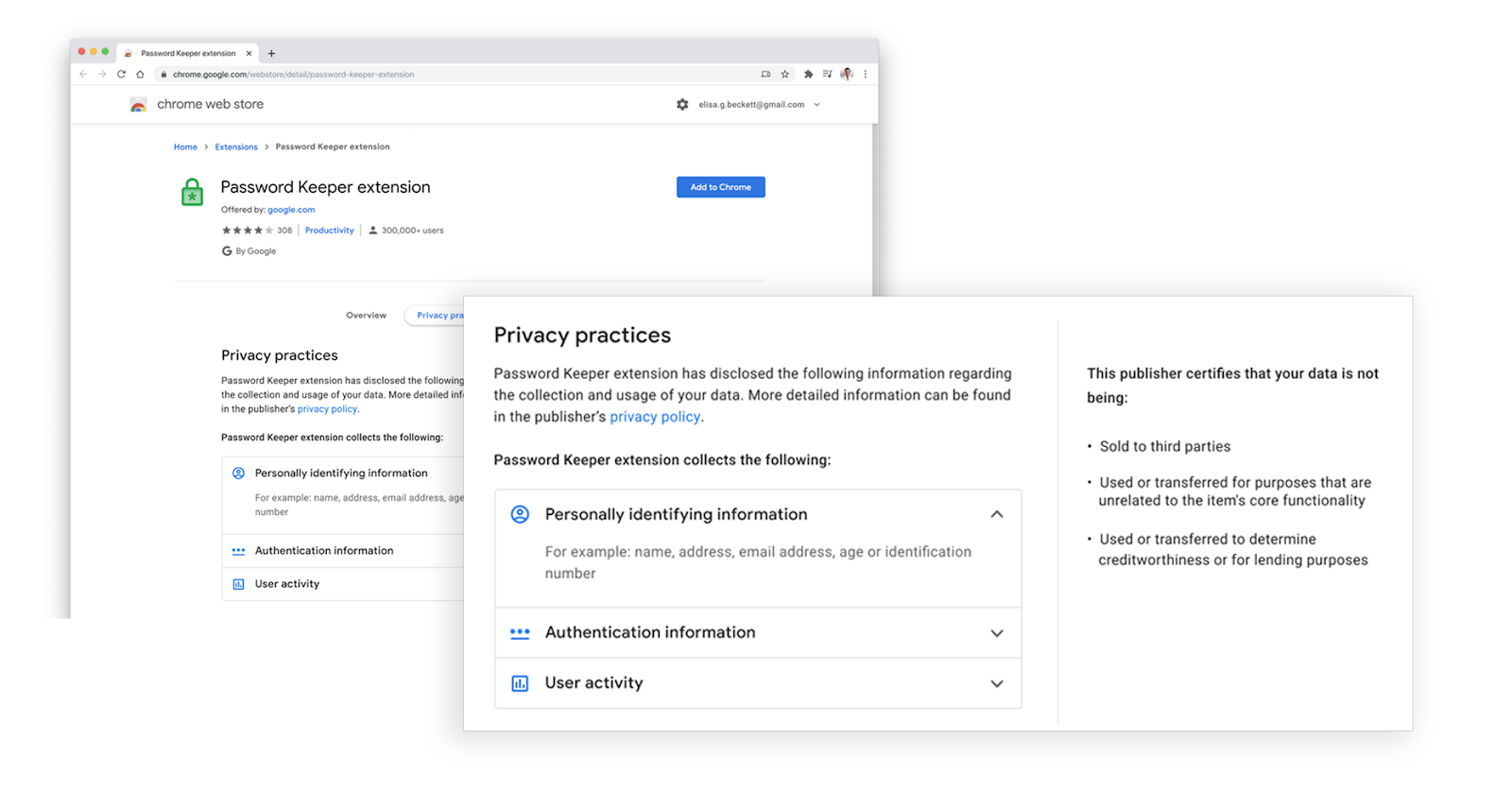
Chrome is also introducing an additional policy that’s focused on limiting how extension developers can use the data they collect. More specifically, this new policy change ensures that developers can’t just go out and abuse your data willy-nilly as they have been known to do in the past. Bad actor extension devs are actually one of the main reasons that Chrome gets a bad name in some circles! Here’s what the policy will do:
- Ensuring the use or transfer of user data is for the primary benefit of the user and in accordance with the stated purpose of the extension.
- Reiterating that the sale of user data is never allowed. Google does not sell user data and extension developers may not do this either.
- Prohibiting the use or transfer of user data for personalized advertising.
- Prohibiting the use or transfer of user data for creditworthiness or any form of lending qualification and to data brokers or other information resellers.

Extension listings will also display whether or not it has been certified and if it’s complying with the new policy. This means that once January rolls around, no one should install an extension from a developer who has not been certified. It’s going to act as Google’s seal of approval and help weed out the possibility of users installing extensions that attempt to steal their data! As a part of that new policy, devs will be required to provide data disclosures directly on their development dashboard before they can publish or update their extension so that Google can see how they will utilize the data they collect and more.
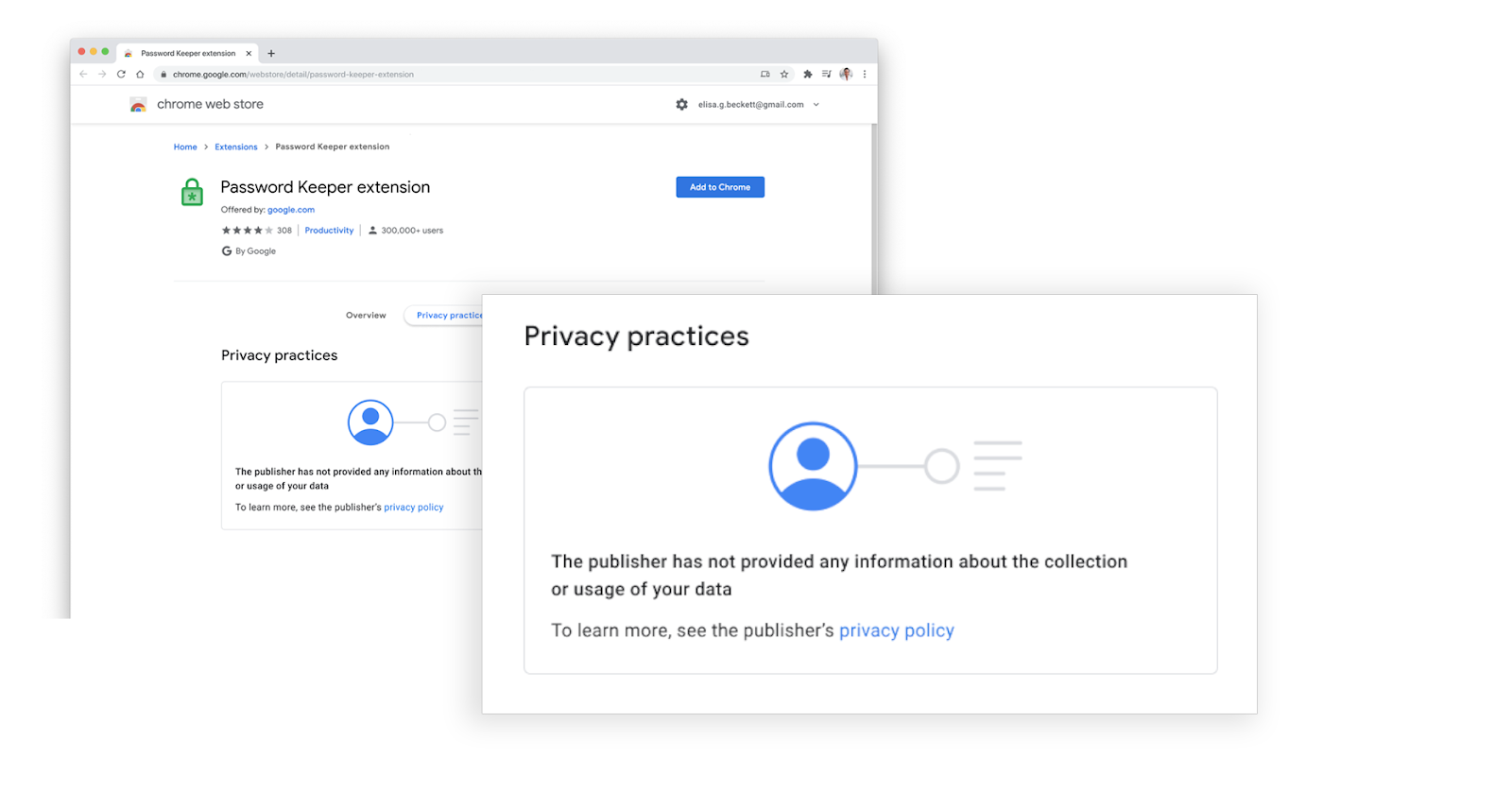
For developers who have not yet provided privacy disclosures by January 18, 2021, a notice will be shown on their Chrome Web Store listings to inform users that the developer hasn’t certified that they comply with the Limited Use policy yet.
Google pulls out the tar and feathers
SUBSCRIBE TO UPSTREAM
Get Chrome Unboxed delivered straight to your inbox
Upstream is our flagship, curated newsletter with the top stories, most click-worthy deals, giveaways, and trending articles from Chrome Unboxed sent directly to your inbox a few times a week. Join 31,000+ subscribers.

