


Support our independent tech coverage. Chrome Unboxed is written by real people, for real people—not search algorithms. Join Chrome Unboxed Plus for just $2 a month to get an ad-free experience, access to our private Discord, and more. Learn more about membership here.
START FREE TRIAL (MONTHLY)START FREE TRIAL (ANNUAL)
A new update to the Chrome Canary browser on desktop shows off a new interactive tutorial that Google is trying out. The tutorial is meant to onboard users to its Chrome Tab Groups feature. Tab Groups allow you to group together browser tabs, give them a color and a name, and even collapse them to save RAM on your PC. If you want, you can also save them and recall them later using the new “Tab Groups Save” feature that’s on its way in a future update.
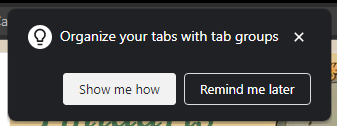
Upon launching the browser post-update, I was met with this “Organize your tabs with tab groups” popup in the top center, and clicking the white “Show me how” button brought me into a multi-step process of additional popups. I wasn’t able to progress the dialogue until I actually performed the task it asked of me – right-clicking to create a tab group, naming it and choosing a color, dragging a tab into it, etc.
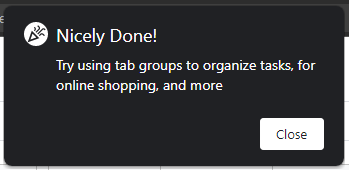
Once I finished, I was shown a party popper icon with the text you see above. “Nicely done!”, Google says, and offers suggestions for how I could make better use of tab groups. I personally use them for almost everything – online shopping (pending orders that haven’t shipped yet mostly), research, inspiration collections while I code, and so much more.
In the past, we’ve seen little blue pop-up tooltips appear around the browser on Android and Desktop, and this was Google’s means of guiding the user without showing them a video or text tutorial. This new step-by-step walkthrough is superior, in my opinion, and I hope that we see more of these for other Chrome features in the future.
SUBSCRIBE TO UPSTREAM
Get Chrome Unboxed delivered straight to your inbox
Upstream is our flagship, curated newsletter with the top stories, most click-worthy deals, giveaways, and trending articles from Chrome Unboxed sent directly to your inbox a few times a week. Join 31,000+ subscribers.

