

Support our independent tech coverage. Chrome Unboxed is written by real people, for real people—not search algorithms. Join Chrome Unboxed Plus for just $2 a month to get an ad-free experience, access to our private Discord, and more. Learn more about membership here.
START FREE TRIAL (MONTHLY)START FREE TRIAL (ANNUAL)
Right on time, Google has released the next version of the Chrome browser for Desktop. Windows, Linux, and macOS users can now update Chrome to version 102 and enjoy some snazzy new features. Along with some new tricks, Chrome 102 brings some new features and tools to help developers make their web apps even more powerful and user-friendly. As usual, there are some bug fixes and security patches that ensure that Chrome continues to be safe and secure for its billions of users around the globe. So, let’s take a look at – in no particular order – what’s new in the latest version of Google’s desktop browser.
Reorder tabs with shortcuts
New for Windows and macOS users, Chrome now gives you the ability to reorder your tabs using some simple keyboard shortcuts. To move an in-focus tab, Windows users can press ctrl+shift and page up or page down and shift that bad boy left or right. macOS users can do the same by throwing the Fn key into the mix and using the up and down arrow keys. Like this: ctrl+shift+fn with arrow up.
Web App file handling
PWAs(Progressive Web Apps) have quickly become powerful tools in the hands of developers wanting to deliver full-blown app experiences directly from the browser. Many software platforms now use the web app format as the default delivery method and after months of testing, web apps now have the ability to be native handlers from compatible file types. That means, when you select a specific file, a correlating and capable web app that you have installed can be selected to open and manage the file. This behavior will look just like it does when you pick an installed application to handle a given file type. This option will appear in the “Open with” menu when clicking a file.
Capture and control tabs
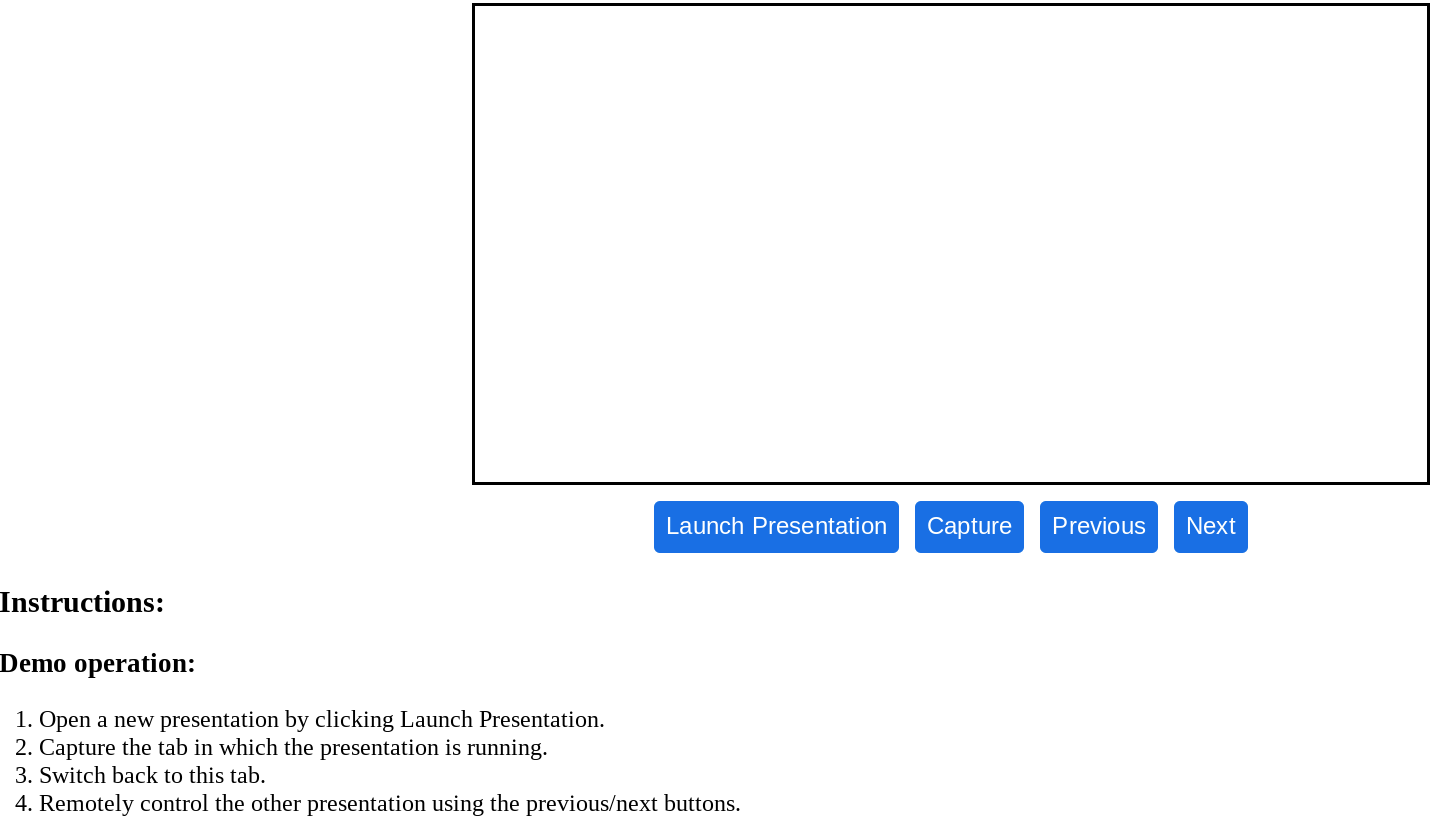
The new Capture Handle feature in Chrome 102 gives users the ability to capture a given tab and then, control that tab from a separate window. This will be extremely helpful while presenting during a video conference. Users can capture the presentation tab and then, control it directly from the tab in which the meeting is running. There’s a very handy demo set up here if you’d like to give it a try. Keep in mind that this is Chrome-only at the moment so it may be a while before the feature is widely supported.
Navigation API
Replacing the less-robust history API, the new Navigation API is aimed at making the transitions through web apps a bit smoother. When properly used, the API will assist web apps in loading new elements without needing to reload the entire page. This will make clicking links, and moving back and forth through pages a more user-friendly experience.
Bug fixes, patches and rewards
- [$TBD][1324864] Critical CVE-2022-1853: Use after free in Indexed DB. Reported by Anonymous on 2022-05-12
- [$10000][1320024] High CVE-2022-1854: Use after free in ANGLE. Reported by SeongHwan Park (SeHwa) on 2022-04-27
- [$7500][1228661] High CVE-2022-1855: Use after free in Messaging. Reported by Anonymous on 2021-07-13
- [$3000][1323239] High CVE-2022-1856: Use after free in User Education. Reported by Nan Wang(@eternalsakura13) and Guang Gong of 360 Alpha Lab on 2022-05-06
- [$2000][1227995] High CVE-2022-1857: Insufficient policy enforcement in File System API. Reported by Daniel Rhea on 2021-07-11
- [$1000][1314310] High CVE-2022-1858: Out of bounds read in DevTools. Reported by EllisVlad on 2022-04-07
- [$1000][1322744] High CVE-2022-1859: Use after free in Performance Manager. Reported by Guannan Wang (@Keenan7310) of Tencent Security Xuanwu Lab on 2022-05-05
- [$TBD][1297209] High CVE-2022-1860: Use after free in UI Foundations. Reported by @ginggilBesel on 2022-02-15
- [$TBD][1316846] High CVE-2022-1861: Use after free in Sharing. Reported by Khalil Zhani on 2022-04-16
- [$5000][1236325] Medium CVE-2022-1862: Inappropriate implementation in Extensions. Reported by Alesandro Ortiz on 2021-08-04
- [$5000][1292870] Medium CVE-2022-1863: Use after free in Tab Groups. Reported by David Erceg on 2022-02-01
- [$5000][1320624] Medium CVE-2022-1864: Use after free in WebApp Installs. Reported by Yuntao You (@GraVity0) of Bytedance Wuheng Lab on 2022-04-28
- [$3000][1289192] Medium CVE-2022-1865: Use after free in Bookmarks. Reported by Rong Jian of VRI on 2022-01-20
- [$3000][1292264] Medium CVE-2022-1866: Use after free in Tablet Mode. Reported by @ginggilBesel on 2022-01-29
- [$3000][1315563] Medium CVE-2022-1867: Insufficient validation of untrusted input in Data Transfer. Reported by Michał Bentkowski of Securitum on 2022-04-12
- [$TBD][1301203] Medium CVE-2022-1868: Inappropriate implementation in Extensions API. Reported by Alesandro Ortiz on 2022-02-28
- [$NA][1309467] Medium CVE-2022-1869: Type Confusion in V8. Reported by Man Yue Mo of GitHub Security Lab on 2022-03-23
- [$TBD][1323236] Medium CVE-2022-1870: Use after free in App Service. Reported by Nan Wang(@eternalsakura13) and Guang Gong of 360 Alpha Lab on 2022-05-06
- [$7000][1308199] Low CVE-2022-1871: Insufficient policy enforcement in File System API. Reported by Thomas Orlita on 2022-03-21
- [$7000][1310461] Low CVE-2022-1872: Insufficient policy enforcement in Extensions API. Reported by ChaobinZhang on 2022-03-26
- [$2000][1305394] Low CVE-2022-1873: Insufficient policy enforcement in COOP. Reported by NDevTK on 2022-03-11
- [$500][1251588] Low CVE-2022-1874: Insufficient policy enforcement in Safe Browsing. Reported by hjy79425575 on 2021-09-21
- [$500][1306443] Low CVE-2022-1875: Inappropriate implementation in PDF. Reported by NDevTK on 2022-03-15
- [$TBD][1313600] Low CVE-2022-1876: Heap buffer overflow in DevTools. Reported by @ginggilBesel on 2022-04-06
There are many more “under the hood” changes in Chrome 102. You can learn more about what’s new for developers by heading over to the Chromium Blog. As always, we’ll poke around to see if anything else has come along for the ride in this update, and stay tuned for more information on the latest update to Chrome for Android. Learn more about how to keep your Chrome Browser up to date here.
SUBSCRIBE TO UPSTREAM
Get Chrome Unboxed delivered straight to your inbox
Upstream is our flagship, curated newsletter with the top stories, most click-worthy deals, giveaways, and trending articles from Chrome Unboxed sent directly to your inbox a few times a week. Join 31,000+ subscribers.

