

Support our independent tech coverage. Chrome Unboxed is written by real people, for real people—not search algorithms. Join Chrome Unboxed Plus for just $2 a month to get an ad-free experience, access to our private Discord, and more. Learn more about membership here.
START FREE TRIAL (MONTHLY)START FREE TRIAL (ANNUAL)
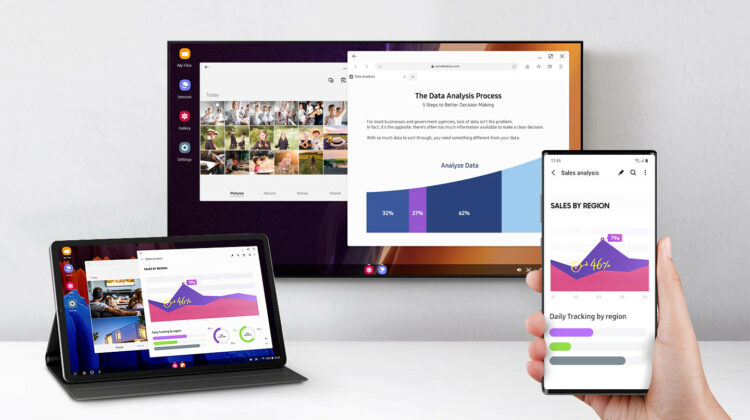
It’s been quite a few years since Samsung first unveiled Dex to the world and, since that time, a few other companies have tried their hand at that Android desktop as well. At this point, Huawei and LG notably have their own versions of a Dex-like Android desktop that give users a windowed interface to run apps when docked into a monitor with a keyboard. The idea isn’t new, but it is one that has fascinated tech enthusiasts over the years even if up to this point widespread adoption of this method of mobile/desktop hybrid computing isn’t a reality.
One of the first cutting-edge tech announcements I remember from a CES event was back in 2011 when Motorola announced the ill-fated Atrix 4G. That device was packed with all sorts of new tech for the time, but most notably for me, it came with an optional laptop dock that could transform the phone into a workstation with a keyboard, trackpad, and window-based UI. While it didn’t turn out to be very good or useful in practice, it was a pretty awesome swing and miss for the time.

Fast forward to 2020 and with Android 10+, we now have a version of the OS that fully supports windowed app interfaces even if the apps it runs don’t always comply. This gives flexibility to interfaces like Dex to be better on a basic level without the manufacturer having to work so hard to make Android play along. With that added ability, phone makers are starting to take advantage by offering desktop setups in their software and the company that did it first looks to be taking another stab at it.
While it isn’t fully unveiled, Motorola looks to be on the cusp of launching a new desktop Android solution with its latest handsets. At the Qualcomm Snapdragon Summit just yesterday, a new version of a desktop interface was shown off on a Motorola phone as an announcement of the 10th generation of MotoG handsets with Snapdragon processors was briefly talked about.

Is this huge news? On its own, not really. Even with more phone makers building in a desktop mode, we likely aren’t on the cusp of an Android phone-as-desktop takeover. Instead, this is just another move that shows more and more attention getting paid to Android apps in a desktop scenario. Clearly for us, Chrome OS is the better version of a desktop environment for Android apps to be leveraged, but we’re excited to see any development that shines a light on Android being used in a windowed manner.
As more and more of this continues to happen, Android developers will have to take seriously the reality that users are leveraging their apps on bigger screens with keyboard and pointing devices attached. Chromebooks haven’t been able to move the needle too much at this point and we don’t have very many solid Android tablets to help in this effort either, so any new use cases are welcome. The way I see it, the more the merrier. If windowed, desktop UIs start becoming the norm for Android phones, app development will be forced to adapt to properly support that new norm.
We just recently reported on the upcoming move to Android 11 that is on the way and how it should positively affect the quality of windowed Android apps on Chromebooks, but those improvements can only go so far on the OS side of things. We need developers to realize their apps are being used in desktop scenarios and make the adjustments necessary to create better experiences. I’m hopeful that as we see more and more phone makers ship a desktop mode, those improvements follow along. With better app handling and desktop-optimized apps, the experience of using Android on Chromebooks will only get better.
SUBSCRIBE TO UPSTREAM
Get Chrome Unboxed delivered straight to your inbox
Upstream is our flagship, curated newsletter with the top stories, most click-worthy deals, giveaways, and trending articles from Chrome Unboxed sent directly to your inbox a few times a week. Join 31,000+ subscribers.

