


Support our independent tech coverage. Chrome Unboxed is written by real people, for real people—not search algorithms. Join Chrome Unboxed Plus for just $2 a month to get an ad-free experience, access to our private Discord, and more. Learn more about membership here.
START FREE TRIAL (MONTHLY)START FREE TRIAL (ANNUAL)
Part of what makes Android apps on Chromebooks a bit frustrating to use is the general jank you can run into when moving things around the screen. From simple resizes to snapping windows to tablet mode conversion, it’s no secret that Android apps can get a bit fussy when moving them through the same paces we do with web apps. While browser-based content on Chrome OS moves around with smoothness and does exactly what you expect when moving or resizing windows, Android apps simply don’t behave as predictably.
If the work being done in the Chromium Repositories is any indication, these oddities with window management are on the way out as numerous tests and fixes are being implemented to tackle all sorts of scenarios that cause Android app window resizing jank on Chromebooks. Take a look at a screen grab of all the tests being run and worked through in the repositories since the summer.
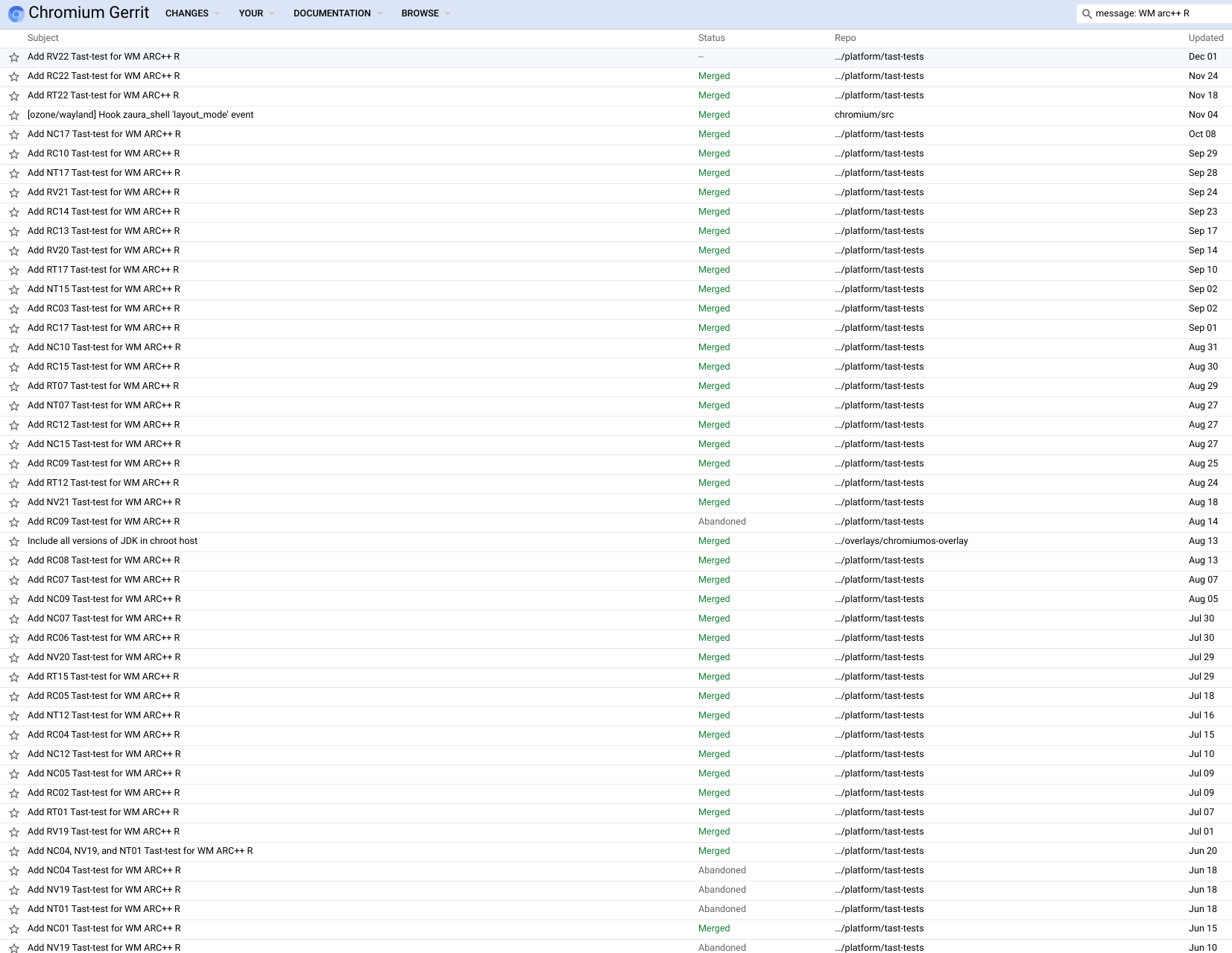
That’s a lot of work being put it on ARC++ R (ARC++ is the Android container for Chrome OS and Android R is Android 11) and frankly, it is needed. Android 10 – or Q – came with some improved window management that Chrome OS never got to take advantage of. Android on Chrome OS has been stuck on P for quite some time and months ago the decision was made to simply skip from Android 9 to Android 11, so none of that new, built-in window management has been at work on Chrome OS. Expect that to arrive as Android 11 rolls out for Chromebooks.
You can click through the list pictured above by hitting this link and what you’ll find is a battery of tests that are working on things like snapping windows, resizing windows, setting bounds for text wrapping, and adjustments to text sizes in Android apps for Chromebooks. If you’ve used Android apps at all on a Chromebook, you know these are all pain points and seeing this much work going into the fixes for Android 11 is encouraging.
With Apple having early issues with iOS apps on Mac OS, it has become clear that getting mobile apps on a desktop is a tough proposition. With the next version of Android on the way for Chrome OS, it feels like Google has the chance to make some big shifts in overall app performance on Chromebooks. Sure, around here we believe the open web is the future and where we want to operate; but there are clearly things that can be done with native apps that the web isn’t quite ready for. As Chrome OS becomes an increasingly hospitable place for Android apps, more users get on board, and more developers continue to realize the growing user base, Android on Chrome OS still has the potential to be great. These incoming changes will be a big part of that.
SUBSCRIBE TO UPSTREAM
Get Chrome Unboxed delivered straight to your inbox
Upstream is our flagship, curated newsletter with the top stories, most click-worthy deals, giveaways, and trending articles from Chrome Unboxed sent directly to your inbox a few times a week. Join 31,000+ subscribers.

