

Support our independent tech coverage. Chrome Unboxed is written by real people, for real people—not search algorithms. Join Chrome Unboxed Plus for just $2 a month to get an ad-free experience, access to our private Discord, and more. Learn more about membership here.
START FREE TRIAL (MONTHLY)START FREE TRIAL (ANNUAL)
Starting today, Google is making the first developer preview for Android 14 (Upside down cake) available to users who aren’t afraid to flash their devices. Let it be noted, however, that at this stage in development, the average user should not concern themselves with installation of the new operating system update as it’s not an OTA (over-the-air) and is not pushed directly to you.
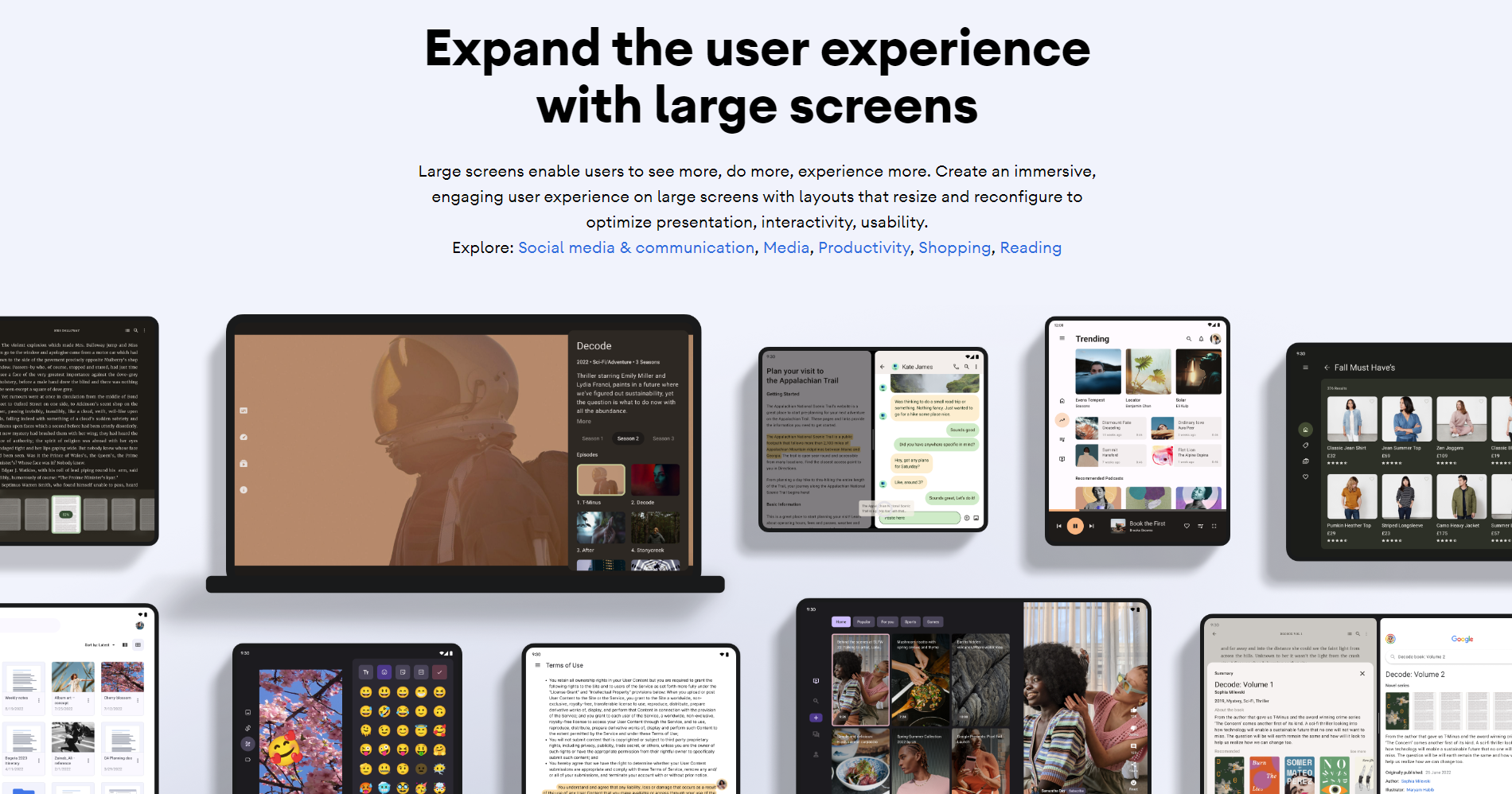
Instead, let’s discuss what new features the company is working on so that you’ll be well-informed once you finally receive it in an official update. For Android 14, Google is really focusing on just a few things. First and foremost, there’s a huge push for large-screen app compatibility. With the release of the Pixel Tablet looming in addition to all of the recent Google app updates centered on tablet improvements, this should come as no surprise to anyone keeping up with the news.
The new OS upgrade will “build on the work done in Android 12L and 13 to support tablets and foldable form factors”. The goal here, as previously stated, is to help devs create and optimize apps that work across all devices and screen sizes.
For this very reason, a controversial move is being made to block app installations at an OS level for devices running older versions of Android. More specifically, this means you will no longer be able to install (or even sideload, for that matter) applications that are aimed at SDK version 22 or lower. In plain English, I’m referring to Android 6, which was introduced circa 2015. Of course, most users won’t really be affected by this, but if you’re still using a really old and outdated app that meets these criteria, then you may experience some trouble down the line once this update goes live.
Some other things to know about Android 14, especially during this developer preview, are that Google is aiming to improve your device’s battery when it’s not in use by changing the way apps communicate with the system during downtime. One example given is that the tech giant is urging developers to stop using exact alarms in their apps (except in specific cases where the calendar or alarm clock is targeted) to reduce the pull on system resources over time.
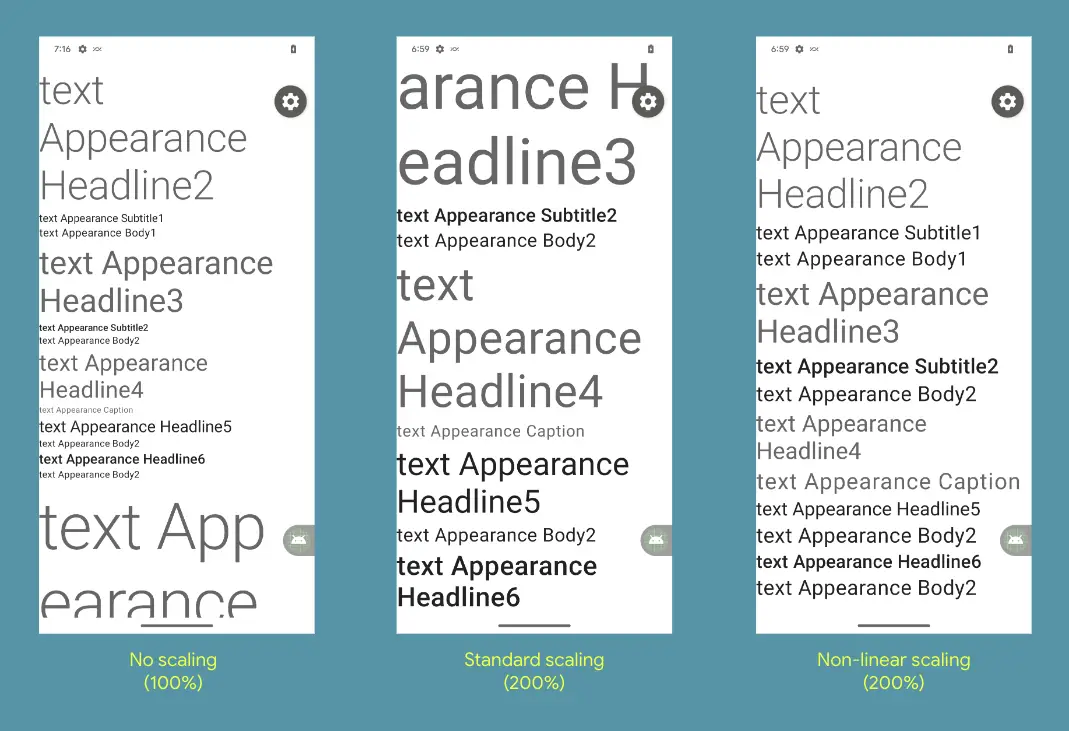
While there are more technical aspects of the preview that more technical Android users can read up on for themselves via the release notes, the average user may also be interested in the fact that 14 will introduce bigger fonts with non-linear scaling, which lets you scale text up to 200% for accessibility – up from 130%.
Here’s what I’m interested in knowing. Are you going to install the Android 14 developer preview, or are you the type to wait until the update officially releases later this year? While I shouldn’t do so, I often flash and update my daily driver Pixel phone and later regret it, but I think I may wait this time, personally. I’m sure we’ll have 14 installed on a few of our other units, so we’ll keep you posted on any other news that comes up over the course of its development!
SUBSCRIBE TO UPSTREAM
Get Chrome Unboxed delivered straight to your inbox
Upstream is our flagship, curated newsletter with the top stories, most click-worthy deals, giveaways, and trending articles from Chrome Unboxed sent directly to your inbox a few times a week. Join 31,000+ subscribers.

