

Support our independent tech coverage. Chrome Unboxed is written by real people, for real people—not search algorithms. Join Chrome Unboxed Plus for just $2 a month to get an ad-free experience, access to our private Discord, and more. Learn more about membership here.
START FREE TRIAL (MONTHLY)START FREE TRIAL (ANNUAL)
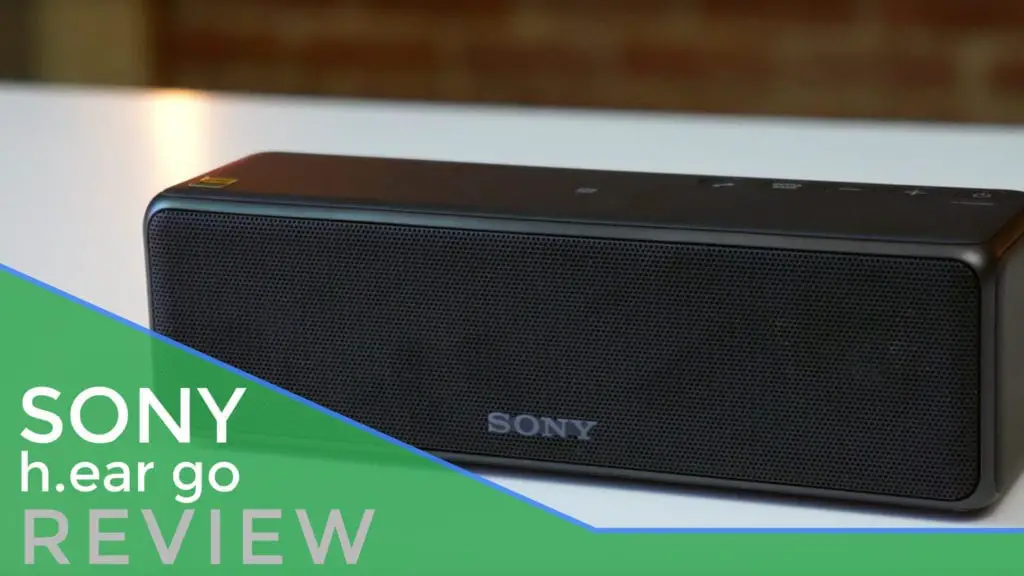 Today, we are taking a quick look at Sony’s h.ear go wireless speaker.
This device comes equiped with not only bluetooth, but Chromecast Audio casting ability baked right in.
What that means for users is without any extra, wired attachments, we get clean, clear, casted audio over wifi with very little setup.
Chromecast audio is a technology still in its infancy. As great as the dongle is and as well as it works, it removes wireless function from your wireless speakers, essentially keeping them tethered to a wall for power.
Added to this, not many manufacturers are building Chromecast speakers at a reasonable price. Sony fills the gap with the h.ear Go at $199 and on sale for $149 at the time of this video. While not cheap, per se, this is very much in the affordable realm.
All the functions you would expect from a wireless speaker are here: Bluetooth, USB, AUX in, and, as mentioned before, Chromecast Audio support. Battery life is fantastic as well, easily getting over 10 hours of playback which gets me through a full work day with ease.
Setup
Setup is a bit of a mixed bag, requiring Sony’s own SongPal app to get everything set up and running.
Out of the box, my speaker needed a firmware update. While not a big deal, this update was required before I was able to get Chromecast Audio fully working.
Next, getting the device connected to the network also has to be done inside the SongPal app, not Google Home. The steps were pretty straight forward, and after it was done, I was able to see the speaker via the Google Home app and add it to a Group or cast to it like a standard Chromecast Audio.
A slightly odd behavior is the inability to rename the speaker via the Home App. You can try, but nothing will actually stick. This is another task handled by the SongPal app.
Once these simple setup things are done, the speaker behaves just as you’d expect. Simply select the Network setting on the speaker, give it a second to connect to the network, and you can cast to it from any device connected to the network.
Sound & Performance
It is this point where the h.ear Go comes to life. There is an extra bass button that I’d suggest you leave turned on at all times. The low end on this diminutive little speaker is so impressive. Simply put: a speaker with Chromecast Audio would not be enough for me to pull the trigger on a purchase. I have a Bose Soundlink and have a certain standard I hold these mobile speakers to.
The Sony more than holds its own. Sound is full, rich, and clear. Even at low volumes, no bass response is lost. I love the way this thing sounds.
Plus it has Chromecast Audio built in at a great price.
Add to that a sturdy build with a sleak design and Sony has a winner here. In my few weeks with this speaker, I don’t miss the Bose at all. The sound is right on par and being able to connect via Chromecast Audio while staying perfectly wireless makes for an experience that is unmatched in wireless audio.
If you are in the market, buy this thing. You will love it.

