

Support our independent tech coverage. Chrome Unboxed is written by real people, for real people—not search algorithms. Join Chrome Unboxed Plus for just $2 a month to get an ad-free experience, access to our private Discord, and more. Learn more about membership here.
START FREE TRIAL (MONTHLY)START FREE TRIAL (ANNUAL)
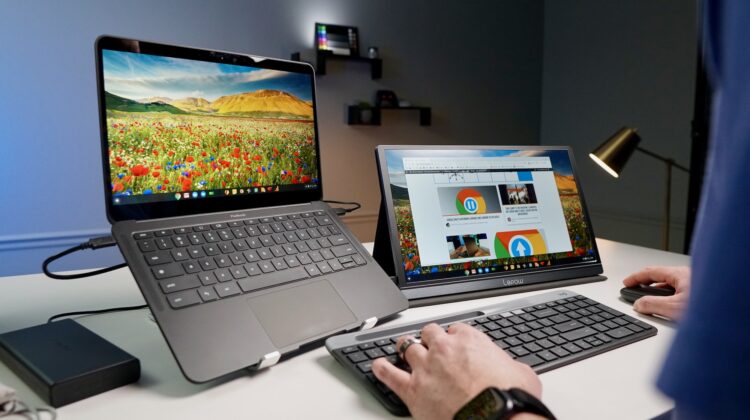
As Chromebooks continue to become full replacements for Windows or Macbook laptops for a wider array of users, there are more of you out there that are likely looking for tools to make using your device a bit nicer on the desktop. For me, I’ve loved using laptop stands and wireless keyboards/mice in my years working with Chromebooks, but as a reviewer, I need to be typing on the built-in setup and using the trackpad regularly for evaluation purposes.
That means my setup is a bit different than most with my Chromebook situated under the second screen, but that doesn’t mean I don’t still enjoy having my Chromebook over to the side while I use a peripheral keyboard and mouse when I can get away with it. For most people, this is the better setup as it allows you to put the wear and tear on your accessories instead of beating up the built-in keyboard and trackpad on a daily basis.
And one of the most important pieces to this type of setup is the humble laptop stand. I’ve talked about the importance of this desktop accessory in the past, but getting your Chromebook up and into a more natural sight line beside your main monitor is very important for long-term comfort. Looking down at the table or desk all day is simply bad for your posture and bad for your neck. Getting your Chromebook up and more open also allows you to situate your built-in screen a bit closer to your face as well, and that just makes everything on the screen easier to see.
The cool thing is, there are tons of variations on the simple laptop stand idea, so you can find one that fits your setup best. I love the simple, collapsible nature of the folding stand I keep in my bag, but some of the others on this list either take that idea up a notch in rigidity or simply give you far more options with the height and angle of your Chromebook when using them. I’ve put the seven most intriguing version of the laptop stand in this list to hopefully spark some interest for you and perhaps provide a good option for helping to make your desktop setup a bit more streamlined.
Simple folding laptop stand (fits in a bag)
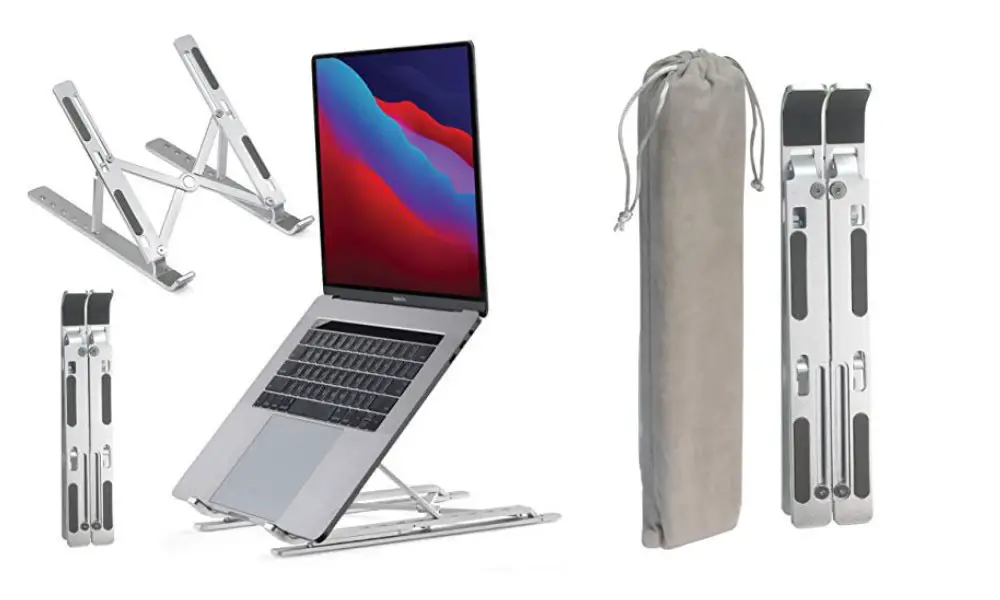
I put this one first because it is the one I keep in my bag. We did a whole “desktop in a bag” video during the height of the pandemic (see the video above), but I still keep this one with me for those times I need to hunker down at home. It is simple, small, and collapses into a little carrying bag for easy storage, too. There are height adjustments and it can hold larger laptops, too.
Heavy duty folding laptop stand

Similar to the laptop stand I carry, this larger, more-robust stand takes things to the next level. It is far sturdier, can hold up to 44 pounds, and still folds up for travel quite neatly. Frankly, if this one had been available back when I was looking for a portable, backpack-friendly option, I’d have gone with it instead.
Simple fold-flat laptop stand
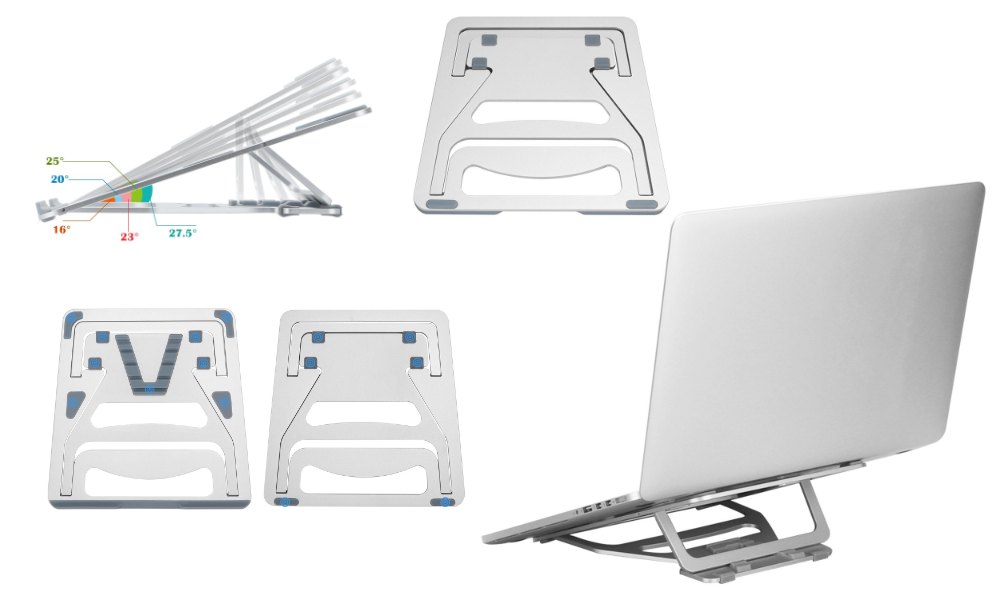
In a different take on portability, this next stand collapses into a thin, tablet-sized sheet that is about as thick as a mobile phone. The build and design looks like it would be sturdy and minimalist while also being a bit simpler to break down when you are done with it. You won’t get quite as much height out of this stand, but it looks nice and should slide into a bag with ease.
The standard U-shaped laptop stand

This next stand is a more-standard take on a laptop stand. It isn’t mobile and is meant to stay on the desk, but the design does allow for some storage underneath. We have a few stands like this in the office and they are sturdy, reliable, and give you back a bit of your desk space if needed. If you don’t intend to travel with your laptop stand, it’s hard to go wrong with this style.
Hinged adjustable desktop laptop stand

This next stand looks really awesome, is fully aluminum, and adjusts both the height and angle of your Chromebook when in use. It can handle Chromebooks large or small and though it could be folded down for storage, it would take up a lot of space in a bag. This one is basically a desk-dwelling companion that offers a wide range of setups and, again, gives you some of that desk space back if you need it.
Adjustable, extendable laptop stand
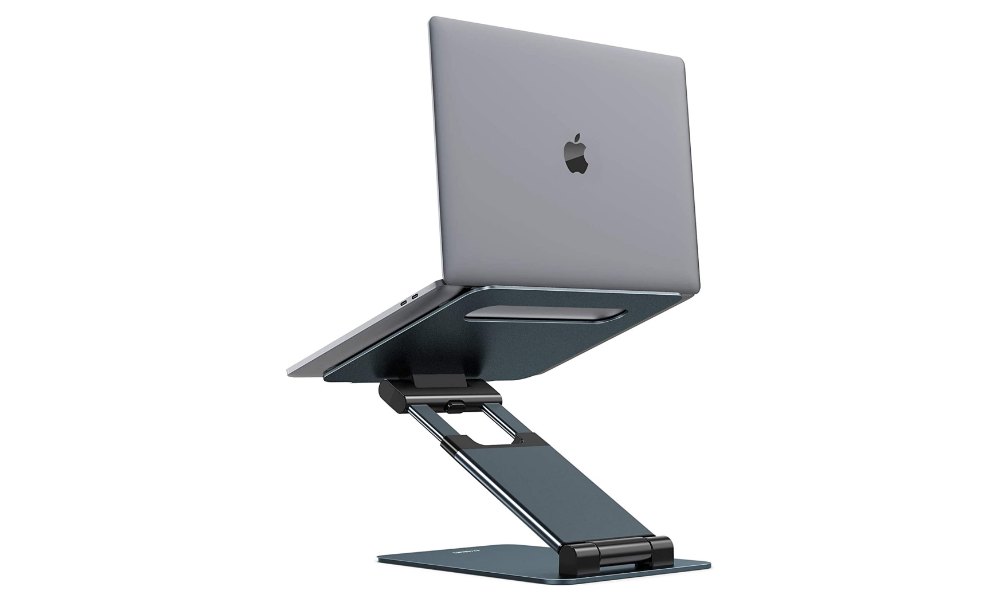
Like the stand above, this one is made to stay put on the desk and offers both height and angle adjustments. As an additional trick, however, this stand also can extend the base arm to allow for a total height of 21″ off the desk. It’s a wild-looking, telescoping stand, but this could be the type of versatility some of you need.
A little bit of everything

This final stand is interesting as it offers some space underneath, the height you need, the portability you want, and a couple phone/tablet holders on the sides thrown in for good measure. For me, this seems like a bit of overkill, but I think there are some of you out there that could use some of these added niceties, so that’s why I’m adding it to the list.
Obviously, this list isn’t every single laptop stand out there. There are others to choose from and other places to get them. I stuck with Walmart for this list as I felt their selection was a bit more focused and I really like the prices I’m seeing, too. You can obviously look elsewhere for these types of things, but I’m confident if you want to steer clear of poorly-made laptop stands and don’t want to pay a fortune for one, either, something on this list should do the trick.
SUBSCRIBE TO UPSTREAM
Get Chrome Unboxed delivered straight to your inbox
Upstream is our flagship, curated newsletter with the top stories, most click-worthy deals, giveaways, and trending articles from Chrome Unboxed sent directly to your inbox a few times a week. Join 31,000+ subscribers.

