


Support our independent tech coverage. Chrome Unboxed is written by real people, for real people—not search algorithms. Join Chrome Unboxed Plus for just $2 a month to get an ad-free experience, access to our private Discord, and more. Learn more about membership here.
START FREE TRIAL (MONTHLY)START FREE TRIAL (ANNUAL)
This goes beyond a feature being “a long time coming.” Since November of 2015, YouTube Music has existed, had a web component, and has been without proper cast support. While this wasn’t terrible in the early days, it clearly became a more invasive problem the day Google chose to shut down Google Play Music and only offer YouTube Music as its successor. At that point, I expected basic feature parity between the two services, and what I got was far from it.
I’ve been patient as most of the issues have been fixed up and new features added, but the lack of Chromecast support was a severely limiting factor for the web player because it causes so many playback issues on Google’s own smart speaker lineup when using YouTube Music from a Chromebook. And yes, I know the Android app technically works on Chromebooks, but even Google knows the web experience is better: they launched a dedicated YouTube Music PWA via the Play Store that they encourage Chromebook users to install.
Guess what’s been missing in that Chromebook-specific app the entire time. You likely guess right: the cast button. As Google’s own, in-house audio sharing protocol, it has felt damn-near ridiculous that YouTube Music on the web has been without it for so long. Considering Google Play Music had cast support enabled on the web basically from the get-go, it feels even more silly that the platform that began casting first – YouTube – wouldn’t include the now-standard button in the UI.
Finally, and end to the YouTube Music casting conversation
Back in October, the first signs of this mess being cleaned up came to us via Reddit, and I’ve been checking my YouTube Music player almost daily since that time. I simply want to control our office music on my desktop on a daily basis the way I used to with Google Play Music. Is that too much to ask?
Thankfully, those early signs have now given way to a wider rollout of the native cast button in the browser or in the PWA for YouTube Music. Funny enough, I went out of town for one day – ONE DAY – and this feature finally arrived. Even if I would have been on the lookout for it, I wasn’t in a space where I would have been connected to any cast-enabled devices, so I would have missed it. Thankfully, Gabriel sent over a quick image to provide evidence of the roll-out, and I honestly cannot wait to get home and try it out.
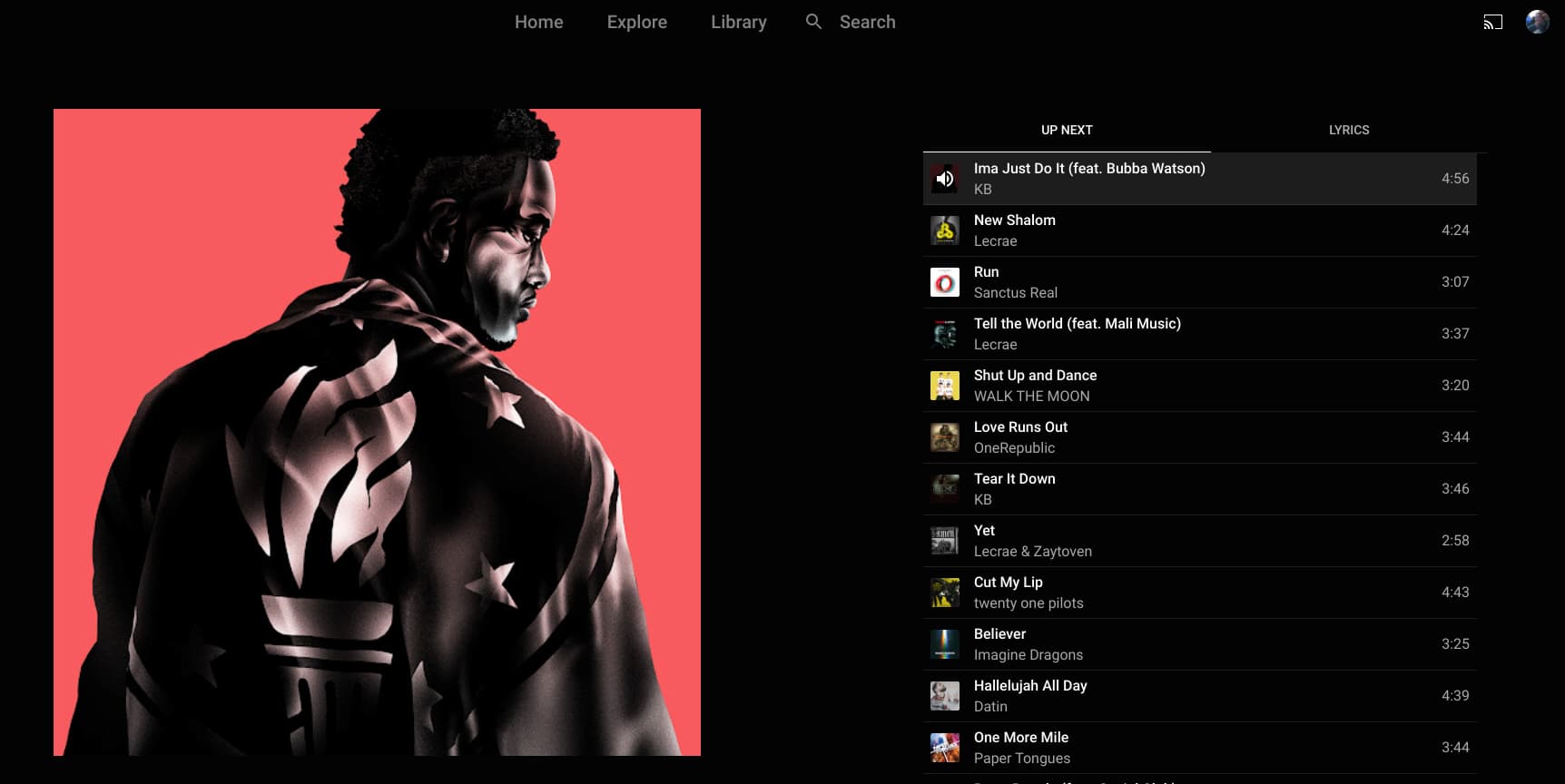
Up there on the top-right corner, you can see the cast button where it should have honestly been all along. Again, YouTube and Google Play Music had this feature since the very, very early days. The arrival here is comically late, aggravating that it has been so passed-over for so long, yet so welcome for those of us using YouTube Music. I haven’t fully tested it out yet, but I’m sure glad it is there. It’s one less thing I’ll need to task my Pixel 6 with on a daily basis, and I’m very glad to finally see it arrive.
SUBSCRIBE TO UPSTREAM
Get Chrome Unboxed delivered straight to your inbox
Upstream is our flagship, curated newsletter with the top stories, most click-worthy deals, giveaways, and trending articles from Chrome Unboxed sent directly to your inbox a few times a week. Join 31,000+ subscribers.

