


Support our independent tech coverage. Chrome Unboxed is written by real people, for real people—not search algorithms. Join Chrome Unboxed Plus for just $2 a month to get an ad-free experience, access to our private Discord, and more. Learn more about membership here.
START FREE TRIAL (MONTHLY)START FREE TRIAL (ANNUAL)
OK, so maybe you don’t need to play Wordle at this very second, but as soon as you finish reading this post I’d highly recommend it. This web app has taken Twitter by storm and for good reason: it is addictive and masterful. We’ll get into the actual point of the game in second, but the biggest feature of Wordle in my humble opinion is the fact that it has garnered all its attention, praise and adoration while being a simple, available-to-anyone-with-a-browser web app. Seriously, this is one of the best uses of the power of the open web I’ve seen.
No app stores, no problems
The beauty of Wordle is it is playable anywhere: on your Android phone, on an iPhone, on a Chromebook, Windows laptop, Mac OS or Linux device. With no real ties to any app store or particular operating system, Wordle exists completely on the web and you can get there by going to the game’s URL (https://www.nytimes.com/games/wordle/index.html) and get started right away. Nothing to install, no ads, no stuff in the way. The creator of the game built it as a fun thing for his partner who loves crossword puzzles, and he had this to say about it:
I think people kind of appreciate that there’s this thing online that’s just fun. It’s not trying to do anything shady with your data or your eyeballs. It’s just a game that’s fun.
Josh Wardle – via The Verge
While there are a ballooning number of clones mainly in Apple’s App Store (there are a few in the Play Store, too) that are taking the simple/genius game and turning a profit off of ads, it is worth noting the original game has none of those tendencies. There’s no sign up, no email subscription, and no hook to get you back apart from the sheer brilliance of the game’s premise. It is a refreshing approach to a great mental workout each day and though I’d love to see at least some sort of log-in for keeping my records, I appreciate the non-invasive approach Wordle takes.
How Wordle works
It took me a few minutes to catch on and it may for you as well, but the premise of the game is simple once you get your head around it. The game begins with a 5×6 grid and a keyboard at the bottom. The object is to guess the day’s unique 5-letter word correctly. That’s it. One word each day and you have 6 tries to guess it. It sounds almost impossible until you realize the clues Wordle gives you along the way.
After you type in your first 5-letter guess and hit enter, Wordle will animate your letters and show you which ones are not in the word of the day, which ones are actually included in the word, and which ones are in the word and already in the right place. As you can see from my first two guesses for today, my first guess had the “R” correct, but no in the right place and the second guess had the “R O A” all correct, but none of them in the right spot. It was at this juncture that I decided to pause and write this post.
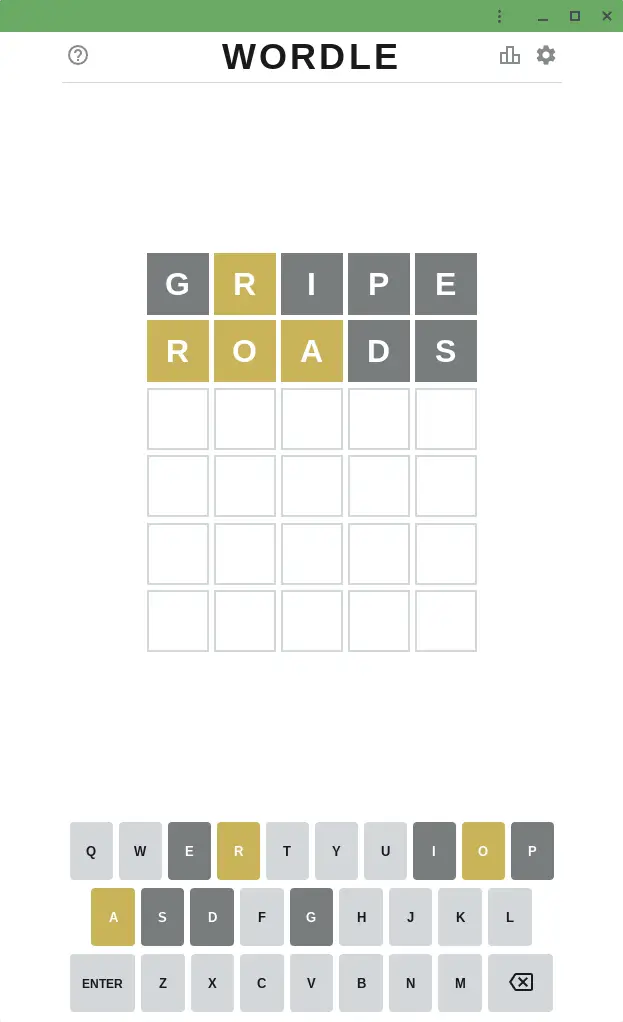
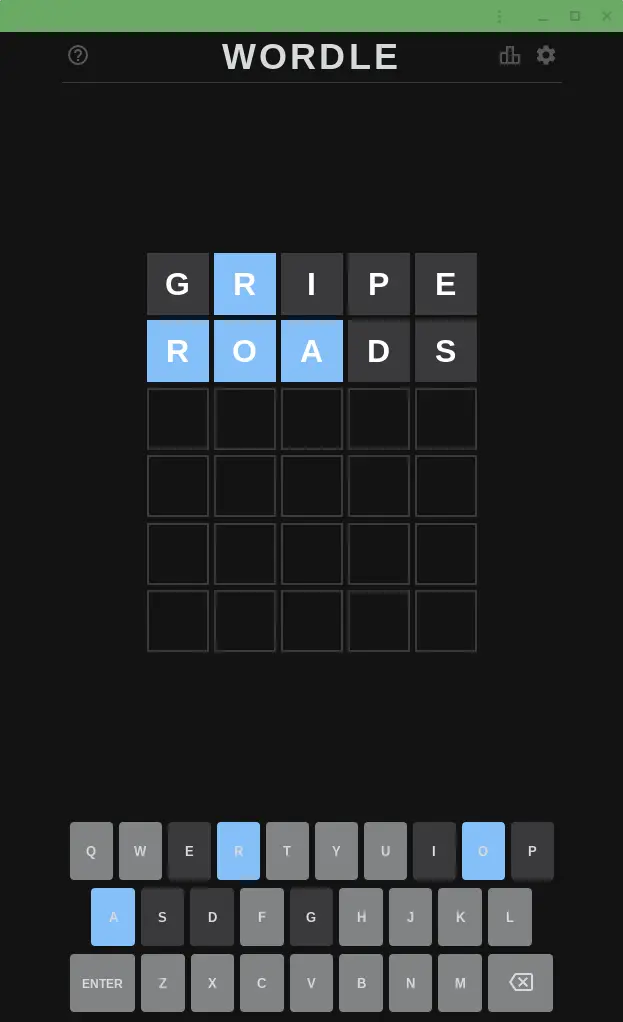
With those guesses, the keyboard below highlights letters I have right, letters I have wrong, and all those I’ve yet to guess. Knowing this, I need to build a word for my third guess that puts the “R” in the 3rd, 4th, or 5th slot, includes “O” and “A” in new spots, and leaves out all those gray letters I’ve tried. You start to see the strategy at this point and how guesses can become far more calculated as you move along. Oh, and there’s a dark theme and colorblind mode for those of us who need it.
I was able to finish the puzzle yesterday and share my results to Twitter right from the web app and Wordle even has a great way of visualizing your completed puzzle without ruining it for others. After all, there’s only one word per day, so we don’t want to take away the fun for anyone while we brag about being clever enough to finish the game.
As long as you continue playing in the same browser each time, your results will be saved. Clear the cache or play in a different device and that isn’t the case, but it doesn’t really take away from the experience. There’s something a bit zen about the whole thing and at least for the time being, I’ll be posting my victories to Twitter to keep up with my overall successes and likely failures.
For me, this is all about seeing a simple, creative game being delivered to the masses via the open web. Time will tell if Wordle ever gets some sort of monetization, but there’s no doubt it is just going to increase in popularity. Yeah, there will be clones left and right just like there was with Flappy Bird, but there’s something great about playing the original, and I know I’ll be doing so every day for the forseeable future. Wordle is one of those things that makes me love the open web and the Chromebooks that are built to take full advantage of it, and as I said in the opening, it’s high time you head over to the game’s URL and try it for yourself.
SUBSCRIBE TO UPSTREAM
Get Chrome Unboxed delivered straight to your inbox
Upstream is our flagship, curated newsletter with the top stories, most click-worthy deals, giveaways, and trending articles from Chrome Unboxed sent directly to your inbox a few times a week. Join 31,000+ subscribers.

