

Support our independent tech coverage. Chrome Unboxed is written by real people, for real people—not search algorithms. Join Chrome Unboxed Plus for just $2 a month to get an ad-free experience, access to our private Discord, and more. Learn more about membership here.
START FREE TRIAL (MONTHLY)START FREE TRIAL (ANNUAL)
If you’ve owned a Chromebook over the past several years, there is a very high probability you’ve run headfirst into one of the platform’s most aggravating compromises: streaming video quality and offline downloads.
On paper, a high-end Chromebook or 2-in-1 convertible should be the ultimate portable media device. You get gorgeous 1080p, QHD, or OLED touchscreens, lightweight aluminum designs, and long battery life.
Yet, when you sit down on an airplane or open your favorite streaming service, you’re instantly greeted by a bizarre Catch-22: watch in crisp 1080p in the browser with zero offline downloading, or download offline content via Android apps and suffer through low-res 720p playback.
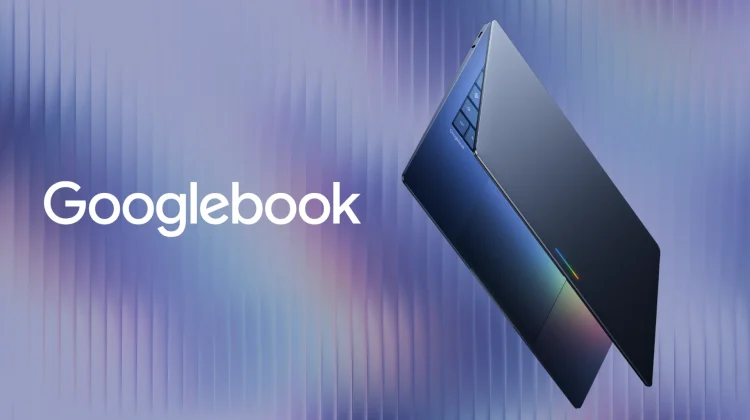
It’s been a source of friction for years, but with the impending launch of Googlebook and its native Android underpinnings, this entire headache is about to disappear for users of Google’s new laptop lineup.
The ChromeOS DRM dilemma: Widevine L1 vs. ARCVM
To understand why this has been so frustrating, you have to look at how ChromeOS handles streaming DRM (Digital Rights Management) under the hood. Streaming services like Netflix, Disney+, Amazon Prime Video, and Max protect their content using Google’s Widevine DRM, which operates in strict security tiers:
- Widevine L1: Complete hardware-backed decryption inside a secure enclave (Trusted Execution Environment). This tier is mandatory to unlock 1080p, 4K, and HDR streaming.
- Widevine L3: Basic software-only decryption. Streaming services treat this tier as untrusted and aggressively cap playback resolution to standard definition (480p or 720p) to prevent piracy.
On ChromeOS, the native Chrome browser handles Widevine L1 just fine, allowing you to stream in full 1080p when you’re connected to Wi-Fi. However, web browsers don’t support offline downloads for major streaming platforms. To download movies or TV shows for offline travel, you have to install the streaming service’s Android app via the Google Play Store. And that is where the wheels fall off.
Because ChromeOS runs Android inside a virtualized container (ARCVM), most streaming apps do not recognize the containerized environment as a secure, hardware-backed Widevine L1 device. Instead, the apps fall back to Widevine L3 software mode.
The result? You download a movie on your OLED-equipped laptop, board a flight, fire up Netflix or Disney+, and find yourself watching pixelated, low-res video on a screen capable of so much more.
Native Android changes the entire equation for Googlebook
This brings us to Googlebook and why the platform shift to native Android desktop architecture is such a big deal. Instead of layering an Android virtual machine inside a Linux container on top of ChromeOS, Googlebook runs Android natively from the ground up. And because Android handles the core system, display rendering, and hardware security directly, the issues with offline streaming video will melt away.
First up, Android devices – from high-end Galaxy phones to Pixel tablets – are built natively to pass Widevine L1 and OEMCrypto security certifications thanks to system-wide Widevine L1 hardware decryption.
That means when you install the Netflix, Prime Video, or Disney+ Android app on a Googlebook, the app interacts directly with the hardware security enclave. That means full 1080p (and high-bitrate) offline video downloads will work effortlessly out of the box.
A proper media machine at long last
For years, telling someone they couldn’t reliably download HD movies on a premium Chromebook felt like a ridiculous asterisk on an otherwise solid operating system experience. We’ve lived with workarounds, web wrappers, and low-res downloads for far too long.
With Googlebook, that compromise finally comes to an end. Getting true native media pipelines and full-resolution offline playback might not grab the biggest keynote headlines alongside AI features, but for real-world daily use, it is going to be one of the most satisfying upgrades this new platform delivers for its users.
SUBSCRIBE TO UPSTREAM
Get Chrome Unboxed delivered straight to your inbox
Upstream is our flagship, curated newsletter with the top stories, most click-worthy deals, giveaways, and trending articles from Chrome Unboxed sent directly to your inbox a few times a week. Join 31,000+ subscribers.

