

Support our independent tech coverage. Chrome Unboxed is written by real people, for real people—not search algorithms. Join Chrome Unboxed Plus for just $2 a month to get an ad-free experience, access to our private Discord, and more. Learn more about membership here.
START FREE TRIAL (MONTHLY)START FREE TRIAL (ANNUAL)
Having the new Google Home Speaker sitting on a desk or kitchen counter is undeniably fun. Bringing Gemini Intelligence directly into household audio has changed how natural voice interactions feel, making old Google Assistant commands feel pretty primitive by comparison.
As great as a standalone smart speaker is, using Gemini in a home or office environment continuously highlights one major missing piece: a dedicated ambient display. Voice is fantastic for quick questions or toggling lights, but the way most people use Gemini is via visual feedback. A speaker alone simply isn’t enough for that use case, and to address this gap, I think it is time for Google to give us a refreshed Google Home Hub.
The Nest Hub screen was always the sweet spot
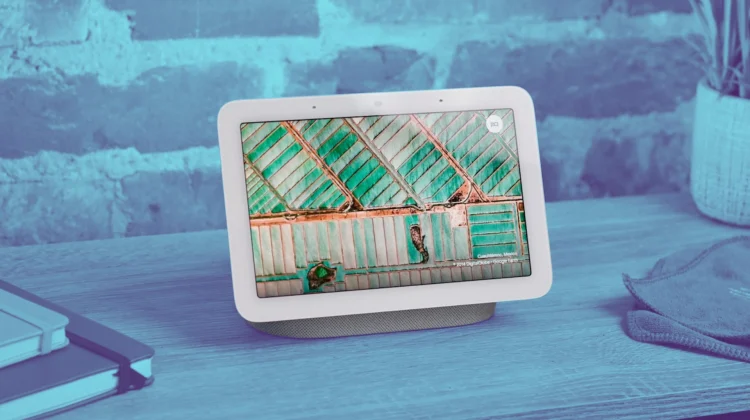
When Google originally launched the Nest Hub (and the original Google Home Hub back in the day), it instantly became one of the most useful ambient pieces of tech in the house. The display quality was always a knockout, functioning as an incredible digital photo frame, a subtle bed-side clock, and a clear visual target for smart home controls.
That core form factor remains fantastic, but the hardware behind it is starting to really show its age. While older Nest Hubs are getting early access to Gemini for Home, trying to render heavy visual responses or smooth UI transitions on older display hardware can feel sluggish.
A refreshed “Google Home Hub” wouldn’t need to reinvent the wheel when it comes to aesthetics. Keeping that beautiful, ambient-light-adjusting screen while upgrading the internal processor to deliver buttery-smooth animations and packing in a bit more punch on the speaker side would create the ultimate desktop and countertop companion for Gemini in the home.
Why Gemini demands a visual canvas
The reason a smart display is so vital in the Gemini era comes down to the sheer complexity of the information the AI returns. When you ask Gemini for a detailed breakdown of a topic, a recipe modification, or a summary of your day, listening to a speaker read off paragraphs of text gets overwhelming very quickly.
A modern Home Hub would solve this instantly by pairing natural voice audio with a clean, concise UI built specifically around Gemini’s visual language:
- Live camera feeds & security: Asking Gemini what happened in the yard and having relevant camera clips or live feeds instantly pop up alongside a natural language text summary.
- Complex web search & browsing: An embedded, lightweight Chrome browser view allowing Gemini to render rich search results, formatted recipe cards, or interactive data charts right on the display.
- Contextual media controls: Displaying dynamic album art, rich YouTube video suggestions, and intuitive smart home sliders that update in real time based on your conversation.
Crucially, this device wouldn’t need a bloated app ecosystem or third-party tablet clutter. Its entire operating system could 100% revolve around Gemini, mirroring the modern look and feel Google is establishing across its mobile and web platforms.
The missing piece of Google’s smart home vision
Google has done a solid job laying the software foundation with Gemini for Home, expanding conversational memory, and bringing smarter task automation into the Google Home app. But hardware and software need to move in lockstep.
A dedicated Google Home Hub with updated silicon, richer audio, and a Gemini-first visual UI would elevate in-home AI from a neat voice trick into an indispensable daily tool. Whether sitting on a nightstand, a kitchen counter, or right next to your workstation, an ambient Gemini display is the exact piece of hardware the smart home ecosystem is begging for right now.
SUBSCRIBE TO UPSTREAM
Get Chrome Unboxed delivered straight to your inbox
Upstream is our flagship, curated newsletter with the top stories, most click-worthy deals, giveaways, and trending articles from Chrome Unboxed sent directly to your inbox a few times a week. Join 31,000+ subscribers.

