

Support our independent tech coverage. Chrome Unboxed is written by real people, for real people—not search algorithms. Join Chrome Unboxed Plus for just $2 a month to get an ad-free experience, access to our private Discord, and more. Learn more about membership here.
START FREE TRIAL (MONTHLY)START FREE TRIAL (ANNUAL)
Contents
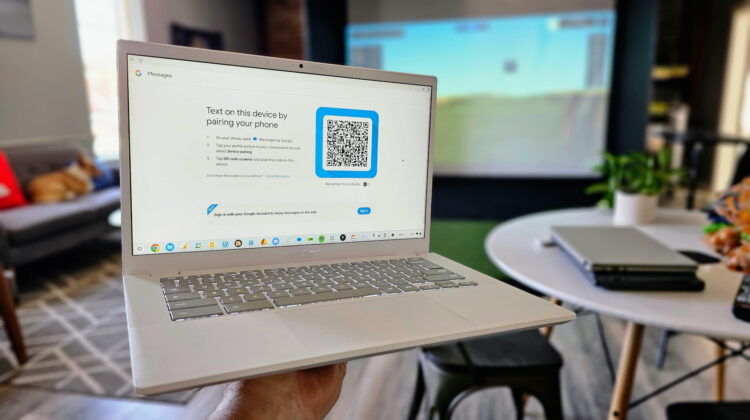
As Google Messages passes the billion downloads mark, it looks like Google is keeping their foot on the gas. The slightly-aggravating, always inconvenient QR code scanning requirement for use on multiple devices has always kept Google Messages from being the service it has the potential to be. Sure, it needs to handle the old SMS/MMS stuff, but RCS is far more capable and should be able to be used from an account level on any device that the user wants with a simple sign in.
Google Account pairing
The good news is, after months of beta testing, Google has launched an account-based pairing system for Google Messages and is on the path to waving goodbye to QR code scans as a means to get up and running. This new system, seen first by 9to5Google, allows the web-based version of Google Messages to be used simply with a sign in of the connected Google account. No cameras. No QR codes. No frustrations.
How it works
This new feature is rolling out now, but isn’t yet available for everyone. But once you have access, you’ll simply navigate to the messages.google.com on the web and choose the new option at the bottom to log in with your Google account. Next, you’ll only need to open Messages on your phone and match the emoji displayed on both devices to confirm that it is you. It’s that simple.

This new update also gives users a spruced-up web UI, including a new navigation drawer for easy access to Archived, Spam & Blocked, Settings, and Unpair options. However, it’s not without its limitations. The new pairing setup allows just one active browser instance at a time, though it does permit simultaneous tablet pairing and clear reference from Google about exactly which devices you have paired up at any given time.
Why it’s a big deal
If Google really does want to challenge Apple and Meta in the messaging space, Google Messages must move beyond being just an SMS/MMS/RCS tool. Right now, that’s all I use it for and the reason is clear: lack of interoperability. Until iPhone users can at least have the option of using Google Messages to communicate with me, I won’t ask anyone to switch away from WhatsApp.
And that scenario might be different for others. WhatsApp, Facebook Messenger, Telegram, and Signal are all options that work across platforms and allow iPhone, Android, Windows, MacOS and ChromeOS users to send messages without restrictions to one another. This is the type of messaging system Google needs to be working towards.
iMessage works simply because of ecosystem lock-in, not because it supports carrier-driven messaging platforms. I’m glad Google Messages has RCS and can be backward compatible with SMS/MMS, but that alone won’t give Google the iMessage numbers they want. We don’t need another closed off-messaging service; we need one that is there for anyone who chooses to use it regardless of their operating system.
And account login is a huge step towards that future. Without it, cross platform operations will always struggle. But with this move, perhaps we could eventually see Google Messages for iOS. Will general iPhone users choose it over iMessage? Not likely, but if there was one, easy-to-use, easy-to-find, easy-to-set up messaging platform from Google that could work on any device, that would be the option I’d at least ask my non-Android friends and family to try out.
I made the move to WhatsApp years ago as Allo died off, and it’s been a fine tool if I’m being honest. But I’d love to be using something made by Google, too, and Messages could be that app. But there’s work that needs to be done before its ready to become the service I’m waiting for, and for that work to even think about moving forward, Google Account login connections have to be in place. Hopefully, it leads to a future where Google Messages is available everywhere and on everything, and we might finally have a messaging app from Google that can make a real dent in this wildly-frustrating, highly-competitive space.
SUBSCRIBE TO UPSTREAM
Get Chrome Unboxed delivered straight to your inbox
Upstream is our flagship, curated newsletter with the top stories, most click-worthy deals, giveaways, and trending articles from Chrome Unboxed sent directly to your inbox a few times a week. Join 31,000+ subscribers.

