
ChromeOS 107 is rolling out to users around the globe. While this milestone release is running a tad behind, the latest build has been released much closer to schedule than 106 which was more than two weeks late. The recent release of Chrome for desktops was relatively scant on features but the OS version of Chrome has actually arrived with a basket full of new and improved tricks that you will likely be interested in trying out. So, let’s look at what’s new in ChromeOS 107.
Camera Framing
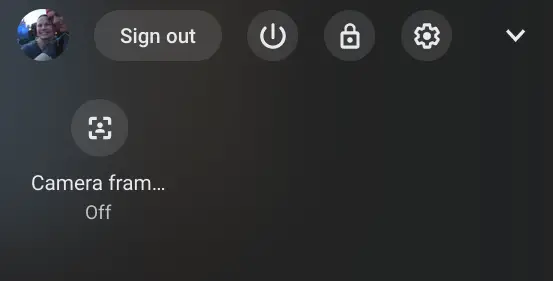
Adding to the ever-expanding productivity toolbox of ChromeOS, ChromeOS 107 brings auto-framing to the platform. For devices that support it, enabling auto framing while using the camera will automatically zoom in on your face to keep you front and center in the frame. If your device supports auto framing, you should see a toast notification the first time you open your camera after the update to 107. You can find the toggle for auto framing in your Chromebook’s quick settings menu as seen in the image below. Note: If you don’t have the camera or a camera-enabled app open, the setting will go away.
Lock lid without sleep
For users that may need to lock their devices while they step away but need to keep services running, administrators can now configure ChromeOS devices to lock the screen when the lid is closed without putting the device to sleep. One example of how this could be useful is if you had an active SSH session running and you didn’t want it to pause when you closed the lid or your device.
Recent files filter
To make things a little easier when searching through the Files App, the “Recents” tab now gives you categories. You can now filter between Audio, Documents, Images, and, Videos in the Recents tab with just a single click.

Merge Desks
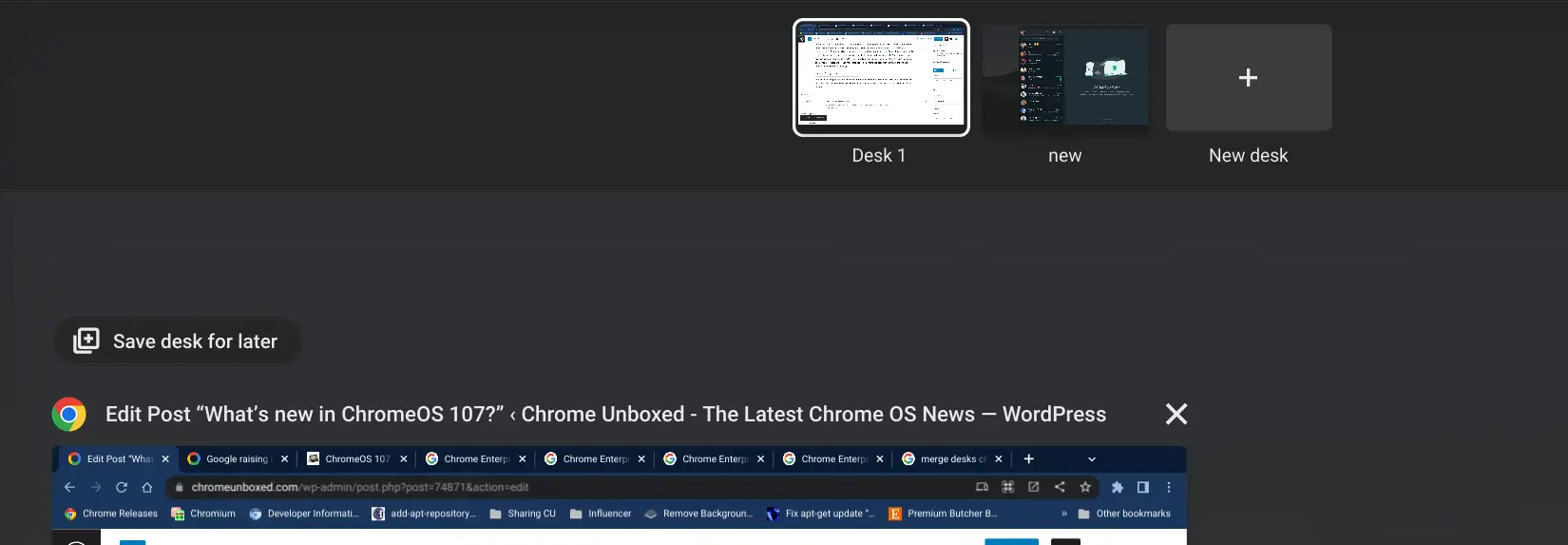
Virtual Desks have quickly become one of the most embraced productivity tools to land in ChromeOS in recent years. Even now, Google is working to increase the maximum number of virtual desktops from eight to sixteen. Managing all of those spaces can get a little cumbersome so Google has added a handy feature that will let you merge one desk with the desk next to it with a single click. When viewing your desks in overview mode in ChromeOS 107, you will now see an icon to the left of the “X” used to close a desk. This merge icon will let you move that desk’s contents to the desk immediately to the left and remove that desk from your lineup.
Saved Desks
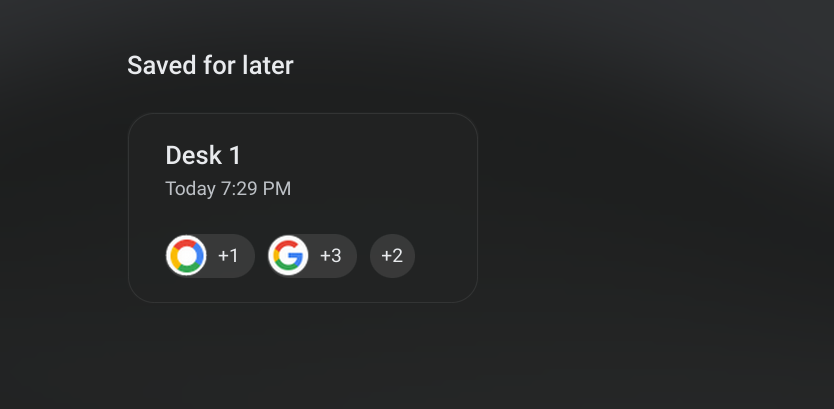
We’ve been looking forward to this feature for months. In addition to merging Desks, users can now save their Desks for later. When you save a desk, all the tabs open in that Desk will then be saved and you can reopen them, well, later. To save a Desk, simply go to overview mode and you will see the “Save desk for later” notification above your active apps. Click that and your Desk will be saved. Then, you will see the saved Desk in your overview screen where you can click on it to reopen all of your apps/tabs in a new Desk.
Diacritics physical keyboard
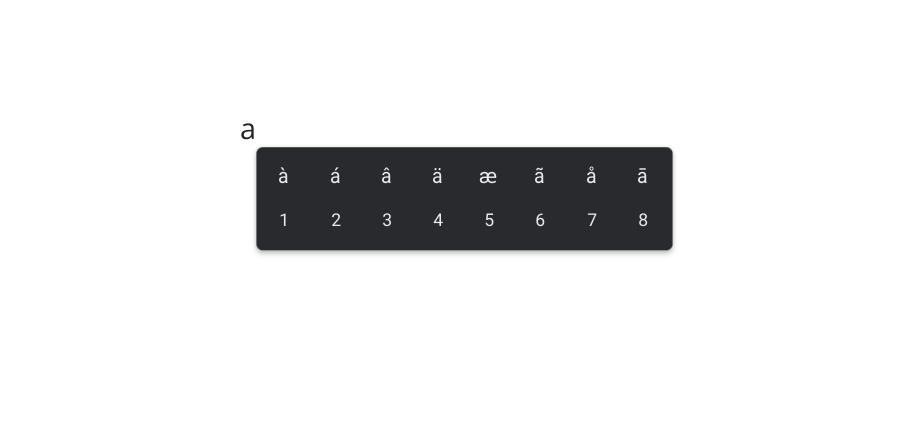
This one’s still behind a flag but it’s a nice bonus feature in ChromeOS 107. The flag enables a diacritic and variant character library that can be accessed via long-pressing keys on the physical keyboard. This includes letters with special accents that may be used in non-English languages and other characters not found on a standard keyboard. To enable the diacritics keyboard, simply point your browser to chrome://flags#enable-cros-diacritics-on-physical-keyboard-longpress, enable the flag, and restart your browser. Once enabled, you will see a popup with available characters when you long-press a key in a text box.
That’s about it for ChromeOS 107 at first glance but I’ll keep digging to see what else might be hiding under the hood. We have one more milestone update for 2022 that should land on December 1. To check for ChromeOS 107, head to the settings menu via the system tray in the bottom right. Click the gear icon and find the About ChromeOS tab. Click the tab and smash that “check for updates” button.
Join Chrome Unboxed Plus
Introducing Chrome Unboxed Plus – our revamped membership community. Join today at just $2 / month to get access to our private Discord, exclusive giveaways, AMAs, an ad-free website, ad-free podcast experience and more.
Plus Monthly
$2/mo. after 7-day free trial
Pay monthly to support our independent coverage and get access to exclusive benefits.
Plus Annual
$20/yr. after 7-day free trial
Pay yearly to support our independent coverage and get access to exclusive benefits.
Our newsletters are also a great way to get connected. Subscribe here!
Click here to learn more and for membership FAQ

