

Support our independent tech coverage. Chrome Unboxed is written by real people, for real people—not search algorithms. Join Chrome Unboxed Plus for just $2 a month to get an ad-free experience, access to our private Discord, and more. Learn more about membership here.
START FREE TRIAL (MONTHLY)START FREE TRIAL (ANNUAL)
If you’ve spent any time in a K-12 tech department, you know that the Monday morning rush is real. Between forgotten Chromebooks, weekend screen casualties, and loaner requests, the first hour of the week can feel like a marathon of repetitive clicking.
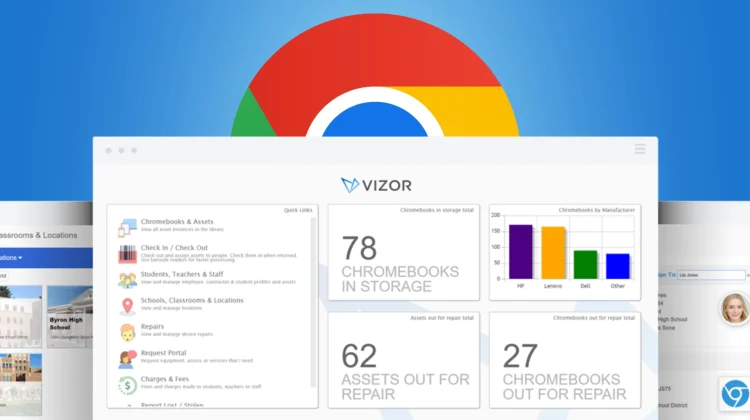
VIZOR’s latest update, named Drummond after a street in Montreal, is designed specifically to kill that friction. With over 70 new features, this release is less about adding bells and whistles and more about refining the day-to-day experience for the people actually managing thousands of Chromebooks.
Redesigned barcode check-in/out
The heart of Drummond is a completely overhauled check-in/out experience. VIZOR worked with some of their largest districts (including one with over 100,000 students) to shave every possible second off the process.
Instead of navigating multiple confirmation pop-ups, it is now a simple “scan asset, scan student” flow. They’ve also added an activity log and real-time validation. If you accidentally try to check out a device that was reported lost or is currently marked for repair, VIZOR will stop you instantly.
Customizable User Cards
One of the best new features for high-traffic areas like the library or media center is the customizable User Card. Techs can now choose exactly which student details surface during the checkout process. In a single glance, you can see:
- Insurance Status: Does the student have coverage before you hand over a replacement?
- Hoarder Alerts: Does this student already have three devices checked out?
- Outstanding Fees: Are there repair fines that need to be addressed?
- AUP Compliance: Have they signed their acceptable use policy?
Remote Chromebook Reboot
This is a feature we think a lot of admins are going to love. Authorized users can now reboot Chromebooks directly from within VIZOR.
This is huge because it allows admins to delegate basic troubleshooting to teachers or librarians without granting them full access to the Google Admin Console. Instead of a student walking across campus just for a tech to hit a power button, the teacher can trigger the reboot right from the classroom, keeping the student focused on learning.
Global Search and Chrome Extension
Drummond also introduces a new Quick Search feature and a companion Chrome extension. This allows staff to pull up asset or student details from anywhere in the browser. Whether you have a serial number, an asset tag, or just a student ID, you can get a full history of that device without leaving the page you are on.
New Integrations
Finally, VIZOR is expanding its interoperability with support for the OneRoster standard and a new MySchoolBucks integration. This allows for seamless syncing of student data and the ability to convert VIZOR repair fees into fines that parents can pay through their existing school payment portals.
The Drummond release is rolling out now. If you want to see these new features in action, you can head over to vizor.cloud/unboxed to schedule a demo. As a special bonus, VIZOR is giving Chrome Unboxed readers a discount and access to free K-12 Tech swag at the URL, too!
SUBSCRIBE TO UPSTREAM
Get Chrome Unboxed delivered straight to your inbox
Upstream is our flagship, curated newsletter with the top stories, most click-worthy deals, giveaways, and trending articles from Chrome Unboxed sent directly to your inbox a few times a week. Join 31,000+ subscribers.

