


Support our independent tech coverage. Chrome Unboxed is written by real people, for real people—not search algorithms. Join Chrome Unboxed Plus for just $2 a month to get an ad-free experience, access to our private Discord, and more. Learn more about membership here.
START FREE TRIAL (MONTHLY)START FREE TRIAL (ANNUAL)
There was a time when the humble Chrome OS keyboard was the same on every device that came off the production line. To be honest, I loved that. I loved there being yet another unifying factor to the Chromebook experience that didn’t change from device to device. I loved that, like MacOS, users always knew where the buttons would be when they went hunting for them. In sharp contrast to what we get on Windows laptops, the clean, simple and effective Chrome OS keyboard was always a known entity that remained unchanged regardless of the device you picked up.
That’s not the case anymore. For better or worse, Chromebook keyboards have definitely become a bit more progressive and complex. The general stuff is all still there, but the top row of keys can vary from device to device, some enterprise-focused Chromebooks get multiple function keys not available on more-standard units, and the fact is, you just aren’t certain which keyboard you’ll have depending on the device you choose these days.
Don’t get me wrong: I think this is a good thing. Generally speaking, the keyboard experience still feels pretty similar from one Chromebook to the next, but there is no doubt a difference when I approach a Chromebook with the old layout versus one with a numeric keypad and all the new, additional function keys. The additions have been slow and for the most part, I think the newer keyboard layout is great to use. For example, most recent Chromebooks get an updated function row with the screenshot button that ditches the forward button that used to live next to the dedicated back button, and I think this is a good change.
A new button is joining the ranks
According to a few commits in the Chromium Repositories, there is a new button set to join the fray: the microphone mute toggle. While we’ve had a general audio mute button up in the function row from the outset, there’s never been a universal way to quickly toggle the microphone along with the speakers into a muted setting. That looks to be changing.
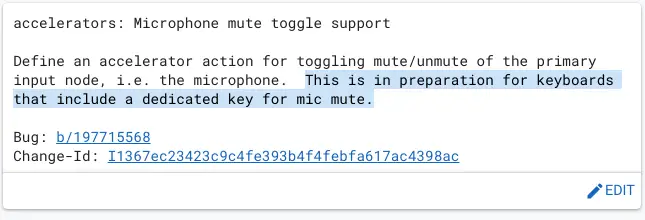
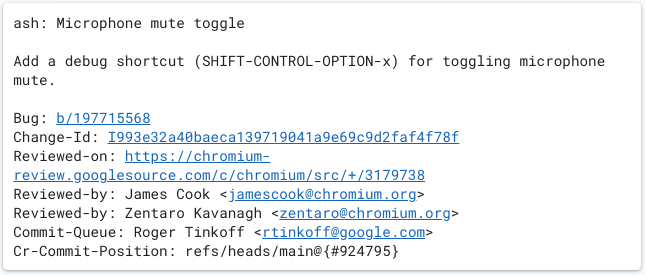
The first commit above is technically abandoned, but the message is pretty clear that a new key is on the way for Chromebooks. The second commit is the newer version of this work, and instead focuses on a keyboard combo that the developers can use to troubleshoot and debug issues that might arise as they prepare for this new element on the Chrome OS keyboard.
As I said in the opening, the Chromebook keyboard has changed over the years, but it has done so slowly and thoughtfully. Google clearly doesn’t randomly add keys to the clean, overall setup without considering what users are trying to accomplish. With more and more people working from home and utilizing tools like Google Meet and Zoom, it only makes sense for Chromebooks to start coming with this new key down the road. And as a likely benefit to go along with this change, I’d reckon we’ll also see a dedicated keyboard shortcut (ALT + MUTE, perhaps) that will perform this new function for users with Chromebooks that don’t yet have the dedicated key. We’re keeping an eye on this change and will alert you when we see the first Chromebook actually appear with this new – and possibly default – key on the keyboard.
SUBSCRIBE TO UPSTREAM
Get Chrome Unboxed delivered straight to your inbox
Upstream is our flagship, curated newsletter with the top stories, most click-worthy deals, giveaways, and trending articles from Chrome Unboxed sent directly to your inbox a few times a week. Join 31,000+ subscribers.

