

Support our independent tech coverage. Chrome Unboxed is written by real people, for real people—not search algorithms. Join Chrome Unboxed Plus for just $2 a month to get an ad-free experience, access to our private Discord, and more. Learn more about membership here.
START FREE TRIAL (MONTHLY)START FREE TRIAL (ANNUAL)
This isn’t a sponsored article, but I did want to take a bit of time out of the day to share something really cool with you all. By the end of each year, I start to think about all of the garbage I’ve collected in the cloud throughout it in an effort to clean it up so that my new year feels like a fresh start. We all need one of those after how bad 2020 has been and I’m sure that many of you share my sentiment. Since Google just didn’t offer anything of the sort, I caved and began to look for a third-party solution a few years ago. In doing so, I came across Unclouded, an app on the Google Play Store that’s actually pretty amazing.
Unclouded lets you take full control over your cloud storage. You can connect Google Drive, Dropbox, Box, OneDrive, and Mega in order to locate and remove duplicate files, filter everything by category or file type, and even see which items are taking up the most storage by sorting them by size! When you use it, you’ll realize that it’s exactly what’s been missing from Google’s ecosystem all these years.
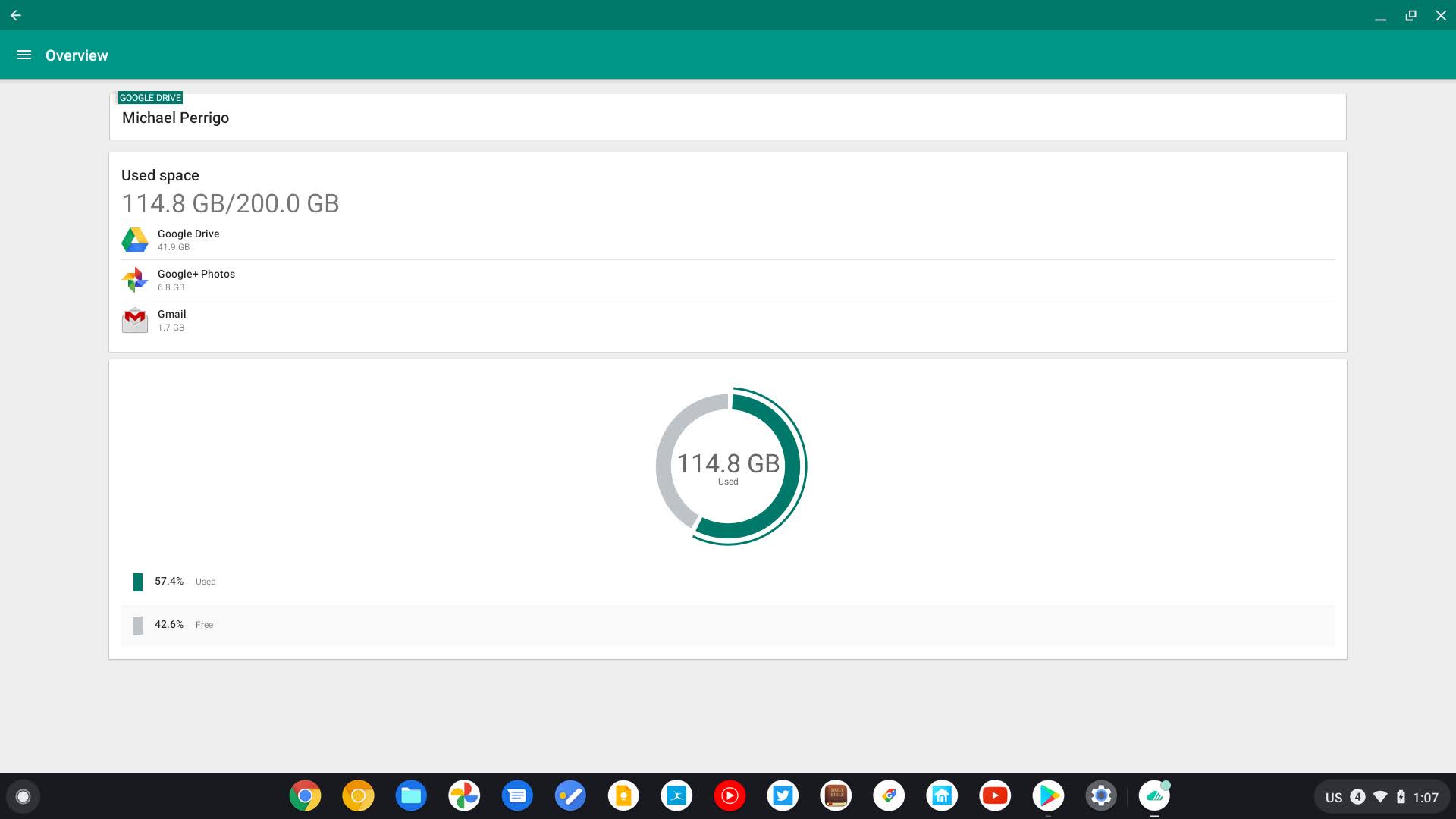


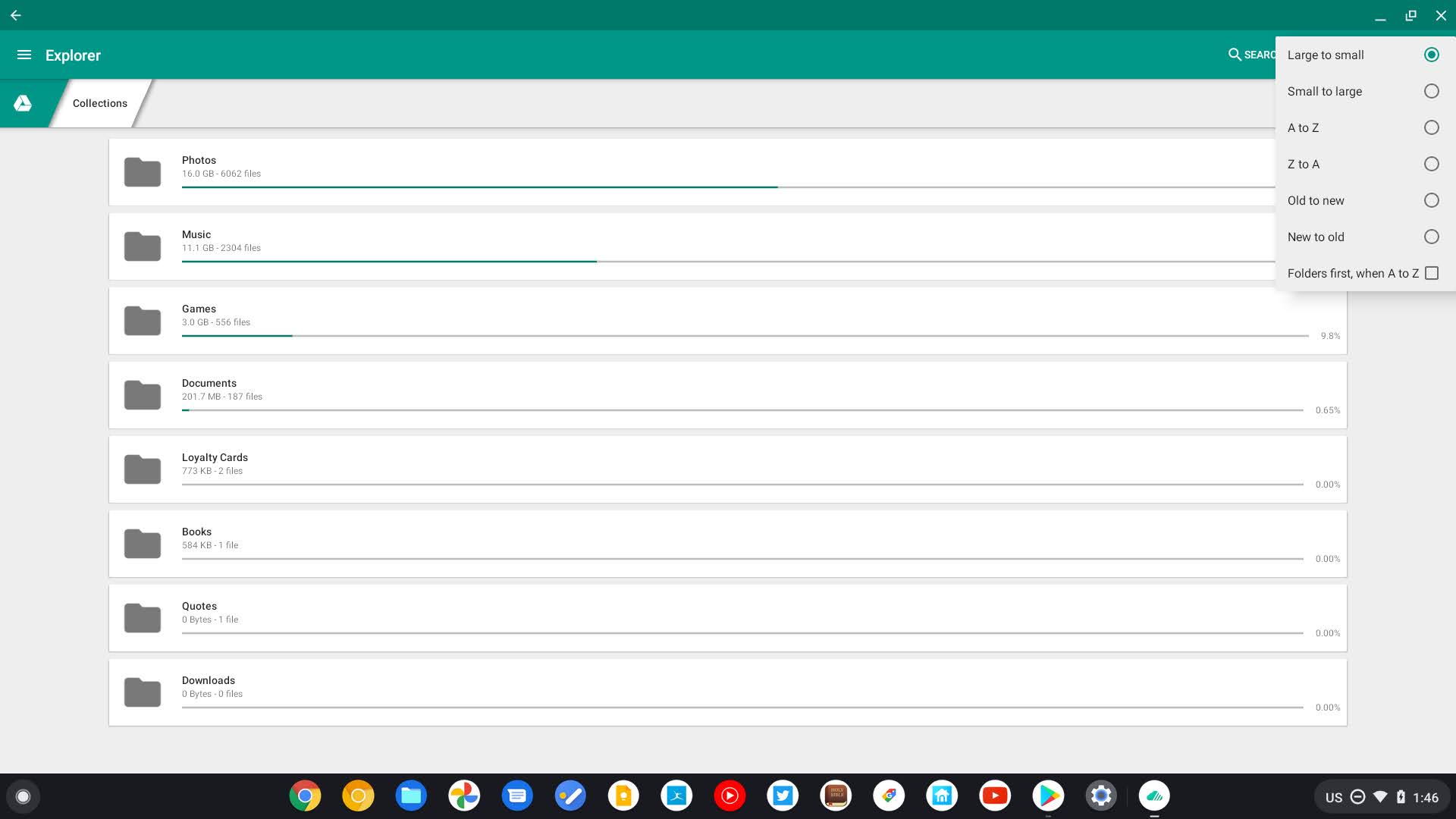
With all of its awesome features though, just keep in mind that Unclouded isn’t perfect. While deleting duplicates, it is hard to see which files are which, so you may need to open them up one at a time to check time stamps. The second issue is related to the first – if you do try to open the files to check them out, well, you can’t. Your only options are to send the file, move it, rename it, or delete it. Unclouded is insightful, but it’s best used in conjunction with Drive or other file storage systems open on the web. If you have them side by side it may be easier to get the most out of it. See what I mean? It’s not ideal in some cases, but it’s still pretty great at what it does do. Aside from the duplicates situation, I’ve used it for a handful of years now to great success.
The only cloud file storage system I use is Google Drive though, so I’m going to pick on it for a moment. It really is a shame that it has none of these. You can click the storage information on the bottom left of the sidebar for Drive and sort by largest file, or manually search for a file name. At best, you can do an advanced search by file type, but that’s about it. No duplicate filters (not truly), and no ‘disc analyzer’ feature whatsoever – what a shame.
With so many people relying heavily on cloud storage, you’d think a company as big as Google would offer some of these advanced storage management features, but I guess not. Maybe one day they’ll do what they’re best at and just acquire Unclouded, making it a part of Drive like they did with Office Editing. I can definitely see this as a part of the Google One subscription as there’s already a colored bar that shows you what file types you’re storing and in which services.
Sadly, Unclouded doesn’t seem to have been maintained for a few years, which may put a damper on it for you – at least if you’re considering purchasing the premium version of it. The developer’s website link in the Play Store listing leads to a dead end too, so if that’s a put-off for you, I’ll just state that Christian Göllner, the app’s creator went on to become a Senior Software Engineer at Google where he currently works. Now there should be zero reason why Google can’t acquire Unclouded and implement it, right? Make. It. Happen!
Unclouded Premium lets you add a pin code to lock the app, a dark theme, and the ability to add unlimited accounts. There are probably a ton of other cloud storage cleaning apps out there and if you just want to clean your local storage you could download Files by Google, but this is the one I’ve personally used for years and I’ve had a good experience with it. Tell us in the comments about how you manage to keep your cloud storage tidy and if you do it on a schedule. We’re interested in knowing if there are better solutions that we just haven’t come across. If you try out Unclouded, let us know your thoughts on it!
SUBSCRIBE TO UPSTREAM
Get Chrome Unboxed delivered straight to your inbox
Upstream is our flagship, curated newsletter with the top stories, most click-worthy deals, giveaways, and trending articles from Chrome Unboxed sent directly to your inbox a few times a week. Join 31,000+ subscribers.

