• Skip to main content
  • Skip to primary sidebar
  • Deals
  • Features
  • Guides
  • Chromebooks
  • Videos
  • Podcast
  • More +
    • Reviews
    • Unboxing
    • Upcoming Devices
    • Chromebook Plus
    • Chrome
    • ChromeOS
    • Chrome OS Flex
  • Search
  • Sign Up
  • Log In
Chrome Unboxed – The Latest Chrome OS News

Chrome Unboxed - The Latest Chrome OS News

A Space for All Things Chrome, Google, and More!

  • Deals
  • Features
  • Guides
  • Chromebooks
  • Videos
  • Podcast
  • More +
    • Reviews
    • Unboxing
    • Upcoming Devices
    • Chromebook Plus
    • Chrome
    • ChromeOS
    • Chrome OS Flex
  • Search
  • Sign Up
  • Log In

TIL: Dell has a sweet new Chrome OS wireless keyboard

May 13, 2020 By Gabriel Brangers View Comments

Support our independent tech coverage. Chrome Unboxed is written by real people, for real people—not search algorithms. Join Chrome Unboxed Plus for just $2 a month to get an ad-free experience, access to our private Discord, and more. Learn more about membership here.
START FREE TRIAL (MONTHLY)START FREE TRIAL (ANNUAL)

Chrome OS is finally getting some attention from the makers of peripherals and accessories. While most keyboards, mice, trackpads and such work well when paired with a Chromebook, it wasn’t until recently that we started seeing a fair amount of accessories made specifically designed for Chrome OS. The “Works with Chromebook” branding has been adopted by some of the biggest names in the industry and the list keeps growing. Companies like Anker, Logitech, Brydge and more have jumped on the bandwagon and are proudly slapping the Works with Chromebook badge of honor on their Chrome OS-compatible hardware.
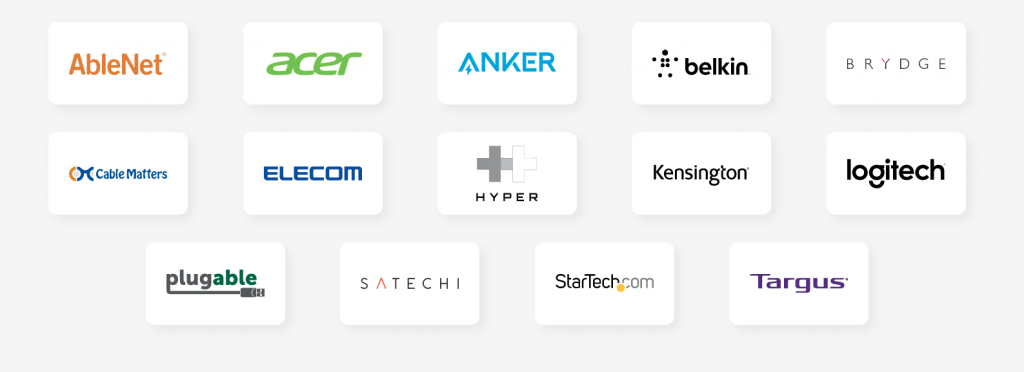
Work with Chromebook Partners

It’s great to see accessories like docks, dongles and chargers on this list but one are that still needs some attention is keyboards. Mice usually just work with Chrome OS so a Chromebook-specific mouse isn’t really “a thing” but keyboards have a unique key layout for the operating system. While most keyboards work just fine and the function keys will perform the corresponding action, many new Chrome OS users might struggle if they don’t know which Fn key matches the alternate key on a Chromebook.

Xremove ads

Manufacturers like ASUS and Acer have often included their own, somewhat cheap wired models when you purchase a Chromebox but Logitech’s latest K580 and Brydge’s C-Type (half off at the moment right now) are the only legitimate wireless options out there. Or so I thought. (Yes, I know ASUS made one a long time ago but they don’t sell them anymore.) Well, apparently Dell has its own iteration of a wireless Chrome OS keyboard and it looks awesome. We have one of these on the way to the office so I can’t really speak to the build quality but the design is eye-catching.
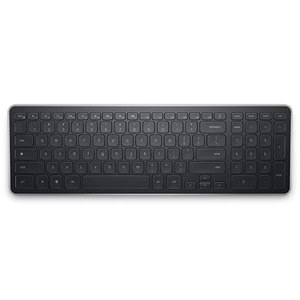
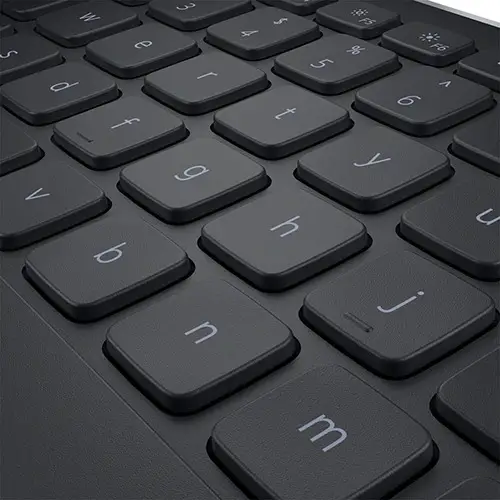
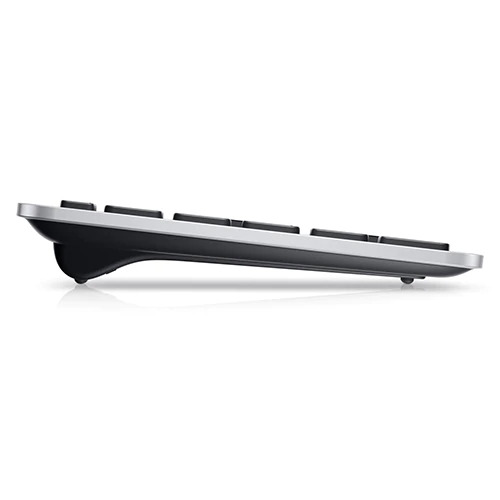
The body appears to be, at least partially, aluminum and it is molded to have a gentle incline as opposed to some keyboards that use retractable feet. It is powered by two AA batteries and pairs to a USB dongle that, in our experience, is the most reliable way to do wireless on Chrome OS. We’ll get our full opinion out on the Dell Chrome OS keyboard when it gets here but if you’re interested, it’s available from Dell and it’s even on sale at the moment for $43.99. Check it out. If you have one, drop a comment below. We’d love to hear your thoughts.

Featured Videos

Xremove ads

Dell wireless Chrome keyboard

Filed Under: Accessories, Chromebooks, ChromeOS

About Gabriel Brangers

Lover of all things coffee. Foodie for life. Passionate drummer, hobby guitar player, Web designer and proud Army Veteran. I have come to drink coffee and tell the world of all things Chrome. "Whatever you do, Carpe the heck out of that Diem" - Roman poet, Horace. Slightly paraphrased.

Primary Sidebar

Xremove ads

Deals

Save $40 on the Google Pixel Watch 4 before the Spring Sale ends

By Joseph Humphrey
April 24, 2026

The best Chromebook deals today

By Robby Payne
April 20, 2026

Deal Alert: the excellent Lenovo Chromebook Plus 2-in-1 returns to $429

By Robby Payne
April 20, 2026

Lenovo Legion Tab Gen 3 drops to $399, ahead of the much pricier Gen 5 release

By Joseph Humphrey
April 18, 2026

How to get 50% off YouTube Premium for a full year with Google One

By Robby Payne
April 16, 2026

More Deals

Xremove ads

Reviews

Lenovo Chromebook Plus 2-in-1 Review: pretty great in a vacuum

By Robby Payne
April 23, 2026

Acer Chromebook Plus Spin 514 Review: Kompanio Ultra power in a convertible

By Robby Payne
December 24, 2025

My review after 6 weeks with the Lenovo Chromebook Plus 14 [VIDEO]

By Robby Payne
August 11, 2025

One week with the best small Android tablet you can buy, and I’m sold

By Robby Payne
May 9, 2025

Best Chromebooks of 2024 [VIDEO]

By Robby Payne
November 28, 2024

More Reviews

Xremove ads

Guides

This Chromebook trackpad shortcut is definitely not new, but is blowing my mind

By Robby Payne
March 11, 2024

How to reduce broadcast delay on YouTube TV to stop live spoilers

By Robby Payne
December 8, 2023

Windows PC keyboard and Chromebook

How to use a Windows keyboard with a Chromebook

By Joseph Humphrey
December 8, 2023

How reset and revert your Chromebook to the previous version of Chrome OS

By Robby Payne
November 29, 2023

My Chromebook Plus features disappeared: here’s how I fixed it

By Robby Payne
November 24, 2023

More Guides

TWITTER · FACEBOOK · INSTAGRAM · YOUTUBE · EMAIL · ABOUT

Copyright © 2026 · Chrome Unboxed · Chrome is a registered trademark of Google Inc.
We are participants in various affiliate advertising programs designed to provide a means for us to earn fees by linking to affiliated sites.

PRIVACY POLICY