

Support our independent tech coverage. Chrome Unboxed is written by real people, for real people—not search algorithms. Join Chrome Unboxed Plus for just $2 a month to get an ad-free experience, access to our private Discord, and more. Learn more about membership here.
START FREE TRIAL (MONTHLY)START FREE TRIAL (ANNUAL)
When picking up a Chromebook, there are a lot of factors to consider. Screen size, build quality, processor speed, port selection, form factor, keyboard/trackpad quality, etc. all play a big part in how any individual will enjoy or dislike their Chromebook experience.
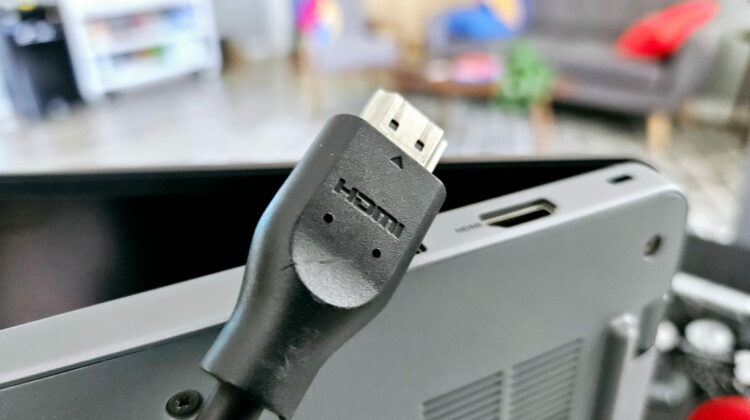
HDMI output – a port option we used to have on most Chromebooks – has been making a strong comeback and we’ve been seeing more and more manufacturers opting to integrate this once-forgotten port back into their Chromebooks. Where we once were headed towards a Spartan, Apple-like port selection of just USB Type C (look at the Google-made Pixelbook lineup and HP’s top-end devices as examples of this) on our Chromebooks, the trend over the past year or so has been to re-include the full-sized HDMI port.
And this decision is the right one in my eyes. With HDMI, a couple USB Type C and Type A ports, you simply no longer need a docking solution at the desk and it just makes your Chromebook far more versatile in most conditions. My setup right now is sans-dock and I really love it. That’s not to say there’s anything wrong with a good USB Type-C docking station; I just love the idea that I don’t need it to get along with my work.
All HDMI ports are not the same
But an aggravating trend has popped up recently for me as I’ve tested through the Chromebook Plus models specifically. I’ve only just started to notice this as I was using a USB dock during most of my reviews lately, but what I’ve found is a little disappointing: many of the new Chromebooks released in the last year have HDMI 1.4 ports, not the more-modern HDMI 2.1 we see in other devices.
To be fair, Chromebooks with a Core i5 or i7 don’t seem to have this issue, nor do the ones with the AMD Ryzen 3 7320C. It mainly comes down to the Alder Lake-N devices (N100, N200, i3-N305), but this isn’t due to a limitation with these processors. While they can support HDMI 2.1 just fine, for some reason Chromebooks are beginning to show up with HDMI 1.4, though, and it’s a bit of a bummer.
Specifically for me, this means I can’t run my external QHD display at anything beyond 60Hz. While it’s no deal breaker, it’s a silly limitation that I at first thought might have been a bug with a recent ChromeOS update. But as I dug around a bit, I quickly realized all the devices I had issue with were sporting an HDMI 1.4 port instead of the more-standard, more-modern HDMI 2.1.
Is this some sort of massively problematic issue? No, but you need to know what you are getting into with these devices. While the number of people using their Chromebooks with QHD 120Hz monitors is likely not high, the fact that your display output is simply better over USB Type C on these device than it is with the built-in HDMI port is something you should most definitely be aware of. I know I’ll be taking a closer look at that particular spec in the future for Chromebooks, and it is something we’ll start pointing out on devices that are shipping with the inferior 1.4 version.
SUBSCRIBE TO UPSTREAM
Get Chrome Unboxed delivered straight to your inbox
Upstream is our flagship, curated newsletter with the top stories, most click-worthy deals, giveaways, and trending articles from Chrome Unboxed sent directly to your inbox a few times a week. Join 31,000+ subscribers.

