

Support our independent tech coverage. Chrome Unboxed is written by real people, for real people—not search algorithms. Join Chrome Unboxed Plus for just $2 a month to get an ad-free experience, access to our private Discord, and more. Learn more about membership here.
START FREE TRIAL (MONTHLY)START FREE TRIAL (ANNUAL)
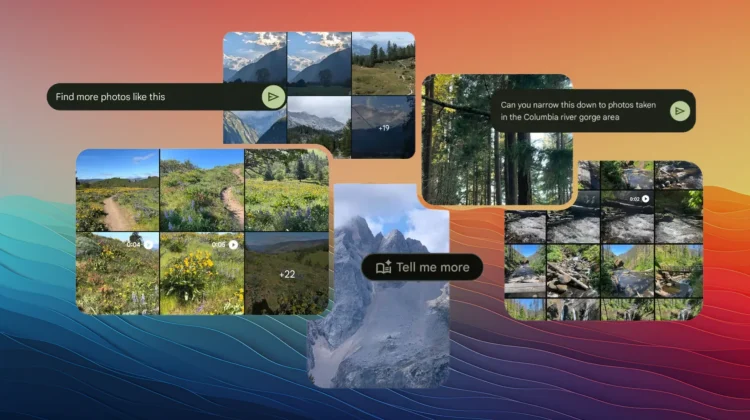
Google Photos is currently seeing some of the most practical applications of Google’s strategy to weave in Gemini everywhere they can. While the “Ask Photos” feature has already begun transforming the way we search through years of backed-up memories, a new, more contextual “Ask” button is now arriving for eligible users on Android and iOS in the U.S. to take things a step further.
This update represents a shift from general library-wide searching to real-time, photo-specific assistance. While the standard Ask Photos tool focuses on finding a needle in the haystack of your entire gallery, the Ask button lives directly within the image viewer. It allows you to treat a single photo as a starting point for a deeper conversation with Gemini about its content, location, or even how you’d like to change it.
More than just a search bar
The distinction between these two features is important for anyone trying to navigate the new AI-heavy interface. When you open a specific image, the new Ask button allows Gemini to analyze what is currently on your screen. This goes beyond simple object recognition and moves into the realm of true multimodal understanding.
For travelers, this is an immediate win. If you’re looking at an old hiking photo and can’t quite recall the trail name or the specific landmark, you can simply ask for details. Gemini uses the metadata and visual cues of the image to provide context that might otherwise be buried in a map history or forgotten entirely. It can even suggest other locations you might enjoy based on the scenery captured in those photos.
Conversational editing and productivity
One of the most powerful integrations within this new button is the “Help me edit” functionality. Instead of digging through menus for the Magic Eraser or trying to manually adjust lighting and composition, you can now describe the changes you want to see. Whether you want to remove a background distraction or adjust the sky to look like a sunset, the interface allows you to type or speak your request and watch Gemini execute the edit.
The utility extends into productivity and organization as well. The Ask button is remarkably adept at transcribing text from screenshots or photos of handwritten recipes. This isn’t just a simple OCR (Optical Character Recognition) tool; Gemini can take that transcribed text and immediately format it into a grocery list or a step-by-step instructional guide that you can copy into a note or a text message.
Availability and the path forward
As with most of Google’s high-level AI features, the rollout of the Ask button is currently limited to eligible users in the U.S. on Android and iOS. For those in the Google ecosystem, this update reinforces the idea that Photos is no longer just a digital shoebox for images. It is becoming a proactive assistant capable of interpreting your life through your lens. As Gemini continues to mature, we expect these conversational tools to become even more deeply woven into the fabric of the ChromeOS and Android experience, making manual organization a thing of the past.
SUBSCRIBE TO UPSTREAM
Get Chrome Unboxed delivered straight to your inbox
Upstream is our flagship, curated newsletter with the top stories, most click-worthy deals, giveaways, and trending articles from Chrome Unboxed sent directly to your inbox a few times a week. Join 31,000+ subscribers.

