

Support our independent tech coverage. Chrome Unboxed is written by real people, for real people—not search algorithms. Join Chrome Unboxed Plus for just $2 a month to get an ad-free experience, access to our private Discord, and more. Learn more about membership here.
START FREE TRIAL (MONTHLY)START FREE TRIAL (ANNUAL)
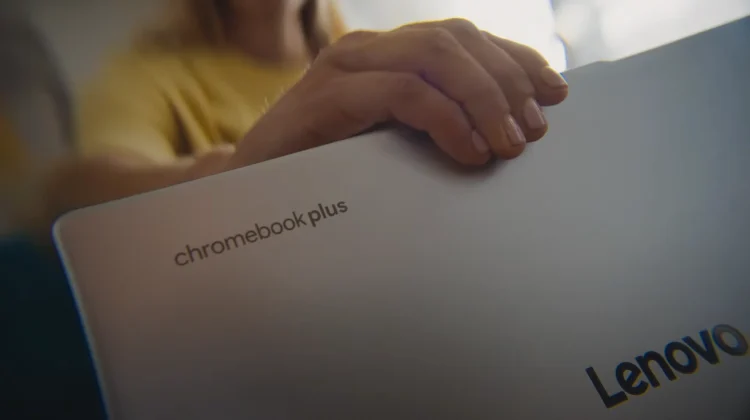
Last week, we had the opportunity to head up to New York and see all the latest Google is cooking up in the Chromebook, ChromeOS and Chromebook Plus space; and we’re thrilled to be able to finally get to share with you the new Lenovo Chromebook Plus 14, the most advanced Chromebook Plus yet, powered by the absolute beast of a chip that is the all-new MediaTek Kompanio Ultra.
Alongside this impressive new hardware, Google is also rolling out a host of powerful new AI-powered software features that are coming to the entire Chromebook Plus portfolio, designed to make your workflow smarter and more seamless than ever before.
Meet the Lenovo Chromebook Plus 14
Let’s start with the new hero device. The Lenovo Chromebook Plus 14 is the first Chromebook to feature the MediaTek Kompanio Ultra processor, which Google is calling the strongest-ever ARM chip in a Chromebook. It packs a blazing-fast AI NPU capable of up to 50 TOPS, meaning it can handle demanding on-device AI tasks with ease and – according to benchmarks, at least – this is not just the most powerful ARM Chromebook ever made; it’s the most powerful Chromebook, period.
But the power doesn’t come at the expense of longevity. Lenovo and Google are claiming up to 17 hours of battery life, making it the longest-lasting Chromebook Plus ever. The premium features don’t stop there, either. This is the first-ever Chromebook Plus to support Dolby Atmos, and it comes equipped with other high-end hardware like a gorgeous OLED screen and a fingerprint scanner. As a fun bonus, Google even partnered with NASA to create custom Jupiter wallpapers specifically for this laptop.
The new Lenovo also comes with two exclusive on-device software features:
- Smart grouping: This feature intelligently understands and organizes your open tabs and documents into logical groups based on what you’re working on, helping you manage multiple projects in a snap.
- AI image editing in the Gallery app: You can now use AI to edit images directly within your photo library, letting you remove backgrounds in a click or easily create stickers from any of your images.
New AI features for all Chromebook Plus laptops
While the new Lenovo is a beast, the whole Chromebook Plus family is getting smarter today. Google is launching a slate of new AI features that will be available across the entire Chromebook Plus lineup, deeply integrated into ChromeOS.
- Select to search with Lens: You can now quickly get information about anything on your screen with a simple long-press of the Everything Button (or within the screenshot tool). See a pair of shoes you like? Just select them to find similar shoppable options without leaving the page you’re on.
- Text capture: This incredibly practical feature pulls editable text directly from images. Snap a picture of an event invitation, and with one click, it can automatically populate a Google Calendar entry with all the details.
- Quick Insert key: A brand-new hardware key is coming to Chromebook Plus devices that allows you to easily generate AI images or insert photos and emojis right where you’re typing, streamlining your creative workflow.
- Help me read gets smarter: The existing “summarize” feature is now joined by a “simplify” button that takes dense, complex language and makes it much easier to understand.
- Google AI Pro included & NotebookLM on the shelf: All new Chromebook Plus purchases will now include a 12-month subscription to the Google AI Pro plan, which gets you 2TB of cloud storage and Gemini integration in Workspace apps like Gmail and Docs. Plus, the AI-powered research tool NotebookLM is now accessible directly from the shelf.
- More optimized apps: Netflix’s Squid Game: Unleashed is being optimized for large screens with keyboard and mouse controls for Chromebooks, and the popular Luminar AI photo editor is also now optimized for the platform, with a complimentary three-month trial included with a Chromebook Plus purchase.
This is a massive day for ChromeOS. The Lenovo Chromebook Plus 14 with the MediaTek Kompanio Ultra sets a new standard for high-performance ARM Chromebooks, and the new suite of AI features makes the entire Chromebook Plus platform more capable and helpful than ever before. Over the coming weeks, we’ll test and unpack all these new features, so be on the lookout for that, too!
SUBSCRIBE TO UPSTREAM
Get Chrome Unboxed delivered straight to your inbox
Upstream is our flagship, curated newsletter with the top stories, most click-worthy deals, giveaways, and trending articles from Chrome Unboxed sent directly to your inbox a few times a week. Join 31,000+ subscribers.

