

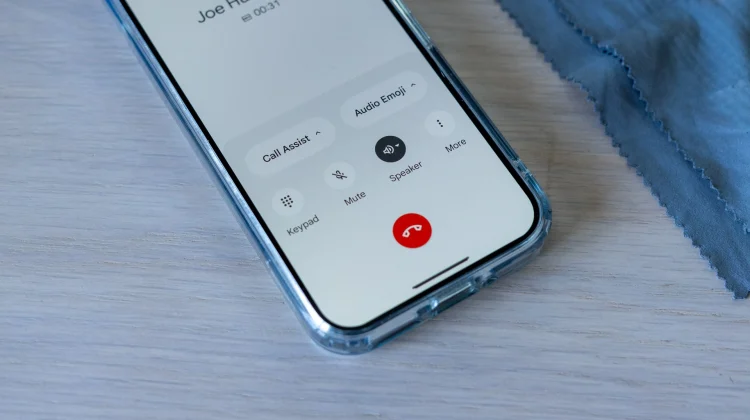
Google’s stock Phone app, a standard inclusion on Pixel devices and increasingly common on other Android handsets, is getting a really significant UI update soon. While its minimalist approach has always been a point of focus, Google is now experimenting with a new incoming call UI that could beneficially change how users deal with incoming calls.
The primary change, spotted by Android Authority, is the shift from the old swipe up/down gesture to a left/right slide instead. This change, currently being tested in Phone app version 166.0.735169223 beta, means users will soon swipe right to answer and left to decline calls. This adjustment aligns Google’s Phone app more closely with other phone interfaces and even Google’s own Clock app alarm interface.
The current call screen, which requires a swipe up to answer and down to reject, has always felt slightly off to me. The decline button’s low placement makes it a bit tough to decline calls most times. The new left/right swipe will 100% rectify this, and I’m ready for this to arrive right now.

It needs to be noted that this new call screen is not yet widely available, but it should be on the way soon. The current version of the Phone app is the one I have installed on my phone right now, so I’m really hopeful I’ll get the update in no time. Assuming testing goes well, I can’t see why this wouldn’t roll down to the stable build pretty quickly. It’s a change that will make a very common function a ton simpler, and I’m here for it.
Join Chrome Unboxed Plus
Introducing Chrome Unboxed Plus – our revamped membership community. Join today at just $2 / month to get access to our private Discord, exclusive giveaways, AMAs, an ad-free website, ad-free podcast experience and more.
Plus Monthly
$2/mo. after 7-day free trial
Pay monthly to support our independent coverage and get access to exclusive benefits.
Plus Annual
$20/yr. after 7-day free trial
Pay yearly to support our independent coverage and get access to exclusive benefits.
Our newsletters are also a great way to get connected. Subscribe here!
Click here to learn more and for membership FAQ

