

Support our independent tech coverage. Chrome Unboxed is written by real people, for real people—not search algorithms. Join Chrome Unboxed Plus for just $2 a month to get an ad-free experience, access to our private Discord, and more. Learn more about membership here.
START FREE TRIAL (MONTHLY)START FREE TRIAL (ANNUAL)
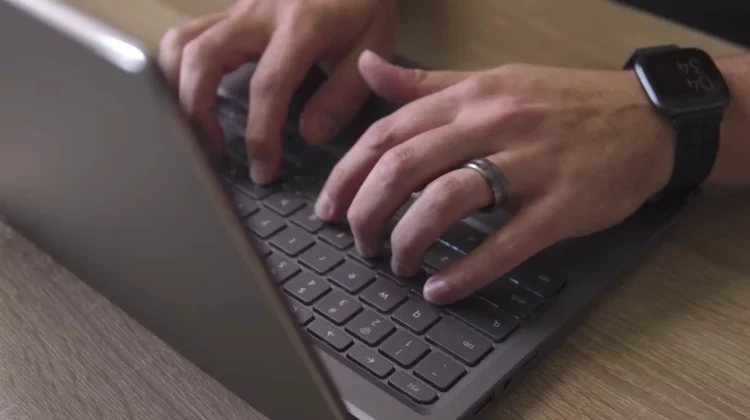
Of all the things Chromebooks are unique for (security, simplicity, speed), one of the more visually striking things about all Chromebooks is right underneath your fingertips (if you are using a Chromebook right now) and you’ve likely never noticed it. From the very first CR-48 prototype Chromebook to the latest Plus models, Chromebooks have sported keyboard layouts that aren’t only unique in their function keys, but are also devoid of capital letters. But why? What drove Google to make this a non-negotiable in Chromebook aesthetics?
Early on, we realized it would be great if the keyboard was really approachable. So we asked ourselves, ‘What can we take away? What is the minimum number of keys that we have to have? How can we make this a great experience?’
Alexander Kuscher – Senior Director, ChromeOS
The answer came in the form of lowercase keys, of all things. This departure from the conventional uppercase layout aimed to bridge the gap between typing and on-screen display, ensuring that what you type matches what appears on the screen most of the time – a more-seamless experience that seamed to resonate with users.
We’re so used to the keyboard being capitalized, but if you’re going to a text field to start a document and you start typing on a traditional keyboard, the keys don’t match what shows up on the screen, right? You press a capitalized ‘D,’ but a lowercase ‘d’ appears,” says . So we decided Chromebooks would be different: If you press a key, then that’s what you’ll get.
Donny Reynolds – Senior Product Manager, Chromebook Team
While many laptops (mainly Windows devices) retained legacy features inherited from early typewriters, Chromebooks went decidedly in the other direction and embraced innovation. Gone were the cluttered keyboards of the past: replaced with a sleek, minimalist design. The inclusion of the Everything Button, positioned strategically where the Caps Lock key traditionally resides, further exemplified this commitment to streamlining user interaction.
The Everything Button (or still more-popularly referred to as the Search Key) evolved into a multifunctional tool catering to various user needs – from web searches to app and file navigation. This versatility, coupled with the lowercase keyboard, reflects the overall Chromebook vision of computing that’s intuitive, efficient, and devoid of unnecessary complexities.
As we started building Chromebooks, we asked, ‘How can computers be different, and without any of the baggage that they’ve had for decades?’ Appearing friendlier and less intimidating to use is a big part of our computer design, and I think the lowercase keyboard really has become almost its own kind of iconic branding to help achieve that goal.
Donny Reynolds – Senior Product Manager, Chromebook Team
SUBSCRIBE TO UPSTREAM
Get Chrome Unboxed delivered straight to your inbox
Upstream is our flagship, curated newsletter with the top stories, most click-worthy deals, giveaways, and trending articles from Chrome Unboxed sent directly to your inbox a few times a week. Join 31,000+ subscribers.

