


Support our independent tech coverage. Chrome Unboxed is written by real people, for real people—not search algorithms. Join Chrome Unboxed Plus for just $2 a month to get an ad-free experience, access to our private Discord, and more. Learn more about membership here.
START FREE TRIAL (MONTHLY)START FREE TRIAL (ANNUAL)
We had the opportunity to tour the ASUS booth at CES today and alongside some awesome new Chromebooks, we were able to get our hands on the all-new ASUS Chromebox 5. This makes third 12th Gen Intel Chromebox announced in the past few months but the ASUS is the first one we’ve actually seen in person and it also comes bearing a very unique feature that we’ve been tracking for a few months – wireless charging.
That’s right. The new 12th Gen Chromebox 5 from ASUS is more than just a pretty face. The top of the mini PC features a 15w wireless charger and yes, it appears to work perfectly with my Pixel. More on that wireless charging in a minute. For now, let’s take a look at what ASUS has packed into this sharp-looking ChromeOS mini PC.
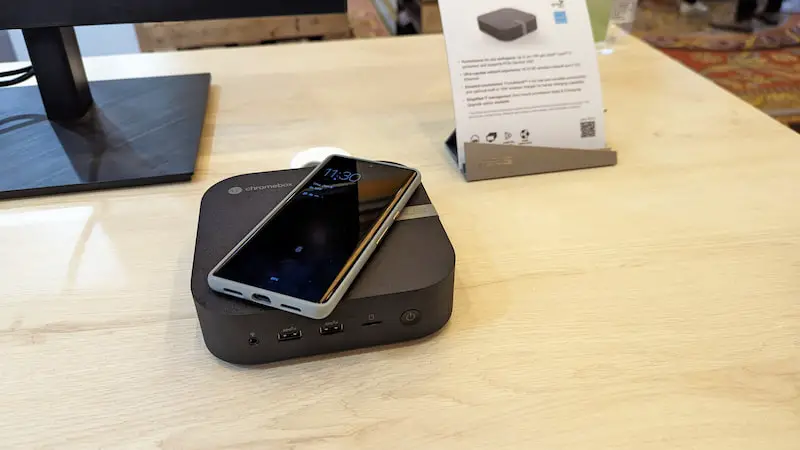
We’ve often said that Chromeboxes are, for the most part, the same across all OEMs. The real differentiating features really are the price and availability. This year, that has changed. Acer has a new Chromebox that also doubles as a modular all-in-one or as Acer calls it, an Add-In-One. Granted Acer’s model is very industrial looking and clearly aimed at business types. ASUS, on the other hand, has abandoned the boxy design of past Chromeboxes in favor of a more consumer-friendly design that looks like something you’d purchase at Best Buy and I must say, I love it.
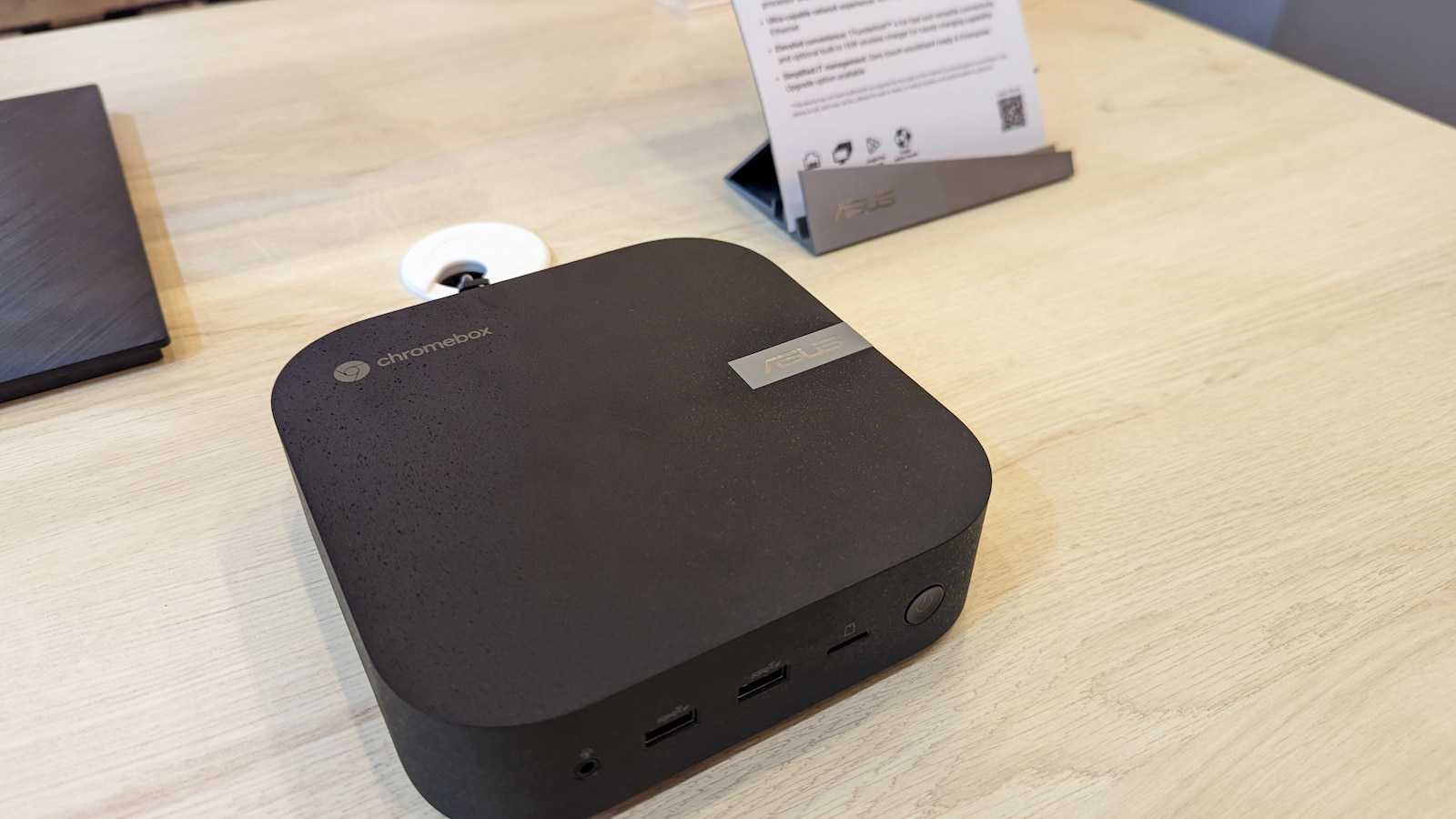
From the subtle band around the side with the ASUS logo to the subdued Chromebox logo that replaces the traditional colorful Chrome logo that we’re used to seeing on these mini PCs, this Chromebox is very attractive. It even has an unusually pleasing textured coating on the exterior that gives it a look and feel unlike anything in the space. That’s enough about how much I like the design. On the inside, the ASUS Chromebox 5 features 12th Gen Intel Alder Lake CPUs, upgradable storage and RAM, a plenty of ports. All the ingredients you need for a powerful and versatile ChromeOS mini PC for your home, office, or even kiosk applications.
Back to that wireless charger. Robby unearthed this device back in September. At that time, we had reason to believe that it might have been a Samsung device. We were wrong. It happens. Regardless, this is a feature that we have long thought would be a great addition to a Chromebox. I keep a wireless charger on my desk for my phone and earbuds but how cool would it be if your PC could pull double duty and do the work while saving you some desktop space. It’s a brilliant idea and hopefully, other OEMs will follow suit. The 15W wireless Qi charging is capable of giving your phone a quick boost or keeping fully charged while you’re toiling away at your desk.
The ASUS Chromebox 5 is expected to be available later in Q1 this year with a starting price of $399. It is unclear if this will be marketed to general consumers but I would love to see this Chromebox come to retail stores like Best Buy. We’ll keep you posted when the Chromebox is available to purchase and we’ll do our best to get our hands on a review unit sooner than later so we can put it through the paces.
SUBSCRIBE TO UPSTREAM
Get Chrome Unboxed delivered straight to your inbox
Upstream is our flagship, curated newsletter with the top stories, most click-worthy deals, giveaways, and trending articles from Chrome Unboxed sent directly to your inbox a few times a week. Join 31,000+ subscribers.

