

Support our independent tech coverage. Chrome Unboxed is written by real people, for real people—not search algorithms. Join Chrome Unboxed Plus for just $2 a month to get an ad-free experience, access to our private Discord, and more. Learn more about membership here.
START FREE TRIAL (MONTHLY)START FREE TRIAL (ANNUAL)
Just today we were treated to one of two streaming service launches that stand to radically alter the way we consume content. Disney+ is now out in the wild and, for the most part, the experience has been relatively smooth and enjoyable for users across the board. Stadia will follow in those footsteps just a week from Disney’s big launch, and we’re all eager to see just how it does in homes across the globe.
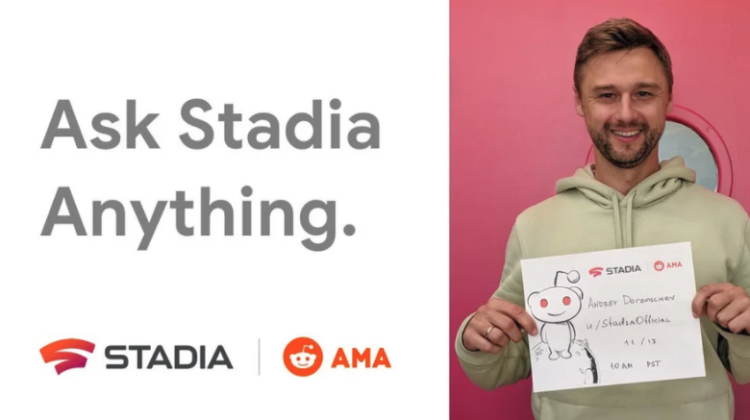
There are still lingering questions, however, as general users are insanely intrigued by Google’s new gaming platform. In general, a ton of people are going to likely be on the edge of their seat waiting for a response to one question: will our Founders Edition packages be here by November 19th? And if not, why? That’s a fair question and if Google doesn’t have a good answer for that, I’m not sure why they would voluntarily be jumping into an AMA.
Looking at the Reddit page for the AMA, there are already plenty of people so eager to get their questions answered that they’ve dropped them in the announcement post. There are quite a few good ones, so here’s a sample of the stuff they’ll likely be hitting on tomorrow:
- If a game crashes or freezes, how does Stadia handle it? Can the player “kill” the game instance on their own and re-launch? Or might that game be held in limbo until someone at Stadia intervenes? Call service line?
- Are long login or play queues anticipated? How many users can PLAY at any given time, on average? Is it based on data center?
- If a game crashes, will that bump player back to queue or are they safe since they are already “logged in”?
- I got a founders edition and an extra controller. In order to play local multiplayer (like MK11 for example) would the other person playing using the extra controller get like a “guest” user to play using the second controller or will he need the buddy pass to play with me?
- Can we get a road map of when Stadia will implement features?
- If no road map, when will we be able to use controller wirelessly for all devices?
- Will we be able to plug devices, other than headsets, in to the controller? Ie plug keyboard and mouse in to controller (for example if we don’t have aPC but would like to still play k+m on Chromecast with monitor)
- Any info on Free To Play games, like Apex or Fortnite?
- How long do the save states last? If I pause a game and then get distracted, will that pause state still be available to me next time I boot up Stadia?
SUBSCRIBE TO UPSTREAM
Get Chrome Unboxed delivered straight to your inbox
Upstream is our flagship, curated newsletter with the top stories, most click-worthy deals, giveaways, and trending articles from Chrome Unboxed sent directly to your inbox a few times a week. Join 31,000+ subscribers.
There are already tons more where these came from, but this gives you a general idea of what questions will be headed Google’s way tomorrow. You can sit by and just read along or get involved and drop your question into the fray as well. The AMA starts at 10am PST/1pm EST over at the official Stadia Reddit page. We’ll be tuning in to see all the fun details that get shared, but we’re all honestly more pumped about next Tuesday’s official arrival of Stadia for those who have pre-registered. I’m planning on getting into some Destiny 2, Mortal Kombat 11 and perhaps a bit of Red Dead Redemption 2.
SOURCE: Stadia Reddit

