

Support our independent tech coverage. Chrome Unboxed is written by real people, for real people—not search algorithms. Join Chrome Unboxed Plus for just $2 a month to get an ad-free experience, access to our private Discord, and more. Learn more about membership here.
START FREE TRIAL (MONTHLY)START FREE TRIAL (ANNUAL)
Stadia is still our favorite platform for streaming games around the office. Sure, I’ve been a little down on Google’s gaming service for the past few weeks, but let’s be honest, NVIDIA GeForce NOW sort of came our with guns blazing and stole the show a little bit. Regardless of the fact that I love the selection of games on NVIDIA’s service much more than Stadia’s at the moment, I can’t say that I love the execution nearly as much.
Stadia brings a polish and simplicity to the entire experience that I’ve not seen on any other streaming game service, and I don’t think that needs to go unnoticed. I’ll continue to say what I’ve been saying since Stadia launched, though: they need more games and more players. It looks like they are taking a step in the right direction for one of those issue with their latest announcement.
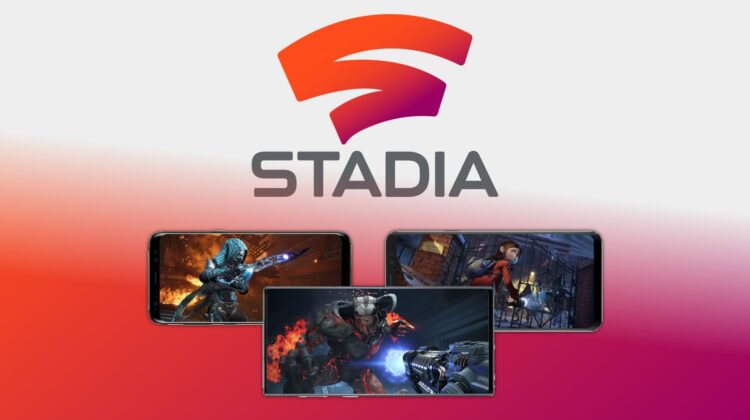
Today on the official Stadia Community Blog, they announced the addition of a nice new list of phones that will support Stadia gameplay as of February 20th just a mere 48 hours from now. The list includes some great phones and, most notably, a slew of flagship Samsung devices from the last few years. Check it out below:
- Samsung Galaxy S8
- Samsung Galaxy S8+
- Samsung Galaxy S8 Active
- Samsung Galaxy Note8
- Samsung Galaxy S9
- Samsung Galaxy S9+
- Samsung Galaxy Note9
- Samsung Galaxy S10
- Samsung Galaxy S10E
- Samsung Galaxy S10+
- Samsung Galaxy Note10
- Samsung Galaxy Note10+
- Samsung Galaxy S20
- Samsung Galaxy S20+
- Samsung Galaxy S20 Ultra
- Razer Phone
- Razer Phone 2
- ASUS ROG Phone
- ASUS ROG Phone II
Shop The Best Chromebooks of 2019 at Chrome Shop
While I’d contend the addition of the gaming devices from both ASUS and Razer are only hitting a niche user base, the decision to get Stadia out and available as the Samsung Galaxy S20 begins hitting new users’ hands is the kind of proactive action Stadia needs right now. There’s no secret that the best-selling Android phones bear the Samsung name, so making sure that this group is among the first added to the playlist is very important. With this move, Stadia will become instantly broader in reach and that could greatly help with part of the platform’s current woes.
The next big step will be getting iOS involved. In the US, anyway, having availability for Galaxy and iOS phones is the clear path to getting in front of the widest user base possible, so I’m hopeful that is the next target. If all goes well, I’d expect rapid-fire releases to other Android phones to follow as well.
If the game release pace can quicken in the next couple months and Stadia Base becomes available, perhaps Stadia can reclaim a bit of the hype it has lost in the past couple months and begin attracting more users. If iOS support, extended Android support, Stadia Base and about 50 more good game releases can all happen before the end of Q2 2020, I think there’s a chance Stadia could get back on track.
SUBSCRIBE TO UPSTREAM
Get Chrome Unboxed delivered straight to your inbox
Upstream is our flagship, curated newsletter with the top stories, most click-worthy deals, giveaways, and trending articles from Chrome Unboxed sent directly to your inbox a few times a week. Join 31,000+ subscribers.

