• Skip to main content
  • Skip to primary sidebar
  • Deals
  • Features
  • Guides
  • Chromebooks
  • Videos
  • Podcast
  • More +
    • Reviews
    • Unboxing
    • Upcoming Devices
    • Chromebook Plus
    • Chrome
    • ChromeOS
    • Chrome OS Flex
  • Search
  • Sign Up
  • Log In
Chrome Unboxed – The Latest Chrome OS News

Chrome Unboxed - The Latest Chrome OS News

A Space for All Things Chrome, Google, and More!

  • Deals
  • Features
  • Guides
  • Chromebooks
  • Videos
  • Podcast
  • More +
    • Reviews
    • Unboxing
    • Upcoming Devices
    • Chromebook Plus
    • Chrome
    • ChromeOS
    • Chrome OS Flex
  • Search
  • Sign Up
  • Log In

Google’s Stadia app shows up in the Play Store and shows off more of the UI

November 7, 2019 By Robby Payne View Comments

Support our independent tech coverage. Chrome Unboxed is written by real people, for real people—not search algorithms. Join Chrome Unboxed Plus for just $2 a month to get an ad-free experience, access to our private Discord, and more. Learn more about membership here.
START FREE TRIAL (MONTHLY)START FREE TRIAL (ANNUAL)

We’re coming down the final stretch with Stadia’s launch at this point. In just 12 days, gamers who’ve already jumped on board with Google’s streaming game platform will be able to begin leveraging the service to their heart’s content, and we’ll all know exactly how well this entire cloud gaming effort is going to actually pan out in real world use.

The entire Chrome Unboxed team is extremely excited for the launch and as a little nugget before the big day, Google has gone ahead and dropped the official Stadia app into the Play Store. Currently, you can only install this on phones and tablets as Chromebooks aren’t supported. Honestly, this doesn’t really come as much of a surprise since Chromebooks will be leveraging Stadia from the Chrome browser with no app necessary.

Xremove ads

The app looks to be built with Flutter – Google’s cross-platform development language – so fully expect the overall look and UI of the app to be identical on other platforms as it rolls out. For the early adopters of Stadia, the phone app will largely be used to launch gaming sessions and control account-level details. Only the Pixel lineup of phones will actually be able to leverage the app for game play at first.

Buy the Pixelbook Go From Amazon

Featured Videos

Xremove ads

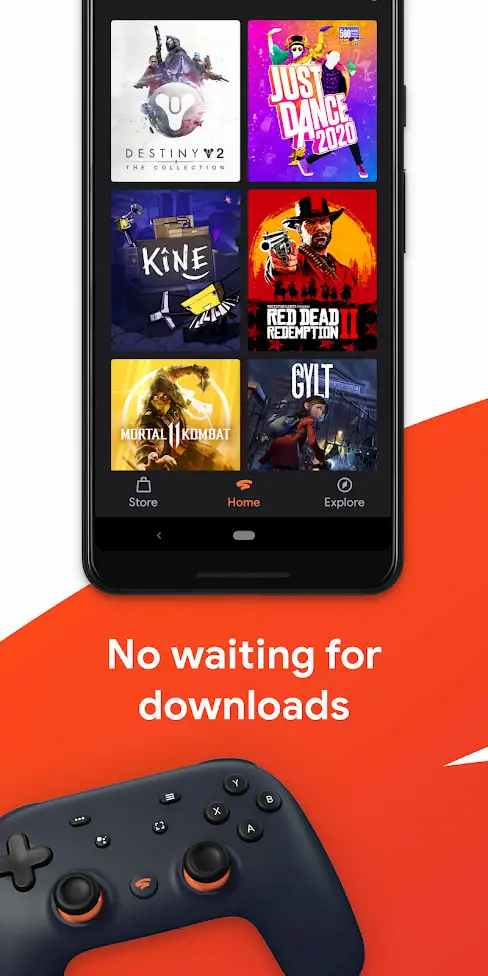
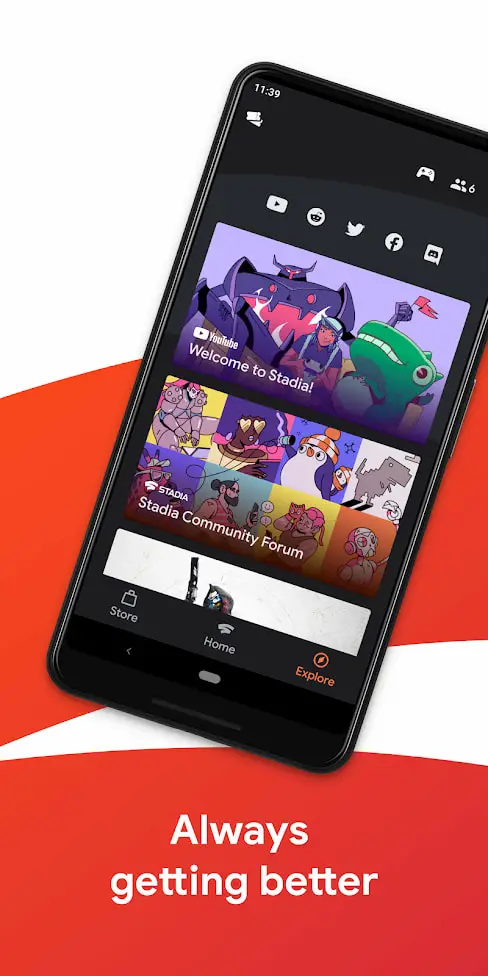
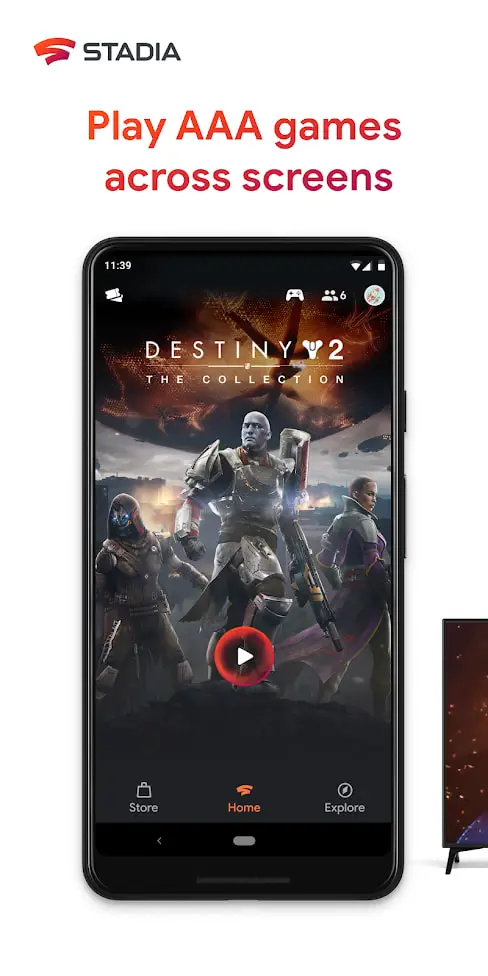
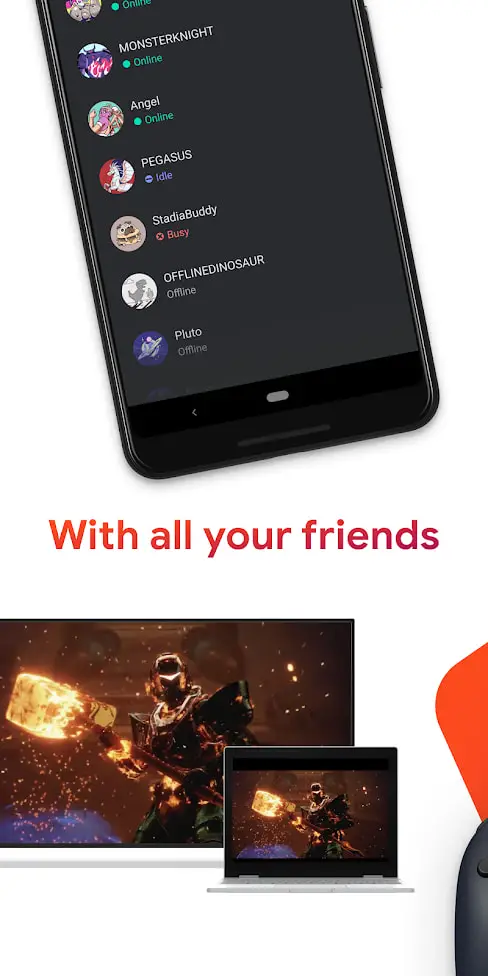
Right now there isn’t much you can do with the app aside from sign in with the Google account you signed up for Stadia with. After that, without the necessary invite code users will get as the service launches, you can’t get any further into the apps overall UI. Luckily, Google included some screen shots in the Play Store that let us see a bit about the overall UI, and it looks pretty nice. There’s a shot of the home screen, explore screen that show off how you’ll sort games, find games, and connect with online communities and friends.

SUBSCRIBE TO UPSTREAM

Get Chrome Unboxed delivered straight to your inbox

Upstream is our flagship, curated newsletter with the top stories, most click-worthy deals, giveaways, and trending articles from Chrome Unboxed sent directly to your inbox a few times a week. Join 31,000+ subscribers.
SUBSCRIBE HERE!

Overall, this is simply a nice little tease as we roll into the final days of pre-Stadia life. If early tests, game conferences, and developer support are anything to go by, I think we’re all in for a real treat on November 19th when Stadia becomes a normal part of our daily lives. We are feeling quite confident that Stadia is going to be pretty amazing, and can’t wait for the official release coming soon.

Xremove ads

Filed Under: News, Stadia

About Robby Payne

As the founder of Chrome Unboxed, Robby has been reviewing Chromebooks for over a decade. His passion for ChromeOS and the devices it runs on drives his relentless pursuit to find the best Chromebooks, best services, and best tips for those looking to adopt ChromeOS and those who've already made the switch.

Primary Sidebar

Xremove ads

Deals

Massive Deal Alert: The Acer Chromebook Plus Spin 714 just hit an all-time low $499

By Robby Payne
April 1, 2026

The best Chromebook deals today

By Robby Payne
March 30, 2026

The Acer Chromebook Plus Spin 714 hits a new all-time low at $270 off

By Robby Payne
March 25, 2026

You can score $40 off Google’s battery-powered Nest Doorbell right now

By Joseph Humphrey
March 20, 2026

The touchscreen Lenovo Chromebook Slim 3 is a steal at under $200

By Robby Payne
March 16, 2026

More Deals

Xremove ads

Reviews

Acer Chromebook Plus Spin 514 Review: Kompanio Ultra power in a convertible

By Robby Payne
December 24, 2025

My review after 6 weeks with the Lenovo Chromebook Plus 14 [VIDEO]

By Robby Payne
August 11, 2025

One week with the best small Android tablet you can buy, and I’m sold

By Robby Payne
May 9, 2025

Best Chromebooks of 2024 [VIDEO]

By Robby Payne
November 28, 2024

Samsung Galaxy Chromebook Plus Review: Samsung is back! [VIDEO]

By Robby Payne
October 28, 2024

More Reviews

Xremove ads

Guides

This Chromebook trackpad shortcut is definitely not new, but is blowing my mind

By Robby Payne
March 11, 2024

How to reduce broadcast delay on YouTube TV to stop live spoilers

By Robby Payne
December 8, 2023

Windows PC keyboard and Chromebook

How to use a Windows keyboard with a Chromebook

By Joseph Humphrey
December 8, 2023

How reset and revert your Chromebook to the previous version of Chrome OS

By Robby Payne
November 29, 2023

My Chromebook Plus features disappeared: here’s how I fixed it

By Robby Payne
November 24, 2023

More Guides

TWITTER · FACEBOOK · INSTAGRAM · YOUTUBE · EMAIL · ABOUT

Copyright © 2026 · Chrome Unboxed · Chrome is a registered trademark of Google Inc.
We are participants in various affiliate advertising programs designed to provide a means for us to earn fees by linking to affiliated sites.

PRIVACY POLICY