


Support our independent tech coverage. Chrome Unboxed is written by real people, for real people—not search algorithms. Join Chrome Unboxed Plus for just $2 a month to get an ad-free experience, access to our private Discord, and more. Learn more about membership here.
START FREE TRIAL (MONTHLY)START FREE TRIAL (ANNUAL)
Anyone who’s followed or used Windows 11 knows it definitely picked up some style cues from ChromeOS. In a bid to capture some of that sweet school-sector user base, Microsoft has been simplifying its OS over the last few years. But while Windows has been brought more in line with mobile philosophies and conventions, Google has been taking ChromeOS in the other direction. Already having a vast array of mobile-first applications which run on ChromeOS, I assumed Google would be the first of these two to support proper widgets.
I was wrong…
Windows already has first-party widgets (largely useless news and entertainment feeds), and these have been met with a general “meh” from most audiences. They’re primarily tied to your Microsoft account and are mostly noise. What most people want from their widgets is a customizable experience that presents the information you want to see. Well, in a recent developer blog post, Microsoft finally announced support for third-party widgets.
“Widgets in Windows 11 provide a fresh, glanceable, and useful view into app content for users. We’re energized by the customer feedback on Widgets to date; people are enjoying the quick access to content most important to them seamlessly without breaking their flow. Beginning later this year you’ll be able to start building Widgets as companion experiences for your Win32 and PWA apps on Windows 11, powered by the Adaptive Cards platform.”
Windows Developer Blog
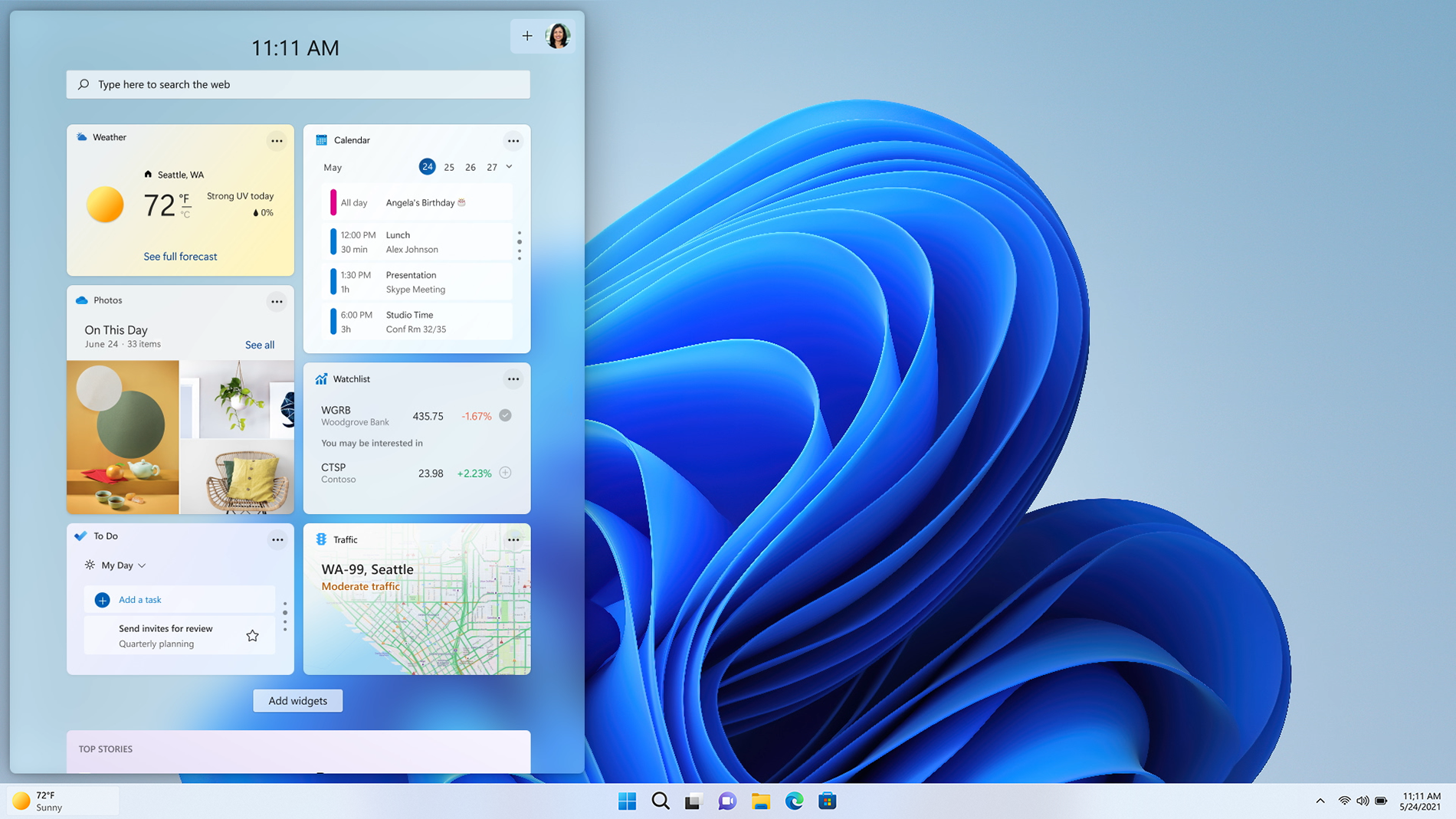
So not only will native apps be supported, but PWA developers can finally give their users further interactivity options with widgets! It would be great if ChromeOS had a small icon on the shelf that would show all Android and PWA widgets on hover. Microsoft also introduced some PWA development features that ChromeOS could stand to catch up with:
- PWA Starter. This capability helps developers bootstrap their development of PWAs, aiding with performance, integration with the host Operating System, and guidelines for a great user experience.
- PWA Studio. This is a new Visual Studio Code extension to help build, package, and publish PWAs to Microsoft Store without leaving Visual Studio Code.
- Meta Quest support. PWAs in Microsoft Store are already supported on HoloLens devices, and Meta has recently announced support for PWAs on its VR devices. Microsoft and Meta partnered to make PWABuilder the ultimate tool for packaging PWAs for virtual and mixed reality, giving developers the ability to sideload packages for Meta Quest and HoloLens.”
Personally, I find developing on a Chromebook is much more enjoyable on VS Code than on Google’s Android Studio. Maybe if better web support were there—ChromeOS’ main app platform—then that wouldn’t be the case. With their recent additions like Windows Subsystems for Android and Linux, cross-platform development support with .NET Multi-platform App UI, and features like PWA widgets, Microsoft really seems like they’re after anyone who’s using ChromeOS to develop.
But what do you all think? Should ChromeOS adopt a widget panel in an upcoming update? Or do you think Windows widgets will go the way of the dinosaur? Let us know below!
SUBSCRIBE TO UPSTREAM
Get Chrome Unboxed delivered straight to your inbox
Upstream is our flagship, curated newsletter with the top stories, most click-worthy deals, giveaways, and trending articles from Chrome Unboxed sent directly to your inbox a few times a week. Join 31,000+ subscribers.
