

Support our independent tech coverage. Chrome Unboxed is written by real people, for real people—not search algorithms. Join Chrome Unboxed Plus for just $2 a month to get an ad-free experience, access to our private Discord, and more. Learn more about membership here.
START FREE TRIAL (MONTHLY)START FREE TRIAL (ANNUAL)
Of all the futuristic things Google showed off at I/O 2025, the new “Search Live” experience was easily one of the most compelling. The idea of having a real-time, back-and-forth conversation with Google Search felt like a true step into the future of information discovery. After a very limited initial appearance for some, Google is now beginning to roll out the voice input portion of Search Live more broadly to users in the AI Mode Search Lab.
What is Search Live?
Think of Search Live as moving beyond simple voice commands into a genuine dialogue with Google (like we’ve seen with Gemini Live). It’s designed to support follow-up questions and a more natural conversational flow. Instead of just a list of links for your search query, Search Live will behave far more like a conversational AI agent that knows the entire internet’s worth of information.
This is all powered by what Google calls a “custom version of Gemini with advanced voice capabilities,” which, as we learned recently, are custom versions of the speedy and efficient 2.5 Flash and Flash-Lite models. It’s designed to give you reliable, helpful responses with the added power of conversational AI.
How it works and what it looks like
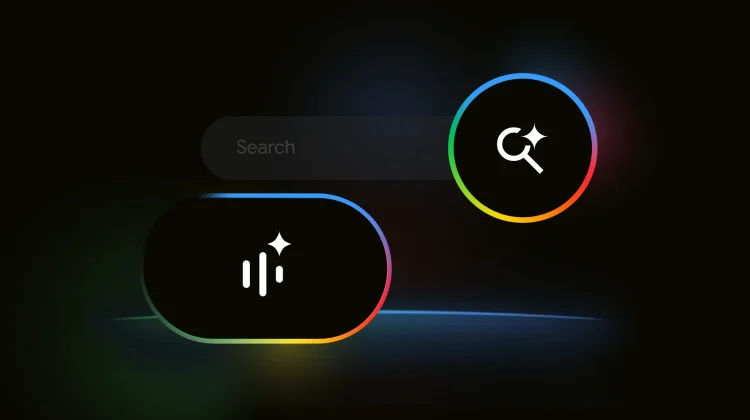
Once the feature is available to you, you’ll see a new waveform icon (with a sparkle) underneath the Search bar in the Google app. In a smart branding move, it’s the same icon used for Gemini Live, signaling that this is Google’s new symbol for “live” conversational experiences.
Tapping it launches a clean, fullscreen interface with an arc-shaped waveform in the AI Mode colors. When you ask questions, Search Live will not only give you a verbal answer but will also surface a scrollable carousel of website links that informed its response, so you can still dive deeper into the sources. One of the coolest parts is that the conversation can continue in the background even if you switch to another app or lock your screen, making it a true hands-free tool.
How to get your hands on it
This is still in the experimental phase, so to try it out, you need to be in the US and enrolled in the “AI Mode” experiment in Search Labs. The voice input feature is now rolling out to those users in the Google app on both Android and iOS.
It’s important to note that the camera capabilities that were demoed at I/O – where you can stream video from your camera and ask questions about what you see – are not part of this initial rollout. Google says those are coming “in the coming months,” which follows the pattern they used with Gemini Live (voice first, then camera). We can’t wait to test this out more thoroughly as it continues to roll out.
SUBSCRIBE TO UPSTREAM
Get Chrome Unboxed delivered straight to your inbox
Upstream is our flagship, curated newsletter with the top stories, most click-worthy deals, giveaways, and trending articles from Chrome Unboxed sent directly to your inbox a few times a week. Join 31,000+ subscribers.

