

Support our independent tech coverage. Chrome Unboxed is written by real people, for real people—not search algorithms. Join Chrome Unboxed Plus for just $2 a month to get an ad-free experience, access to our private Discord, and more. Learn more about membership here.
START FREE TRIAL (MONTHLY)START FREE TRIAL (ANNUAL)
 So you got yourself an ASUS Flip or an Acer R11. Maybe you’ve even dared to explore Android Apps on your convertible. There are a lot of great apps available to take advantage of the unique form-factor that is quickly becoming all the rage in the Chrome world.
But what about browsing the web in tablet mode?
A lot of sites today are more than mobile-friendly; they’re mobile-optimized. Meaning, they may look, act and react differently in a mobile or tablet browser. I know Robby would agree. When building a site from the ground up, 99 times out of 100, mobile responsiveness is in the front of your brain. Problem is, a convertible Chromebook is a little of both worlds.
For many sites like Facebook, Twitter, Pinterest and countless others, Android Apps will eliminate this issue with mobile-specific apps that can be added to your Chrome OS device. However, many sites were built with mobile devices in mind. While the desktop version may be functional, they’re just not as good when being navigated with a fingertip.
An example of this? Google’s own search results become easier to navigate and a lot more finger-friendly when viewed on a tablet or mobile phone.
Back in 2012, Chromium developers added an experimental flag to “request tablet site.” This is much like the mobile counterpart “request desktop site”, only it works the other direction. Here’s a quick rundown of how to make the most of mobile-optimized site with your Chrome convertible.
First, you have to remember these flags are experimental. When you enable or disable any default function you are doing so at your own risk. With that being said, I have had no issues with this feature.
Now, head to chrome://flags in your browser. Press ctrl+f to open the search bar and type tablet. It should take you straight to a flag titled Request tablet site option in the settings menu. Click “enable” and you will be prompted to restart your browser. Viola! You will now have an option in your Chrome browser settings to “request tablet site.”
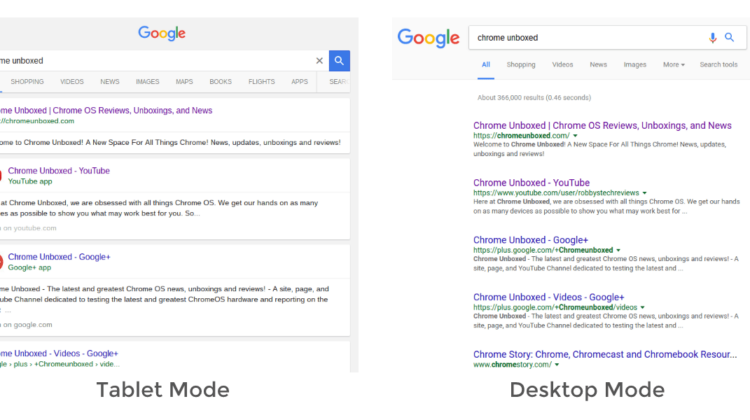
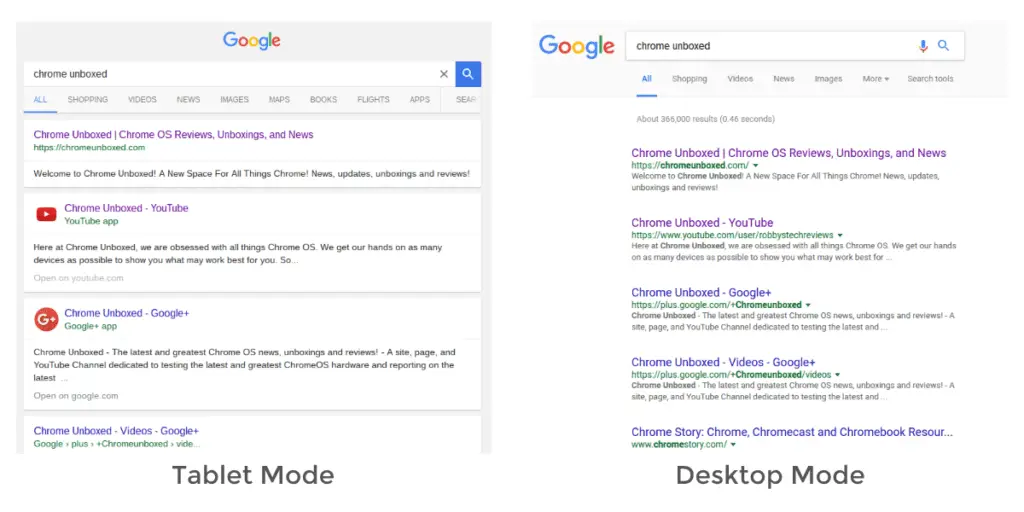
You can see from the images below that the difference may not be drastic, but it is enhanced for mobile use. It will feel much more like you are browsing on your phone or tablet by hiding sidebar menus, centering pages, and many other mobile enhancements the designer added in creating the site.
One thing to keep in mind, this is an experimental flag. This particular feature has been around for a couple of years now and may very well never make it into the Official Chrome OS build. But, it’s a neat feature that, until now, had little purpose. Perhaps now we may see this guy get a little attention with the number of new devices hitting the market and the ecosystem of web apps evolving.

