

Support our independent tech coverage. Chrome Unboxed is written by real people, for real people—not search algorithms. Join Chrome Unboxed Plus for just $2 a month to get an ad-free experience, access to our private Discord, and more. Learn more about membership here.
START FREE TRIAL (MONTHLY)START FREE TRIAL (ANNUAL)
Parallels, the company responsible for bringing a full Windows desktop experience to Chrome OS, has just released a handful of quick videos highlighting the seamless integration between the two operating systems. Quick history lesson for the uninitiated. For nearly 20 years, Parallels has focused on the virtualization of Windows and Windows applications for the purpose of giving Mac users a Windows desktop on macOS. The company, now owned by Corel, has a number of other active projects Parallels for macOS is its most well-known consumer-facing product. Earlier this year, Google announced a partnership with Parallels to bring the virtualization of the Windows desktop to Chrome OS.
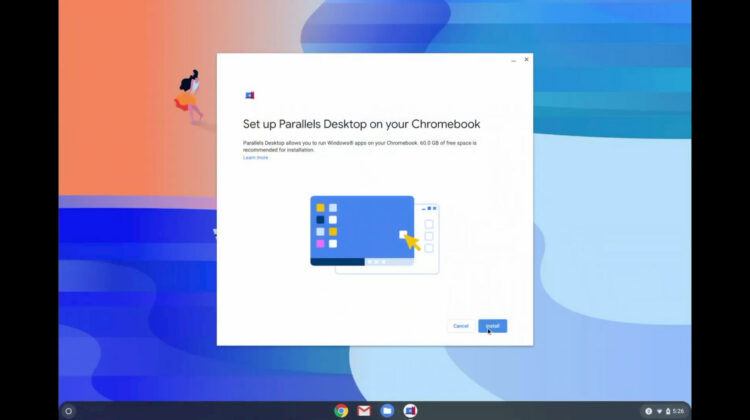
The project is now official and HP has already announced its own offering with Parallels Desktop for HP Chrome Enterprise and you can try it out for free so long as you have access to a Google Workspace account and a Chrome Enterprise Upgrade. The latter of which also has a free 30-day trial if you don’t have a provisioned device in your fleet. We’ll be getting Parallels set up on a couple of devices over the next week to put it through the paces and see how well it performs on a Chromebook. In the meantime, Parallels has these videos that give us a closer look at the setup, user flow and accessibility that users will have when using Windows on Chrome OS. Check it out.
Parallels Desktop on Chrome OS
There aren’t a lot of surprises in the videos. As we expected, Parallels is running in its own, dedicated container that installs Windows locally on the device. Like the Linux container, Chrome OS interacts with the container via a virtual machine. Users will be able to share folders with Parallels with a new “share with Parallels” option in the right-click menu. This can then be managed in the Chrome OS settings menu just like Linux. I’m not sure which device is being used in the video but Parallels is recommending no less than 8GB of RAM and a Core i5 or Core i7 device. The applications appear to be running very smoothly which is no surprise. In my experimenting with Windows on Chrome OS via Virtual Machine Manager, most Windows applications ran perfectly fine on the Core i7, 16GB HP I was using.
Where Parallels will shine in this space is the customized experience that will be offered to its users. This container and VM is built specifically for Chrome OS. As you can see in the third video, the Windows desktop has direct network access and printers used by the Chrome OS side are inherently shared with the Parallels container. While I’d love to see a similar consumer offering from Parallels, I suspect that this will remain an Enterprise only option for the foreseeable future. Google is pulling out all the stops to help companies make a move to Chrome OS and cloud-centric operation and Parallels will play a big part in making that as painless as possible. Stay tuned. We’ll have a full rundown and review of how this new feature performs on Chrome OS.
SUBSCRIBE TO UPSTREAM
Get Chrome Unboxed delivered straight to your inbox
Upstream is our flagship, curated newsletter with the top stories, most click-worthy deals, giveaways, and trending articles from Chrome Unboxed sent directly to your inbox a few times a week. Join 31,000+ subscribers.

