

• Skip to main content
  • Skip to primary sidebar
  • Deals
  • Features
  • Guides
  • Chromebooks
  • Videos
  • Podcast
  • More +
    • Reviews
    • Unboxing
    • Upcoming Devices
    • Chromebook Plus
    • Chrome
    • ChromeOS
    • Chrome OS Flex
  • Search
  • Sign Up
  • Log In
Chrome Unboxed – The Latest Chrome OS News

Chrome Unboxed - The Latest Chrome OS News

A Space for All Things Chrome, Google, and More!

  • Deals
  • Features
  • Guides
  • Chromebooks
  • Videos
  • Podcast
  • More +
    • Reviews
    • Unboxing
    • Upcoming Devices
    • Chromebook Plus
    • Chrome
    • ChromeOS
    • Chrome OS Flex
  • Search
  • Sign Up
  • Log In

NotebookLM and Gemini have officially joined forces for Workspace users

February 3, 2026 By Robby Payne View Comments

Support our independent tech coverage. Chrome Unboxed is written by real people, for real people—not search algorithms. Join Chrome Unboxed Plus for just $2 a month to get an ad-free experience, access to our private Discord, and more. Learn more about membership here.
START FREE TRIAL (MONTHLY)START FREE TRIAL (ANNUAL)

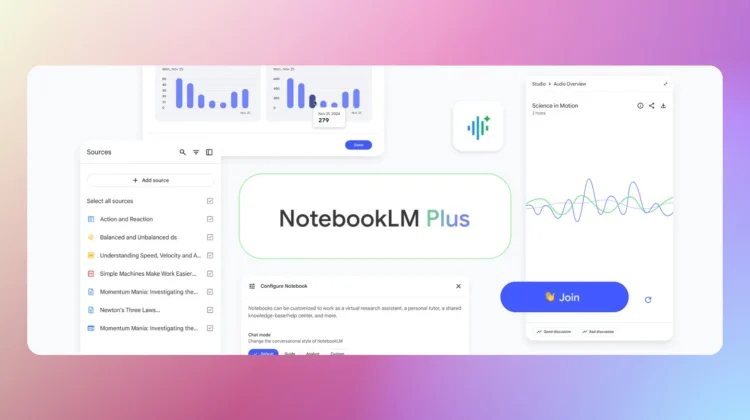
This week, Google is officially expanding the integration of NotebookLM as a source in the Gemini app to Enterprise and Education users. While personal account holders have had a taste of this, the rollout to Workspace accounts means that professionals and students can now ground their Gemini conversations in the deep, specific knowledge bases they’ve built inside NotebookLM.

Grounding Gemini in your own research

NotebookLM has become a favorite for those of us who need to synthesize massive amounts of information like PDFs, complex Google Docs, and research papers into something manageable. Its strength is “source grounding,” meaning it only answers based on the documents you provide.

Xremove ads

By bringing those notebooks into the main Gemini app, you get the best of both worlds: the strict accuracy and citations of NotebookLM combined with the advanced creative power of Gemini 3.

What can you do with this integration?

Once you add a notebook as a source (via the “+” button in the Gemini prompt box), the possibilities for your workflow expand significantly:

Featured Videos

Xremove ads
  • Custom Content Creation: You can ask Gemini to write a blog post, a project proposal, or a lesson plan based strictly on the findings in your research notebook.
  • Gemini Canvas Integration: You can pull data from a notebook and have Gemini Canvas transform it into a functional app prototype, an interactive infographic, or a coding project.
  • Deep Research & Guided Learning: You can use the Deep Research tool to hunt for new information on the web that specifically fills the gaps identified in your NotebookLM sources, or use Guided Learning to have Gemini quiz you on your own notes to prep for an exam.
  • Notebooks in Gems: You can now attach a notebook to a custom Gem. This allows you to create a “permanent” AI expert on a specific project that stays updated whenever you add new sources to your notebook.

A note for Admins

For school and business admins, it is important to note that this feature is controlled by the NotebookLM service setting in the Admin Console, not the Gemini app setting. If NotebookLM is turned off for your organization, your users won’t see this option in Gemini.

Additionally, because usage is subject to NotebookLM’s specific compliance certifications (which can differ from the standard Gemini app), Google is encouraging admins to review the Generative AI Privacy Hub to ensure it meets their organization’s data protection standards.

The rollout for Workspace domains began on January 20th and should be fully visible to all users within the next week or so.

Xremove ads

SUBSCRIBE TO UPSTREAM

Get Chrome Unboxed delivered straight to your inbox

Upstream is our flagship, curated newsletter with the top stories, most click-worthy deals, giveaways, and trending articles from Chrome Unboxed sent directly to your inbox a few times a week. Join 31,000+ subscribers.

SUBSCRIBE HERE!

Filed Under: AI, Gemini, News, Workspace

About Robby Payne

As the founder of Chrome Unboxed, Robby has been reviewing Chromebooks for over a decade. His passion for ChromeOS and the devices it runs on drives his relentless pursuit to find the best Chromebooks, best services, and best tips for those looking to adopt ChromeOS and those who've already made the switch.

Primary Sidebar

Googlebook

Lenovo Googlebook leak reveals the name of Google’s new laptop operating system

By Robby Payne
September 11, 2026

Googlebook will automatically organize your files using on-device AI ‘Collections’

By Robby Payne
September 11, 2026

Lenovo Googlebook i 15 confirmed via Bluetooth SIG ahead of NYC media event

By Robby Payne
September 10, 2026

HP Googlebook 14c specs confirmed by Energy Star: Snapdragon X Elite and 32GB RAM

By Robby Payne
September 9, 2026

How many years of updates Googlebook gets could make or break it on Day One

By Robby Payne
September 8, 2026

More Googlebook

Xremove ads

Deals

The best Chromebook deals today

By Robby Payne
September 2, 2026

The best Chromebook ever made is $350 off at Best Buy right now

By Robby Payne
August 21, 2026

The excellent, powerful Acer Chromebook Plus Spin 514 is $150 off right now

By Robby Payne
August 12, 2026

Acer’s new Chromebook 315 is wildly affordable and points to the real future of Chromebooks

By Robby Payne
August 11, 2026

You can score the massively upgraded ASUS CX54 Chromebook Plus for just $599 right now

By Joseph Humphrey
July 28, 2026

More Deals

Xremove ads

Reviews

Acer Chromebook Plus Spin 514 Review: the best convertible you can buy [VIDEO]

By Robby Payne
July 1, 2026

Lenovo Chromebook Plus 2-in-1 Review: pretty great in a vacuum

By Robby Payne
April 23, 2026

My review after 6 weeks with the Lenovo Chromebook Plus 14 [VIDEO]

By Robby Payne
August 11, 2025

One week with the best small Android tablet you can buy, and I’m sold

By Robby Payne
May 9, 2025

Best Chromebooks of 2024 [VIDEO]

By Robby Payne
November 28, 2024

More Reviews

Xremove ads

TWITTER · FACEBOOK · INSTAGRAM · YOUTUBE · EMAIL · ABOUT

Copyright © 2026 · Chrome Unboxed · Chrome is a registered trademark of Google Inc.
We are participants in various affiliate advertising programs designed to provide a means for us to earn fees by linking to affiliated sites.

PRIVACY POLICY