
• Skip to main content
  • Skip to primary sidebar
  • Deals
  • Features
  • Guides
  • Chromebooks
  • Videos
  • Podcast
  • More +
    • Reviews
    • Unboxing
    • Upcoming Devices
    • Chromebook Plus
    • Chrome
    • ChromeOS
    • Chrome OS Flex
  • Search
  • Sign Up
  • Log In
Chrome Unboxed – The Latest Chrome OS News

Chrome Unboxed - The Latest Chrome OS News

A Space for All Things Chrome, Google, and More!

  • Deals
  • Features
  • Guides
  • Chromebooks
  • Videos
  • Podcast
  • More +
    • Reviews
    • Unboxing
    • Upcoming Devices
    • Chromebook Plus
    • Chrome
    • ChromeOS
    • Chrome OS Flex
  • Search
  • Sign Up
  • Log In

Samsung Chromebook Plus Adds Linux App Support

June 7, 2018 By Gabriel Brangers View Comments

Support our independent tech coverage. Chrome Unboxed is written by real people, for real people—not search algorithms. Join Chrome Unboxed Plus for just $2 a month to get an ad-free experience, access to our private Discord, and more. Learn more about membership here.
START FREE TRIAL (MONTHLY)START FREE TRIAL (ANNUAL)
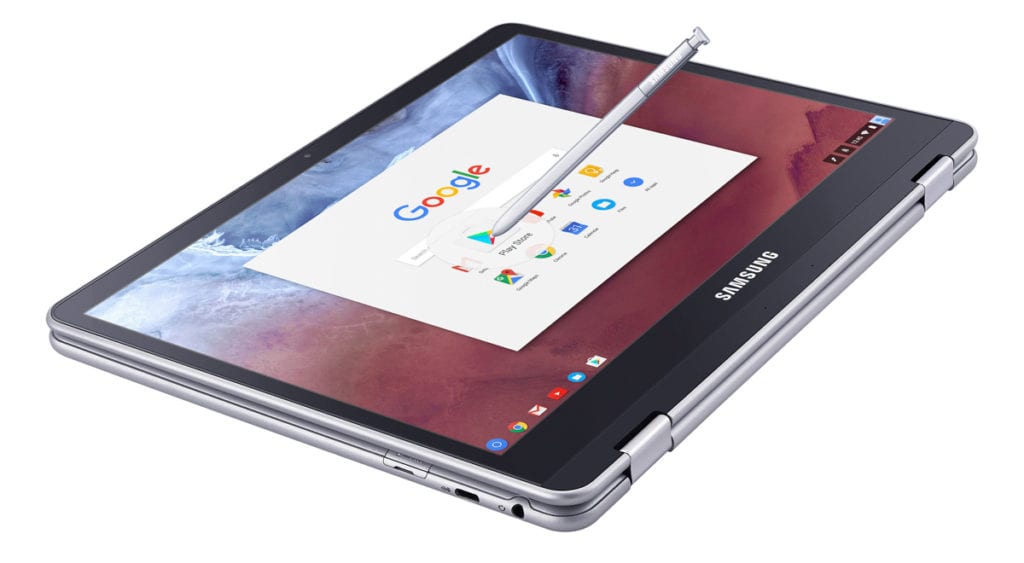
Sooner than I honestly expected, it seems that the Crostini Project has made its way to the Developer channel on the Samsung Chromebook Plus.

As Robby reported in early May, the Crostini Reddit revealed a user who was already up and running with Crostini(sort of) on the ARM-powered Chromebook. Additionally, a number of commits in the Chromium repository gave us some pretty solid evidence that developers had shifted their efforts to making the container tech work outside of the Pixelbook.

Xremove ads

Thanks to a recent update to the Developer channel, we are now seeing reports that ‘Kevin‘ a.k.a the Samsung Chromebook Plus can now run the Linux terminal app just like the Pixelbook does.

Redditor bdovpro has diagramed a quick how-to on getting Crostini installed and going on the Plus and other users have chimed with some great tutorials on building your first container.

Featured Videos

Xremove ads

Bringing Crostini to ARM-based devices lends a lot of hope to the project’s ability to expand across the Chrome ecosystem. As you can see from the OP1 website, the Google-backed ARM for Chromebook architecture is gaining steam. Once the lone device, the Samsung Chromebook Plus has been joined by the ASUS C101 and the Acer Chromebook Tab 10.

If project Crostini can find its way into lower-end Intel devices alongside devices like the Pixelbook and ARM devices like the Plus, Chrome OS’s potential as a true developer’s machine could come to full realization. From there, the possibilities will continue to grow.

*Note – Accessing Linux apps via Crostini on the Samsung requires moving your device to the Developer channel and is not recommended unless you are aware of the risks to your device. The Dev channel can be very buggy and even have broken elements. Moving back to Stable will powerwash your machine and delete any local data. If you choose to tinker, do so at your own risk and be sure to back up your files. It is also a good idea to create a recovery image before setting off on your expedition.

Xremove ads

Check Out Chrome Unboxed’s Top Picks On Amazon

Source: Reddit vis XDA

Filed Under: Apps, Chromebooks, ChromeOS, News

About Gabriel Brangers

Lover of all things coffee. Foodie for life. Passionate drummer, hobby guitar player, Web designer and proud Army Veteran. I have come to drink coffee and tell the world of all things Chrome. "Whatever you do, Carpe the heck out of that Diem" - Roman poet, Horace. Slightly paraphrased.

Primary Sidebar

Xremove ads

Deals

The Acer Chromebook Plus Spin 714 hits a new all-time low at $270 off

By Robby Payne
March 25, 2026

The best Chromebook deals today

By Robby Payne
March 24, 2026

You can score $40 off Google’s battery-powered Nest Doorbell right now

By Joseph Humphrey
March 20, 2026

The touchscreen Lenovo Chromebook Slim 3 is a steal at under $200

By Robby Payne
March 16, 2026

Google TV Streamer and Remote held in front of a wall-mounted TV

The premium Google TV Streamer 4K is back down to $80

By Joseph Humphrey
March 16, 2026

More Deals

Xremove ads

Reviews

Acer Chromebook Plus Spin 514 Review: Kompanio Ultra power in a convertible

By Robby Payne
December 24, 2025

My review after 6 weeks with the Lenovo Chromebook Plus 14 [VIDEO]

By Robby Payne
August 11, 2025

One week with the best small Android tablet you can buy, and I’m sold

By Robby Payne
May 9, 2025

Best Chromebooks of 2024 [VIDEO]

By Robby Payne
November 28, 2024

Samsung Galaxy Chromebook Plus Review: Samsung is back! [VIDEO]

By Robby Payne
October 28, 2024

More Reviews

Xremove ads

Guides

This Chromebook trackpad shortcut is definitely not new, but is blowing my mind

By Robby Payne
March 11, 2024

How to reduce broadcast delay on YouTube TV to stop live spoilers

By Robby Payne
December 8, 2023

Windows PC keyboard and Chromebook

How to use a Windows keyboard with a Chromebook

By Joseph Humphrey
December 8, 2023

How reset and revert your Chromebook to the previous version of Chrome OS

By Robby Payne
November 29, 2023

My Chromebook Plus features disappeared: here’s how I fixed it

By Robby Payne
November 24, 2023

More Guides

TWITTER · FACEBOOK · INSTAGRAM · YOUTUBE · EMAIL · ABOUT

Copyright © 2026 · Chrome Unboxed · Chrome is a registered trademark of Google Inc.
We are participants in various affiliate advertising programs designed to provide a means for us to earn fees by linking to affiliated sites.

PRIVACY POLICY