


Support our independent tech coverage. Chrome Unboxed is written by real people, for real people—not search algorithms. Join Chrome Unboxed Plus for just $2 a month to get an ad-free experience, access to our private Discord, and more. Learn more about membership here.
START FREE TRIAL (MONTHLY)START FREE TRIAL (ANNUAL)
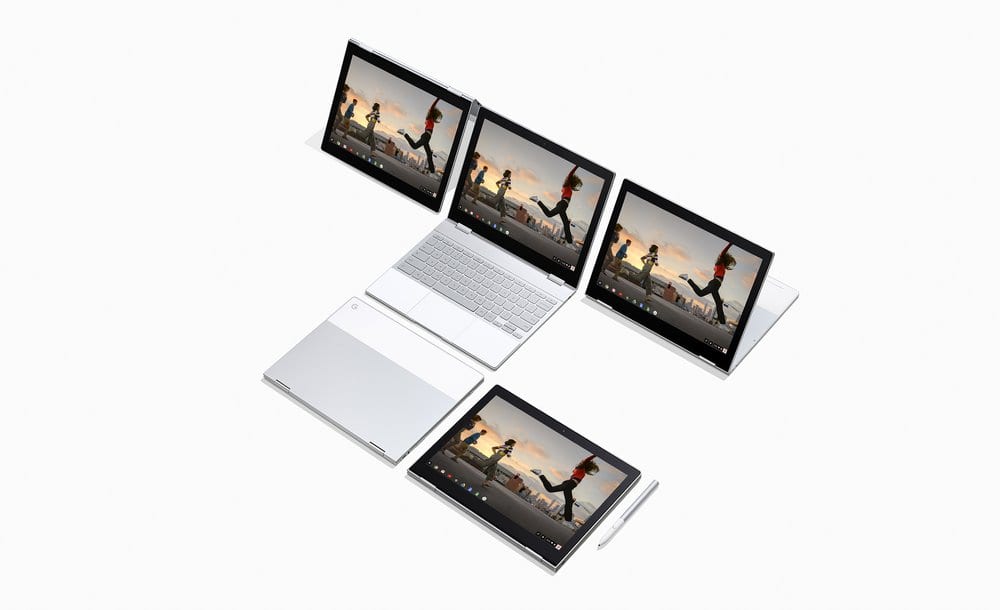
When Google launched the highly-antictpated Pixelbook, many were taken aback with sticker-shock and left asking, “who would pay that much for a Chromebook?“
For those who embraced the Pixelbook for all that it is and could be, a much bigger question quickly arose when considering dropping $1000 or more on Google’s new flagship.
Out of warranty repairs
If there was one resounding complaint about the Pixelbook’s predecessor, the Pixel LS, it was device support after the warranty expired. Inside the warranty period, Google would gladly replace a faulty device but there was no dedicated department or company for repairs on the Chromebook Pixel.
Outside the warranty? You were pretty much on your own as there were no outlets to fix the then $1300 Chromebook. (Yeah, remember that when your friends are complaining about the price of the Pixelbook)
Fast-forward to today and Google is offering their “Preferred Care” program on the Pixelbook but it comes at a pretty hefty cost. Still, this only provides product replacement after a deductible. No repairs. You simply have to wait for a new device.
Today, an announcement came our way from the team over at 9to5Google that offers not repairs but at least an option if your Pixelbook bites the dust out of warranty or extended coverage.
Google has partnered with uBreakiFix to offer on-site replacements should your Pixelbook meet an untimely end. This isn’t their first time teaming up with the U.S. and Canadian fix-all shop. Currently, uBreakiFix is the official outlet for Pixel phone repairs and warranty claims.
We are thrilled to provide even more Google customers with the quality service and exceptional customer experience that have come to define our brand,” said uBreakiFix CEO and founder Justin Wetherill. “We are huge fans of the Pixelbook and are excited to get these devices back in the hands of our customers.
The new Pixelbook program isn’t insurance but a replacement program. The model you own and the type of damage that is assessed will determine the Tier and cost to replace your device.
Here’s how it breaks down:
Tier 1 pricing is for any laptop needing glass or LCD repair.
Tier 2 pricing is for any other out-of-warranty repair, such as water damage.
Corei5, 128GB Model
- Tier 1 $450
- Tier 2 begins at $549.45
Core i5, 256GB Model
- Tier 1 $450
- Tier 2 begins at $659.45
Core i7, 512GB Model
- Tier 1 $450
- Tier 2 begins at $906.95
Yeah, it’s not cheap but it is way less than forking over the cash for a brand new one. Personally, I still think companies like Assurant and Square Trade are the way to go when covering pricey tech.
Whatever path you decide to take make sure you do a little research to see which one is most cost-effective for you. At the end of the day, repairs on a device like the Pixelbook will probably never be commonplace. Coverage and replacement alternatives will be the go-to option. Hopefully, you find it worth the money.
Source: 9to5Google

