

Support our independent tech coverage. Chrome Unboxed is written by real people, for real people—not search algorithms. Join Chrome Unboxed Plus for just $2 a month to get an ad-free experience, access to our private Discord, and more. Learn more about membership here.
START FREE TRIAL (MONTHLY)START FREE TRIAL (ANNUAL)
 Google has continually expressed their commitment to offering a full suite of solutions to the Enterprise and Education sectors and this week, that dedication is offering up a new way for businesses to lend out Chrome devices to their employees.
Grab and Go
Imagine this. You’re headed out of the office to meet a client and you left your laptop at home. Now. you have to head to IT or a coworker and try to finagle a loaner and still make it to your destination on time. Or, perhaps you manage a company where multiple employees share devices and you’re looking for an organized way to manage those machines without expending more labor hours or wasting valuable time that could be spent on a project.
Google’s got you cover with their new Grab and Go program for Chromebooks.
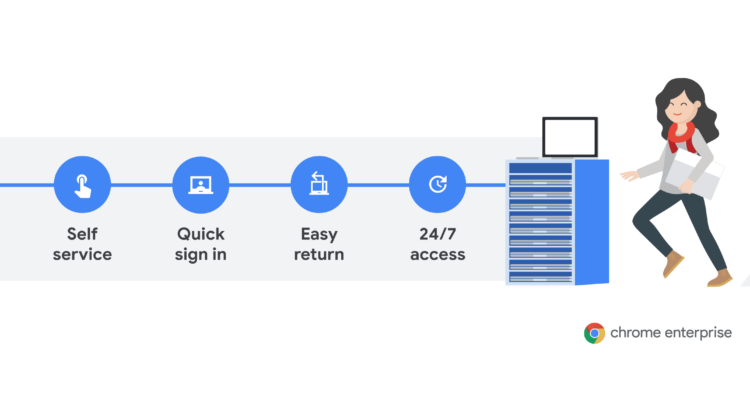
Chrome devices and Chrome Enterprise are the key ingredients that make this program so effective. With Grab and Go, centrally-located racks with fully-charged Chromebooks are available 24/7. As soon as an issue arises, employees can grab any of these devices and log in through their corporate account. Because their work is already stored in the cloud, they can jump back into projects immediately, as if they never left their old device.

With the new Grab and Go stations, employees simply pick up the Chromebook and they’re on their way. No signing out and no interaction with the IT department means minutes saved that, over time, could save companies thousands of dollars. Once a worker signs into the Chromebook with their corporate credentials, they will receive an email with instructions on how and when to return the device as well as how to extend the “loan” time if needed.
Too Easy
Google has already deployed the Grab and Go kiosks in some of their offices and the number of hours logged on loaned out Chromebooks is pretty impressive.
We’ve deployed Grab and Go in many of our offices around the world, and the program has seen more than 30,000 unique users rack up more than 100,000 loans in the last year. In fact, our Grab and Go program administrators estimate that their initial investment in deploying the program paid for itself in productivity time saved after only 50 days.
Because the program is so simple, Grab and Go is also an ideal solution for other business cases where employees require temporary access to a device. For example:
- Frontline workers who only need devices for short periods of time—such as for training or sending emails.
- Shift workers in workplaces with shared devices, such as healthcare and call centers and can use virtualization solutions through Citrix and VmWare to access legacy apps.
- Remote workers who travel between office locations, or frequently work outside the office and need both a work and home device.
To find out more about the Grab and Go program, check out the detailed whitepaper here. If you are a Google Cloud or Gsuite Enterprise user and would like to get a jump on the program, you can sign up for Early Access here.
Source: The Keyword

