


Support our independent tech coverage. Chrome Unboxed is written by real people, for real people—not search algorithms. Join Chrome Unboxed Plus for just $2 a month to get an ad-free experience, access to our private Discord, and more. Learn more about membership here.
START FREE TRIAL (MONTHLY)START FREE TRIAL (ANNUAL)
There are a few upcoming features that we’re very excited for in the coming releases of Chrome OS in the Stable Channel. Things like dark/light theme, holding space, reading list, and the updated screen capture are on on the list of our most-anticipated new features that we expect to hit in either Chrome OS 88 or 89. Of those new features that we’ve been testing out and actually using on a daily basis, by far the new screen capture tool is my favorite and the one I think will be the most useful moving forward.
While there are great services out there that do what this new baked-in feature does, they run through extensions and I’m the type that would rather a deeply-integrated functionality like screen capturing to work on the most fundamental levels of my device. And Chrome OS’ new capture mode update does this very, very well.
One thing missing from the overall formula, however, is the ability to simply mute your microphone while recording your screen. It sounds simple and there is a workaround, but most times when I’m doing a screen capture, I don’t want all the ambient noise from the room collected in the video. When snagging a quick screen recording for a visual instruction, I normally go to my settings panel and mute my microphone before beginning the recording so as not to have to worry about what the room around me sounds like.
There are a couple problems with this solution. First, I routinely forget to do this as it isn’t an option I see when going to record. So this means I’m constantly starting a screen recording, stopping, deleting, muting, then trying it all again on a far-too-routine basis. Second, when I do get the muted mic set up, I tend to forget I muted it and the next time I’m in a call or video chat, I’m left fumbling for the mic controls to get in the conversation. Workarounds work, but they normally aren’t the best solution.
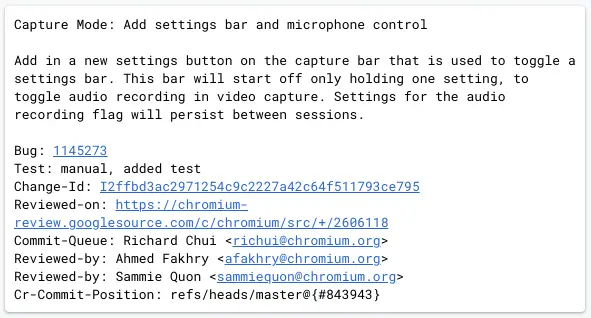
In a coming change to the new screen capture mode, we’ll soon have some other settings, including a toggle for the microphone during recording. The other settings that will inhabit this new settings toggle are unclear at this point, but it is quite clear that the ability to turn on/off the mic for recording will be front and center and that will be a welcome change.
From my perspective, the screen recorder/screenshot tool for Chromebooks is mostly ready for mass consumption at this point. There are some small visual tweaks I’d love to see (the countdown timer is really small, for instance), but I’ve been overly impressed by the usefulness and solidity of the service thus far. For basic screen recording tasks, this built-in tool will be very, very handy for a wide swath of users when it does land. For now, we’re thinking that should happen in Chrome OS 89 some time in early March of this year.
SUBSCRIBE TO UPSTREAM
Get Chrome Unboxed delivered straight to your inbox
Upstream is our flagship, curated newsletter with the top stories, most click-worthy deals, giveaways, and trending articles from Chrome Unboxed sent directly to your inbox a few times a week. Join 31,000+ subscribers.

