

Support our independent tech coverage. Chrome Unboxed is written by real people, for real people—not search algorithms. Join Chrome Unboxed Plus for just $2 a month to get an ad-free experience, access to our private Discord, and more. Learn more about membership here.
START FREE TRIAL (MONTHLY)START FREE TRIAL (ANNUAL)
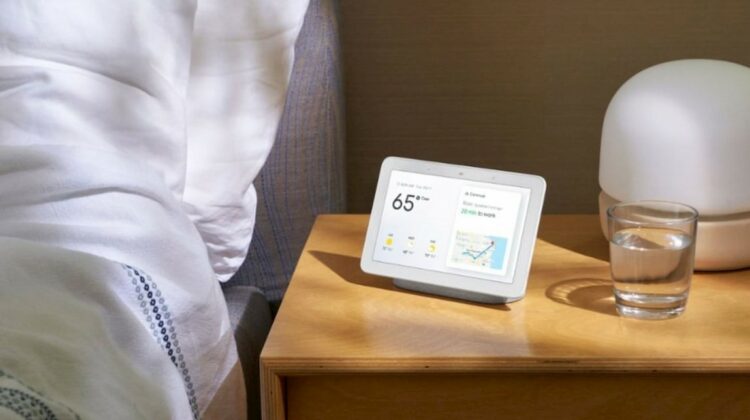
If you have one of Google’s smart displays, you may soon be able to invoke the Assistant just by getting close to it. I have to admit, it seems really convenient to not have to constantly say “Hey Google” each time I want to perform an action. Sure, Assistant already has a continued conversation feature, but if you miss your chance to speak because you wait too long by pausing to think of what to say, you’ll need to activate it again using the trigger phrase. This new proximity-based feature, which may or may not ever release, is being dubbed ‘Blue Steel’ internally at Google.
The video demonstration of Blue Steel comes by way of Jan Boromeusz, the same Youtuber who gave us an early look at the Nest Hub Max Display refresh a few weeks ago, which recently began making its way to regular Nest Hubs recently. We think that this feature utilizes the Hub Max’s camera as ‘Blue Steel’ is a reference to a look that Ben Stiller gives in the Zoolander movie when he stares intensely into the camera (though hopefully, you won’t need to purse your lips or suck your cheeks in to activate the Assistant). We’re hoping that this is not the case, because if it is, the regular-sized Nest Hub may never receive the update since it does not feature a camera at all.
It is entirely possible that instead, Google may opt for using their ultrasound sensing feature, which is universally present in the Nest mini, the Nest Hub, and the Nest Hub Max. This works by making the device’s speakers and microphone emit a soft, inaudible pulse which reflects off of you and your environment to determine distance – it’s basically like echolocation. Since it’s currently in the Dogfooding stage, it’s possible that Blue Steel may never be used in our homes. Dogfooding refers to the stage in testing a product or service where Googlers must use it for themselves as though they were a customer. This allows them to fully experience the potential pain points users may run into when it finally releases to the public. They then go back and fix as much as they can before eating more ‘dogfood’. Many of these products are killed within the company walls and never see the light of day because they may not fit the vision Google is working towards.
We’re not sure how Jan is able to continue testing Assistant-enabled smart display features before they release, but you can view the footage below and see for yourself how Blue Steel works. It looks like he has to get extremely close before Google fires off, but Ultrasound sensing works up to 4 feet away, so perhaps there’s a privacy setting you can adjust to change its range. If you have concerns about how Google uses your data and how your interaction with smart devices affects your privacy, you can take advantage of their Safety Center, which unifies their security offerings.
SUBSCRIBE TO UPSTREAM
Get Chrome Unboxed delivered straight to your inbox
Upstream is our flagship, curated newsletter with the top stories, most click-worthy deals, giveaways, and trending articles from Chrome Unboxed sent directly to your inbox a few times a week. Join 31,000+ subscribers.

