


Support our independent tech coverage. Chrome Unboxed is written by real people, for real people—not search algorithms. Join Chrome Unboxed Plus for just $2 a month to get an ad-free experience, access to our private Discord, and more. Learn more about membership here.
START FREE TRIAL (MONTHLY)START FREE TRIAL (ANNUAL)
Just yesterday we posted about Android’s Nearby Share getting a new feature that will help users transfer files a bit faster to those around them. We’re unsure when this new option to simply share with everyone in your vicinity will actually go live on Android phones, but from what we’ve discovered in Chrome OS 89 , it could show up pretty soon as it turns out Chromebooks already have this new feature hiding basically in plain sight.
As I was doing a bit of research on where we are with Nearby Share on Chrome OS, I asked Gabriel if the device he keeps on his desk that is perpetually in the Canary Channel (the Lenovo Flex 5) had Nearby Share already activated. Upon seeing that it did, I proceeded to explain what I was about to write yesterday (Visible to Everyone) and how cool it will be when the new feature is available that will allow Android devices to simply share to everyone around them for a 5 minute period. I really do think that this small-yet-significant change will make the Nearby Share feature far more useful.
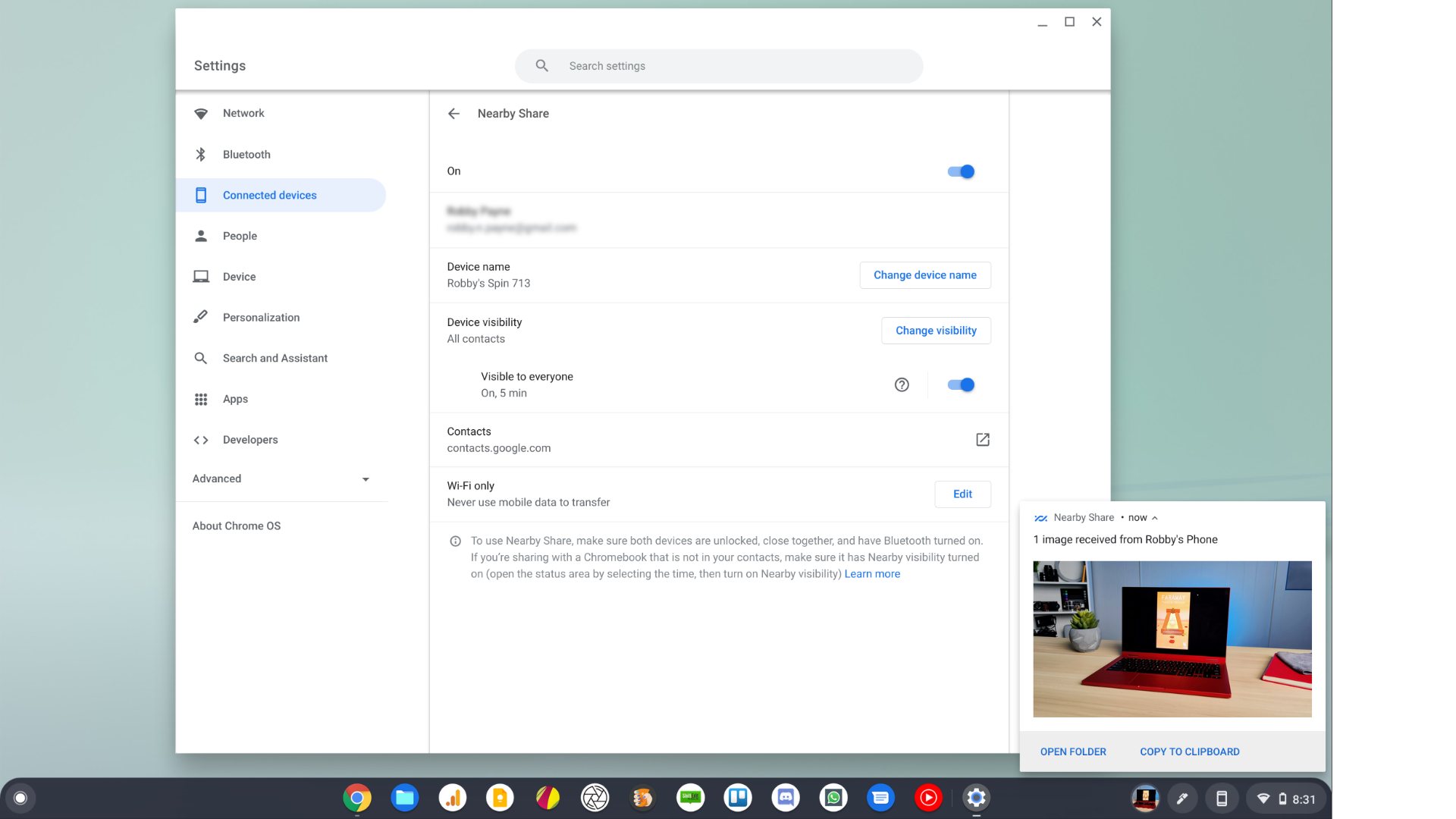
Upon inspection, he quickly realized that this new option was already on his Chromebook. As it hasn’t landed on Android yet, I was a little incredulous, but upon checking it out I realized I was wrong to doubt and this option is already showing up as part of the Chromebook experience for Nearby Share. Even better, I realized that this ‘Visible to Everyone’ update isn’t just in the Chrome OS 91 Canary Channel: it’s already in the Stable Build of Chrome OS 89 right now.
How to try it for yourself
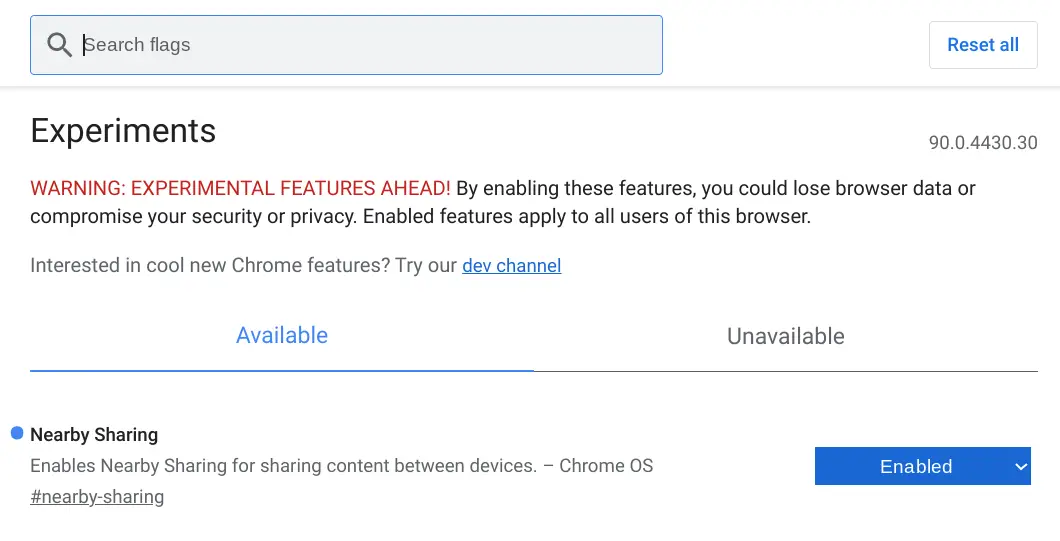
This one is pretty simple. Just head to chrome://flags/#nearby-sharing and turn on the flag found there. There are two other related Nearby Sharing flags available, but we’ve tested and you don’t need them to get the new ‘Visible to Everyone’ feature up and running. Once you’ve flipped the flag to enabled and restarted, you’ll now have a new area just for Nearby Share in the Connected Devices section of your Chromebook settings. In that area, you’ll see the ability to change your device’s general visibility, name and toggle the new ‘Visible to Everyone’ switch.

Once this toggle is switched on, you have 5 minutes of full visibility and we’ve tested with some phones we have around the office to ensure that contact-free visibility actually works. Spoiler: it does! As a matter of fact, we tested a transfer of a 6GB 4K video file and though it did take a few minutes to complete, the file transferred between a phone and a Chromebook that don’t share contact info. It is pretty sweet and with the fact that we’re already seeing this in Stable behind a flag tells me that Android users likely don’t have long to wait before the ‘Visible to Everyone’ feature rolls out for phones, too. As an announced feature of Chrome OS 89, we’re keeping an eye out for the official arrival of Nearby Share, but if you really want to start using it now, there’s no reason not to give this one a go.
SUBSCRIBE TO UPSTREAM
Get Chrome Unboxed delivered straight to your inbox
Upstream is our flagship, curated newsletter with the top stories, most click-worthy deals, giveaways, and trending articles from Chrome Unboxed sent directly to your inbox a few times a week. Join 31,000+ subscribers.

