

Support our independent tech coverage. Chrome Unboxed is written by real people, for real people—not search algorithms. Join Chrome Unboxed Plus for just $2 a month to get an ad-free experience, access to our private Discord, and more. Learn more about membership here.
START FREE TRIAL (MONTHLY)START FREE TRIAL (ANNUAL)
Online offerings for creators continue to expand and offer more robust tools and features that can help budding content makers break free of the need for heavy software that runs locally on a Windows or macOS machine. Whether it’s PWAs like Squoosh to help you compress and resize images or creating compelling graphic designs with platforms like Canva, web-based software has come a long way and that’s really good news for Chromebook users.
There are a lot of really good online tools out there that users can take advantage of at no cost but for those looking to take their “creator” status to a new level, you can find subscription-based platforms that will allow you to create complex and beautiful content without the need for pricey hardware. Google frequently teams up with some of these companies to offer new and existing Chromebook users discounts and freebies to try out some of the best web-based software available. These various pieces of software can be found on the Chromebook Perks page as well as inside the Explore app that lives on your Chromebook.
Over the years, we’ve seen everything from Android games to note-taking apps and everything in between offered on the Chromebook Perks page but as of late, Google has been highlighting more and more tools geared specifically towards creators. Recently, the Chromebook Perks page offered 2 months of the popular Clip Champ video editing platform and while it is a very good online editor, my personal favorite is still WeVideo. Disclaimer here. We do use Final Cut for our YouTube Videos because the projects are massive and we do a lot of custom editing. Not to mention, we do it all in 4K. That said, you don’t have to have a new M1 Mac and Final Cut to produce really good, YouTube-ready videos and that’s exactly what WeVideo does.
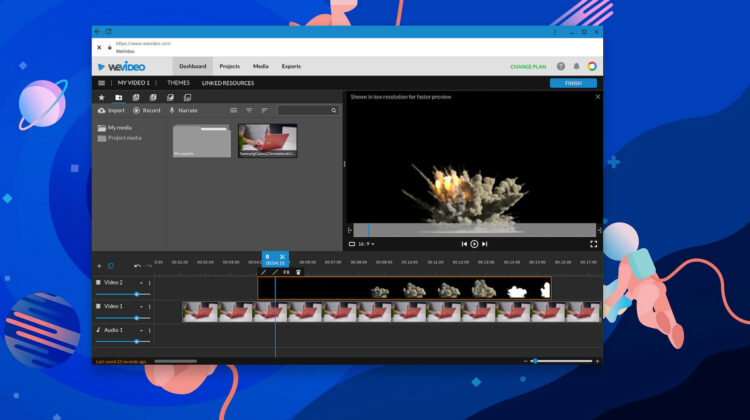
If you are just getting your feet wet in the world of editing videos or maybe you just want to up your game a little and start down the path of becoming an influencer, WeVideo is a solid option. Maybe you want to get your side-gig going as a wedding videographer or maybe you just want to make some cool videos of the family to impress the in-laws around the holidays. Whatever your goal, WeVideo offers a wide range of tools to help you make professional-level videos on the fly and it’s all done in the cloud.
I know that this may sound like a sales pitch but I seriously do love WeVideo. Outside of Chrome Unboxed, I handle the media for my church. Occasionally, I will turn to Final Cut for really large projects but on a normal day, I do everything in WeVideo’s online editor. One of the coolest things about WeVideo is that it offers a range of pricing options to fit your specific needs. If you simply want to try your hand and editing for the first time, there’s even a free plan but you will be limited to 480P and you won’t have access to WeVideo’s massive stock audio/video library.
Anyway, that’s enough of my rambling. If you’re a Chromebook owner and you’ve been looking for a good online video editor, you may be eligible for 2 months free of WeVideo’s top-tier business package. This includes access to over 1 million pieces of licensed media, 4K exports, unlimited storage, screen recording tools, and much more. I currently have the Professional plan which is perfect for me as I do solo projects. The Business plan gives you three “seats” which allows for three users, collaboration, and the ability to create your own templates. Billed monthly, this would cost you $60/month but you can get it free for 60 days. At the end of the trial, you can always downgrade your plan if you decide that it’s more than you need.
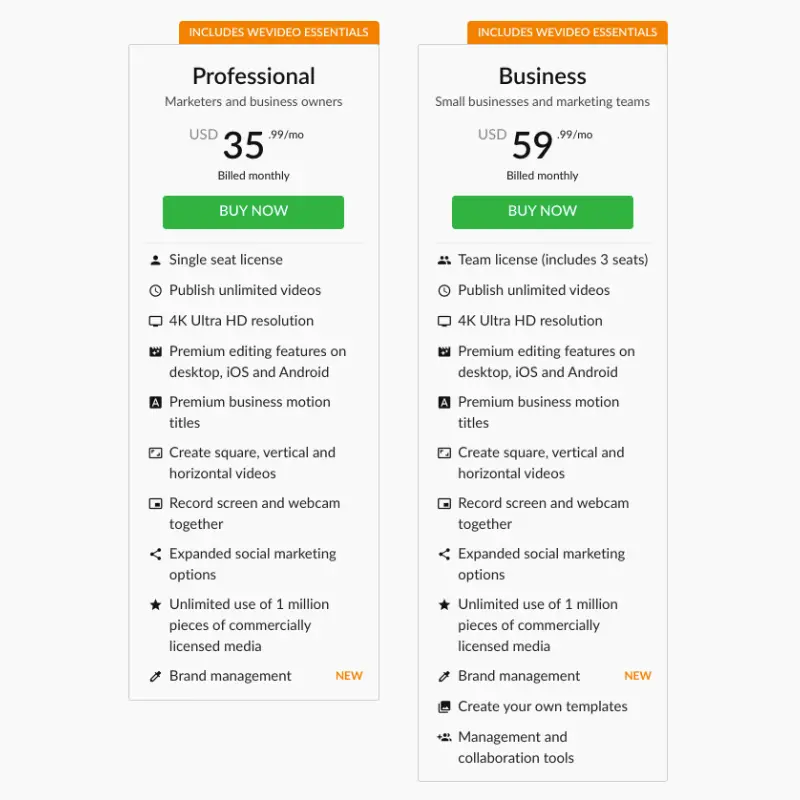
WeVideo gives you the flexibility of creating 16:9 content for YouTube or other video platforms or 9:16 for Instagram, TikTok, and others. You can record directly to the editor and create a podcast or voice-overs and you can sync your projects to cloud storage such as Google Drive or DropBox and even export directly to YouTube. To find out if you’re eligible, head over to the Chromebook Perks page and grab your promo code. Don’t forget to see what else is new as the Perks are constantly changing. If you don’t see the Perk you’re looking for, make sure to check the Perks tab in your Explore app.

